243
Creating a DVD volume
Creating a DVD volume
You can use DVDit! SE to create a DVD volume, which can be played using a
PC-based software DVD player (for example, Sonic CinePlayer). The following
steps explain how to create a simple DVD volume. For complete details on how
to use DVDit! SE, see your DVDit! User Manual.
1 Start DVDit! SE.
2 In the Project Planner that opens, click Start a New Project.
3 In the next dialog box, under
Choose a Video Format,
select
MPEG2 (DVD-
compliant)
. Click Finish.
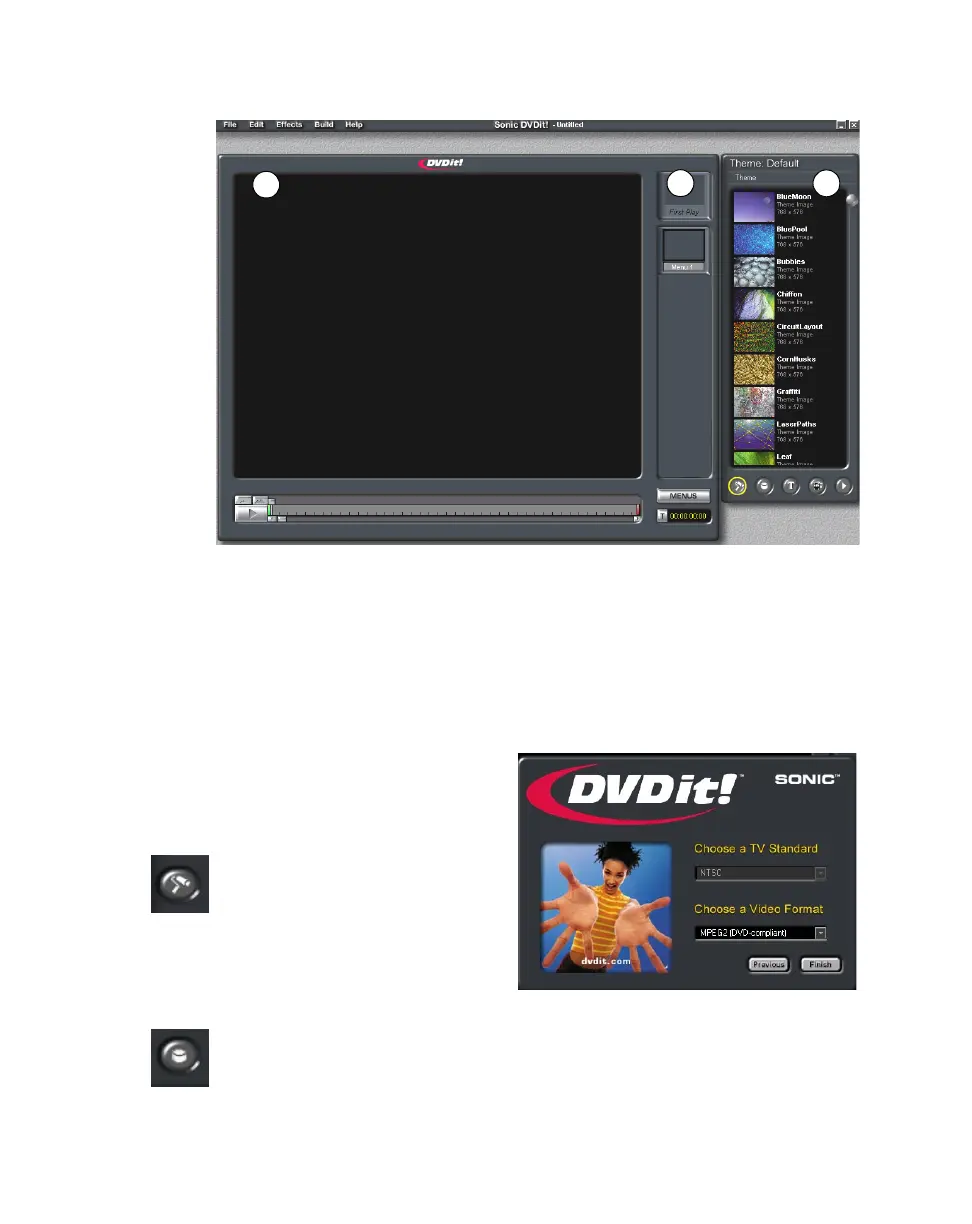
4 Click the Backgrounds
button on the Palette Window.
Notice that the default theme
backgrounds are automatically
loaded. Select a background
by dragging it to the “First
play” placeholder.
5 Click the Buttons button on the Palette Window. Drag any button to the
Video Monitor.
✐ Video Monitor ✑ “First play” placeholder ✒ Palette Window
✐
✑
✒



 To Next Page