30
Chapter 3, Installing Your RT.X100 Xtreme and Connecting Your Devices
S-Video input/output connections
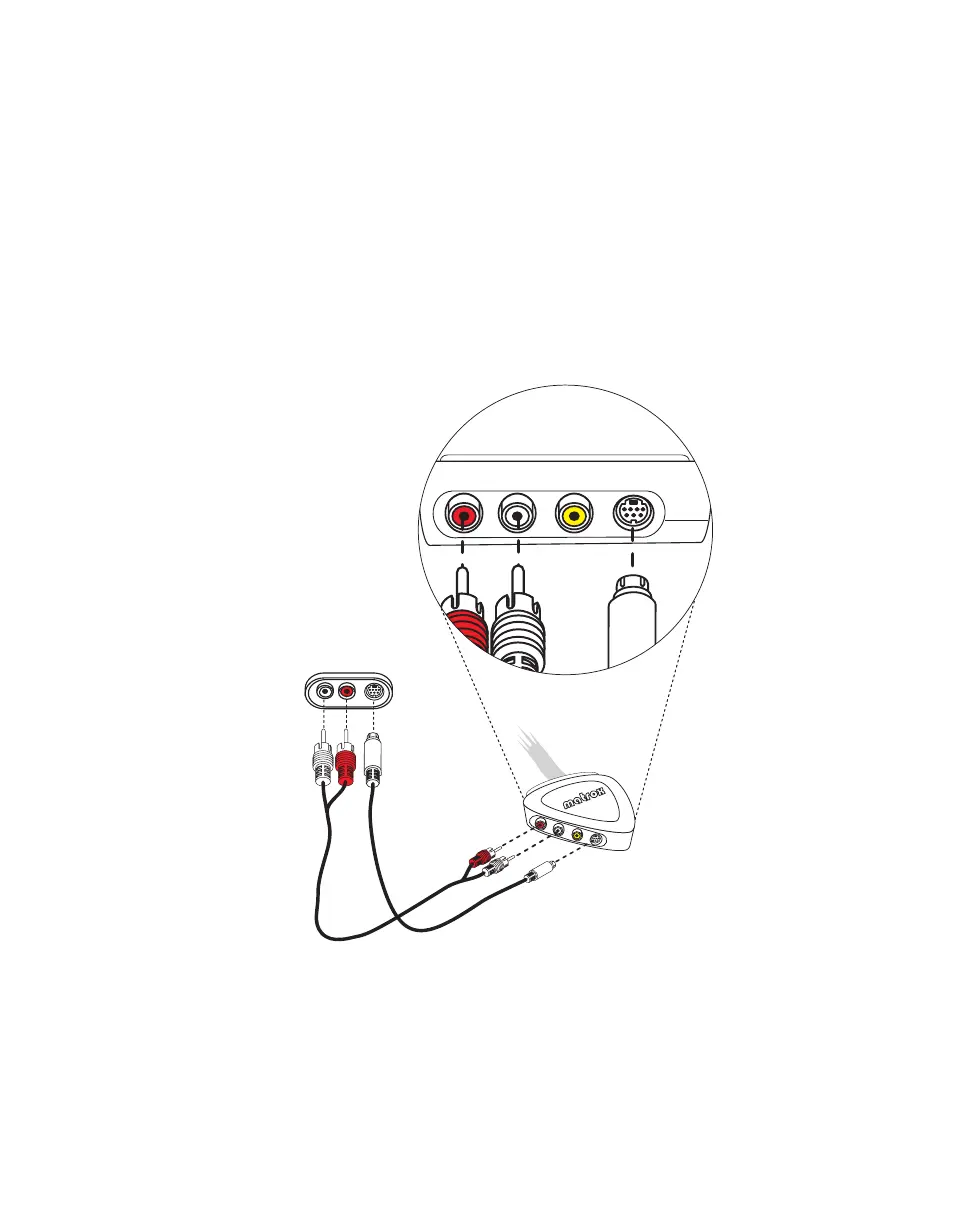
1 To connect your S-Video source (for capturing material), use an S-Video
cable, as well as two cables with RCA connectors for audio. On the input
side (
IN) of your breakout cable:
a Connect the video output from your S-Video device to the S-VIDEO jack.
b Connect the left audio output channel of your device to the white
AUDIO-L jack.
c Connect the right audio output channel of your device to the red
AUDIO-R jack.
¦NoteIf your video device has only one audio connector, use the left audio
connector on the cable.
AUDIO
OUT
L
R
AUDIO-R VIDEO S-VIDEO
IN
AUDIO-L
S-VIDEO
OUT
Video camera
or player



 To Next Page