31
5. Connect your composite and S-Video devices
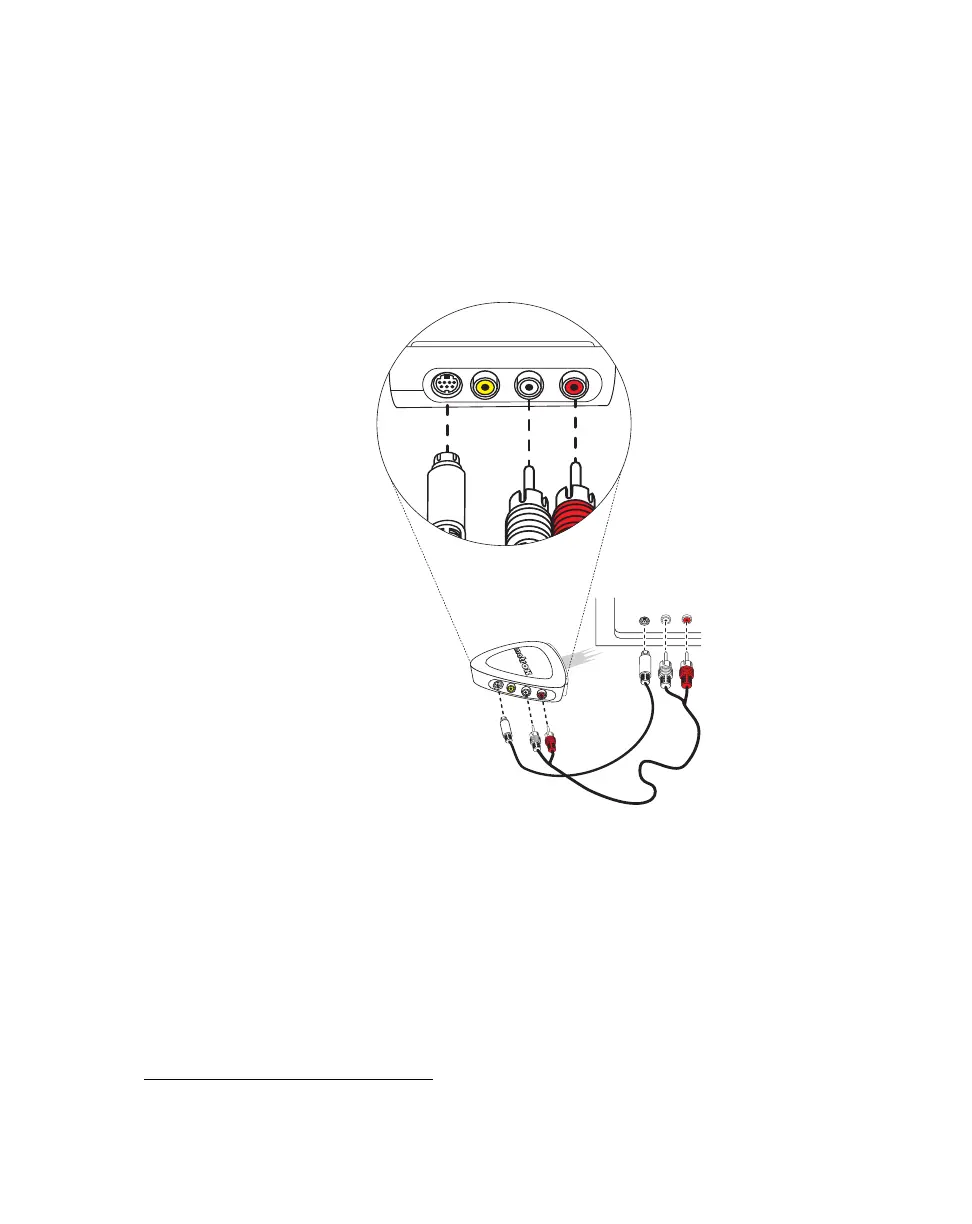
2 To connect your S-Video recorder, use another S-Video cable and two more
cables with RCA connectors for audio. On the output side (
OUT) of your
breakout cable:
a Connect the S-VIDEO jack to the video input on your video recorder.
b Connect the white AUDIO-L jack to the left audio input of your video
recorder.
c Connect the red AUDIO-R jack to the right audio input of your video
recorder.
3 To display the output from Matrox RT.X100 Xtreme on your NTSC or PAL
video monitor
1
, you can connect your video monitor to the breakout cable or
your recorder. For an illustration of typical S-Video connections that you can
use, see “S-Video connections using same device for capture and print-to-
tape” on page 24.
1
You can use a TV in place of an NTSC or PAL video monitor. If your TV has a TV/VIDEO
input switch, set it to VIDEO.
S-VIDEO
IN
AUDIO
IN
L
R
AUDIO-RVIDEOS-VIDEO
OUT
AUDIO-L
Video
recorder



 To Next Page