Preparing the BlackArmor Drive for Use 2
Maxtor Black Armor
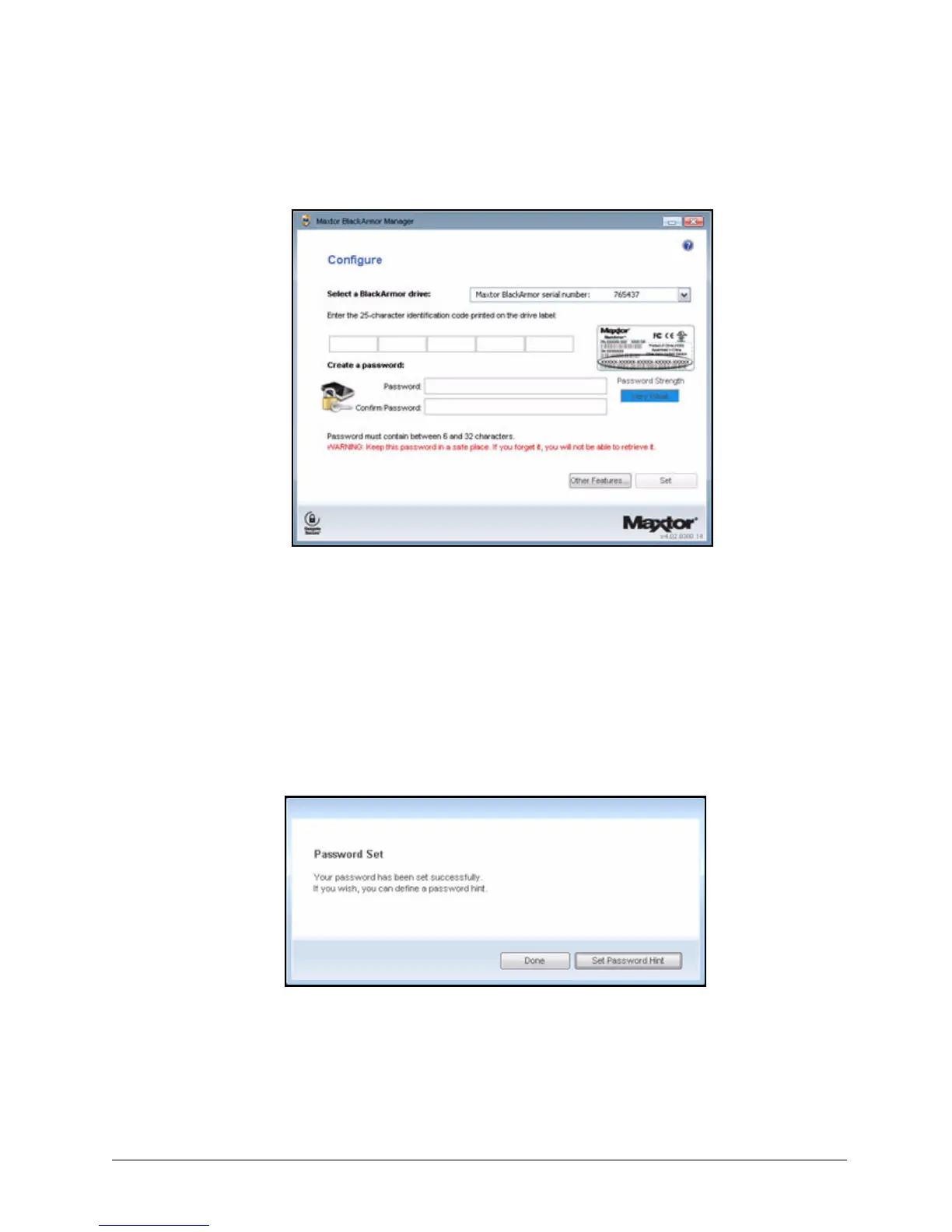
The Configure window opens:
T
Step 2: Select your BlackArmor drive from the dropdown menu.
Step 3: Enter the 25-character identification code printed on the drive label.
Step 4: Enter and confirm a drive password.
The password must contain between 6 and 32 characters.
Step 5: Click Set.
A message confirms that a password has been set successfully and offers the
option of setting a password hint:
Step 6: Click Done to close the Black Armor Manager window or Set Password Hint to
create a password hint.
Note: For information on setting a password hint, see Setting a Password Hint.
Figure 1: Configure
Figure 2: Password Set Successfully













 To Next Page