Preparing the BlackArmor Drive for Use 3
Maxtor Black Armor
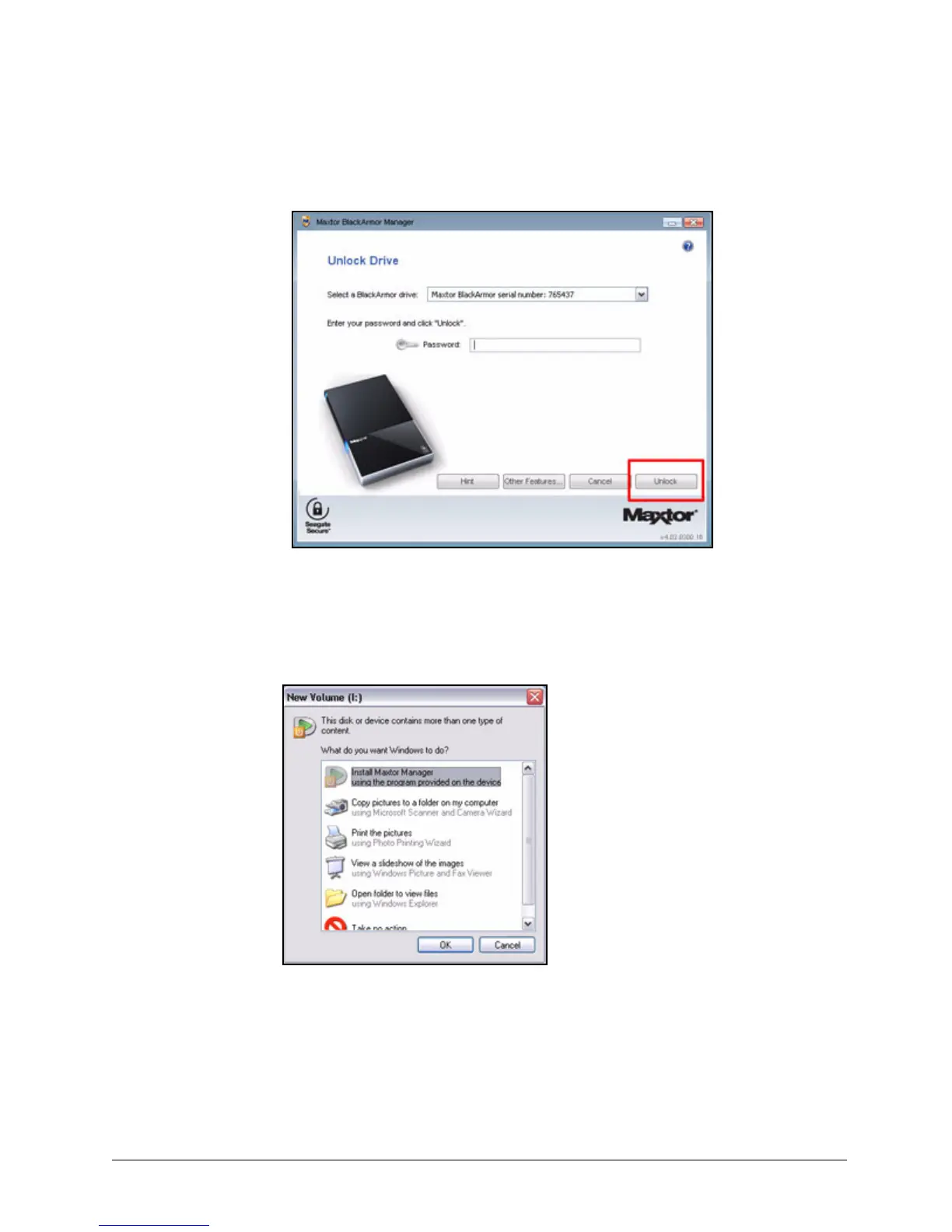
The Unlock Drive window opens:
Step 7: Select your BlackArmor drive from the dropdown list, enter your password, and
click Unlock.
The Unlock Drive window closes and the BlackArmor autostart window opens:
Step 8: Select Install Maxtor Manager using the program provided on the device and
click OK.
Figure 3: Unlock Drive
Figure 4: BlackArmor Autostart Window













 To Next Page