Using Automatic Overwrite 68
Maxtor Black Armor
To turn off Automatic Overwrite,
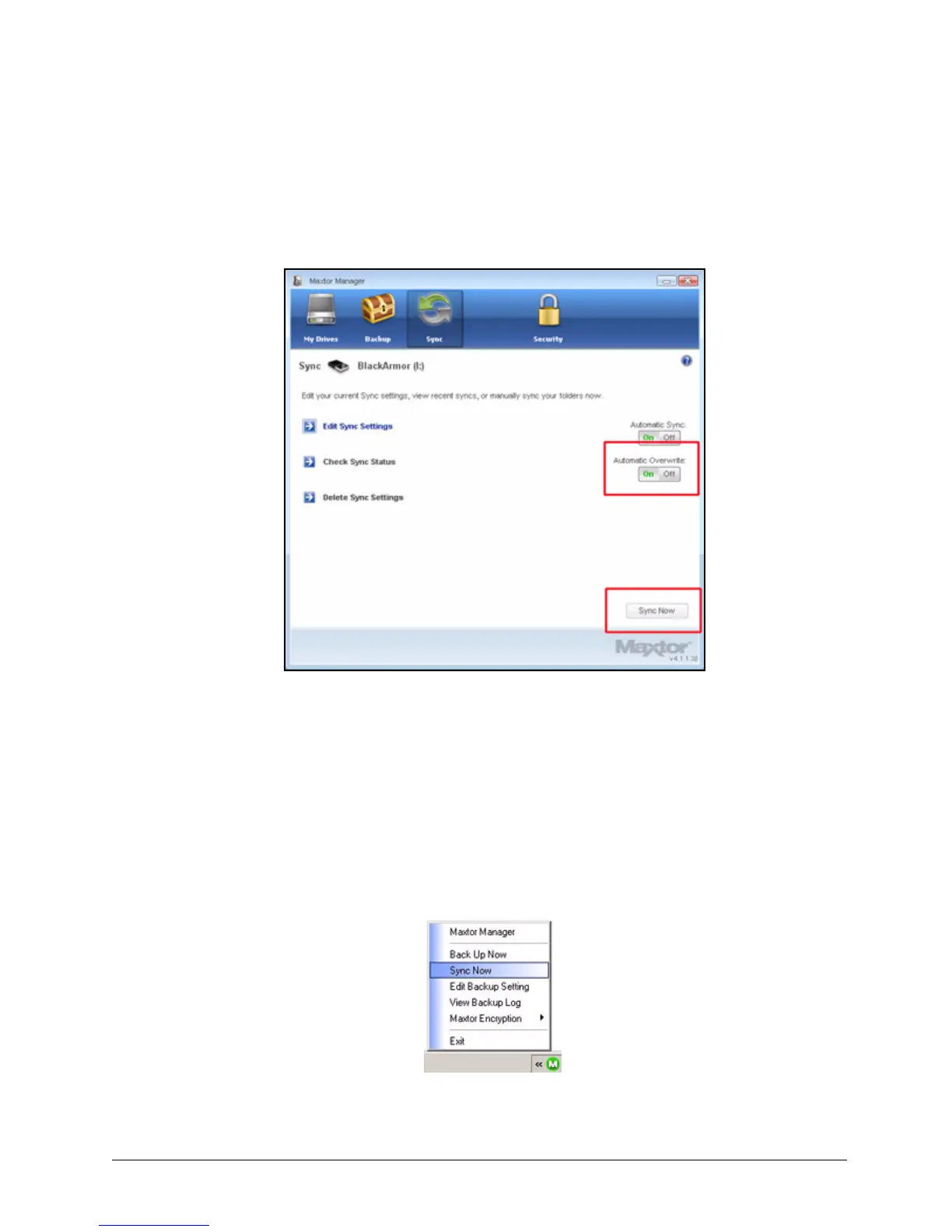
Step 1: Click the Sync icon in the Maxtor Manager window.
The Sync window opens:
Step 2: In the Sync window, click the Automatic Overwrite Off button.
Step 3: To sync manually and make individual decisions about which files to add,
overwrite, or delete,
• Click Sync Now in the lower right corner of the Sync window.
— OR —
• Select Sync Now from the System Tray menu to Sync on ALL connected
drives:
Figure 73: Automatic Overwrite













 To Next Page