3.1 Mode and function of buttons
Thelayoutoftheguresispurelyindicativeandcanundergovariations.
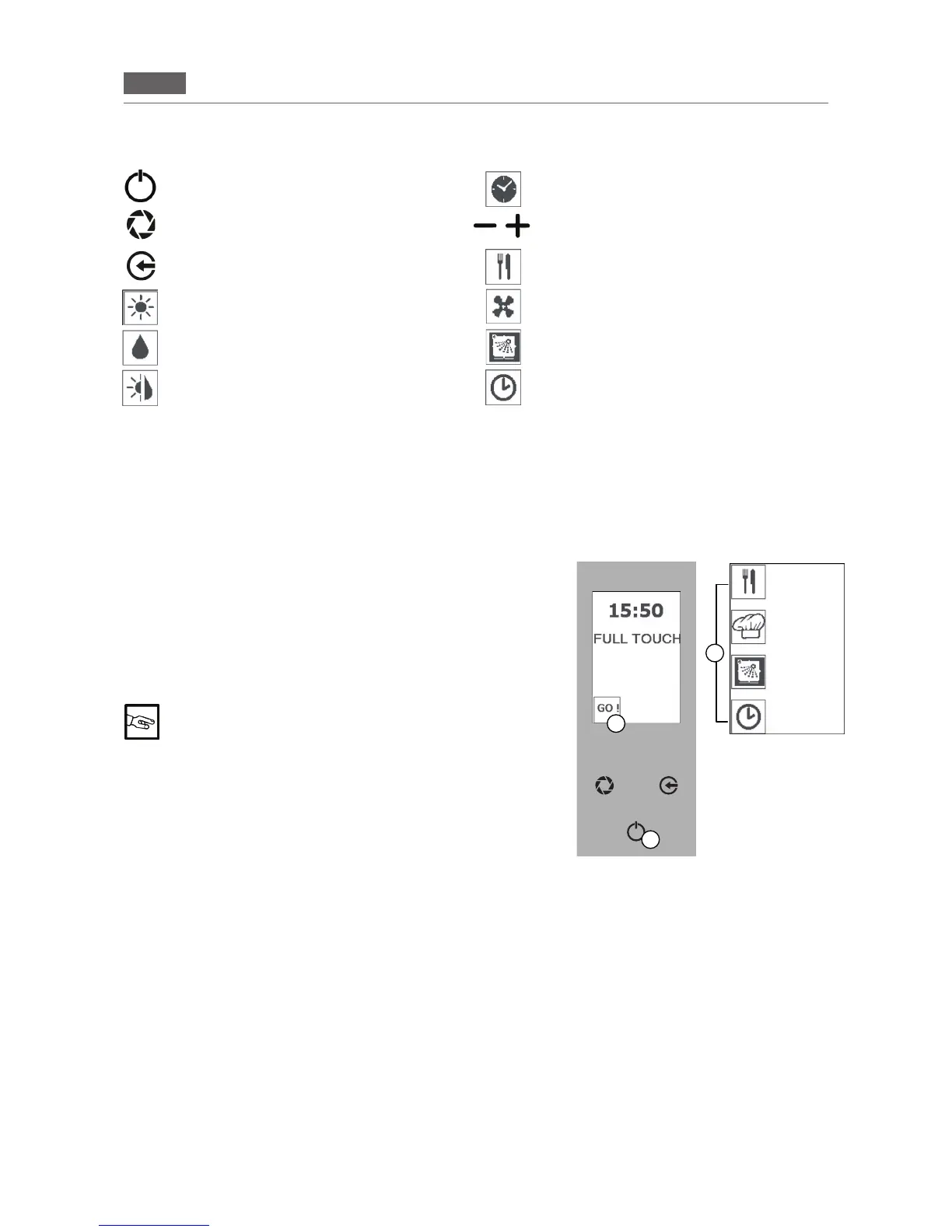
“TIME” icon: cooking time
“PREV” and “NEXT” icon: to reduce or in
-
crease the selected parameter.
“RECIPES” icon: creation or selection of a
recipe
“VENTILATION” icon: fan speed in the cook
-
ing chamber
“WASHING”icon:washingmode
“FUNCTION POST.” icon: function postponed
mode
“ENTER”key:turnon,off,conrmorinterrupt/
exit a function
“ALARMVENT”key:valveopen(ashing
LED),valveclosed(steadyLED)
“ESC”key:exitafunction
“CONV.” icon: “Conv.” cooking mode
“STEAM” icon: “Steam” cooking mode
“COMBI” icon: “Combi” cooking mode
3.2 Control panel operation
Thebuttonsareusedtocarryouttheoperationsrequiredandtocalluporprogramvariousfunctions.
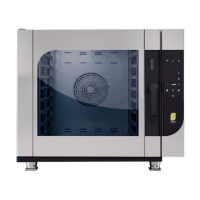
The“ENTER”key(Fig.1/A)canbeselectedtoperformthreedifferentfunctions:
1. Stoporstartaworkcycle(and/orconsenttoaccessaspecicfunction,e.g.,coreprobecooking,delayed
start).
2. Conrmasettingchoice.
3. Pausethecurrentfunction(pressthe“ENTER”buttontoresumethecycle-PAUSEfunction).
3.3 Description of the operating modes
•
STAND BYmode:displayswitchedoffand“ENTER”keylitup
(Fig.1).
•
“HOME PAGE” mode: display switched on, clock shown and
“ENTER”keylitup(Fig.1).
•
“MAIN MENU” MODE: functions shown (RECIPES MENU -
MANUAL COOKING - WASHING-POSTPONEMENTFUNC
-
TION-Fig.1/C).
Unless otherwise indicated, the instructions in this
manual are intended for use when the oven is showing
the “HOME PAGE” and with the parameters set by the
manufacturer
After60secondsofinactivityinthe“MAIN MENU”,theovengoes
into “STAND BY” mode.
After5secondsofinactivityinthe“functionselection”or“parameter
selection”mode,theovensavesthefunctionorthevaluedisplayed.
Thecookingtypescanbemanagedbytheuserintwomodes:
•
MANUAL mode: the operator sets the operating parameters
eachtime(seesection6“COOKINGPARAMETERS”).
•
AUTOMATIC mode:theoperatorsetstheoperationbyselecting
acookingprogram(seesection7“PROGRAMMING”).
The “Program” and/ cooking “Recipe” can be called up or repeated as needed. The appliance can save up
to 100 programs. The duration of each program cannot exceed 9 hours of consecutive operation. Inside the
“Program”,5cookingphasesarepossible.The“cookingphase”,indicatedbytheword“PHASE”,denotesthe
cooking characteristics that will be used on the food.
Whenusinga"Recipe"withseveralprocessingphases,theapplianceendsthecookingcycleattheendofthe
lastmemorizedphase(see7.1.RecipeIndex).
A
B
C
Fig.1
RECIPES
MENU
MANUAL
COOKING
WASHING
POSTPONE-
MENT
FUNCTION


 To Next Page