5.9 SETTING THE PROGRAMMED START
(POSTPONEMENT)
To proceed with this function, the clock must be set
(see 5.1. DATE/CLOCK)
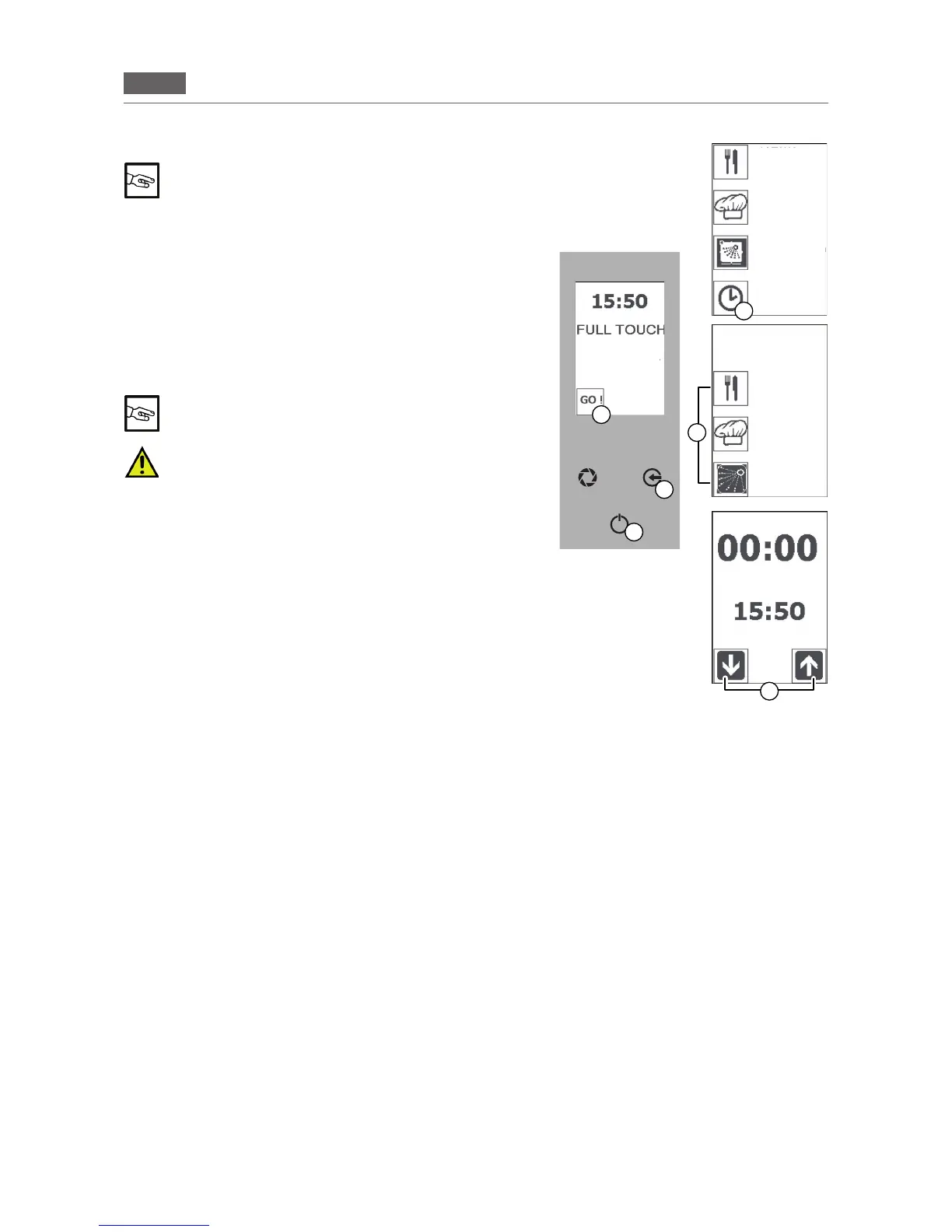
Pressthe“GO!”toactivatethemainmenu(Fig3/A).
Pressthe“FUNCTIONPOST.”icon(Fig3/D).
Select the “MANUAL COOKING” “RECIPES” or “WASHING”
function and follow the procedures described to activate the func
-
tions(seee.g.sections6.1,7.1,9.3).
Pressthe“ENTER”key(Fig3/C)toconrm.
Pressthe“ARROWS”icons(Fig3/F)tosetthestartingtime.
Pressthe“ENTER”key(Fig3/C)toconrm.
Anacousticsignalconrmssaving.
The postponement time ashes
There is no pre-heating in the POSTPONEMENT func-
tion
Pressthe“ENTER”key(Fig3/C)andpressthe“ESC”key(Fig
3/B)severaltimestocanceltheprogramandreturntotheHome
Page.
When the set time has been reached, the selected function
starts together with the countdown.
Pressthe“ENTER”key(Fig3/C)andpressthe“ESC”key(Fig
3/B)severaltimestostoptheprograminprogressandreturnto
the Home Page.
B
C
E
F
Fig.3
D
A
RECIPES
MENU
MANUAL
COOKING
WASHING
POSTPONE-
MENT
FUNCTION
SELECTION FUNCTION
MANUAL
COOKING
RECIPES
MENU
WASHING
CURRENT TIME
START TIME


 To Next Page