Page 157 of 188
User Manual MAS-100 Regulus en.docx, Version: 4.0
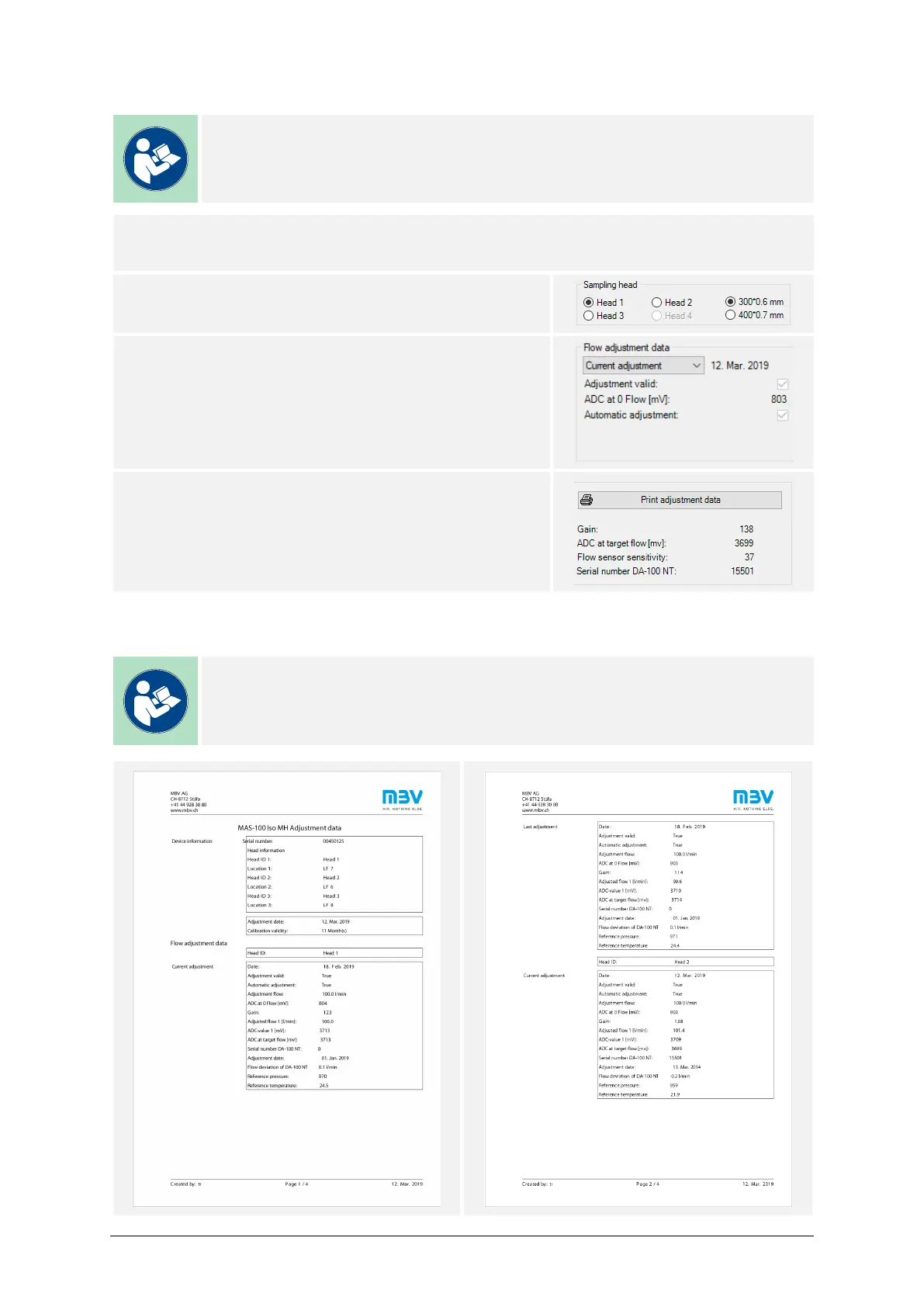
11.7. PRINT FLOW ADJUSTMENT DATA
Note
Please consult the MAS-100 Iso MH Installation Manual for detailed infor-
mation about the printer installation.
PROCEDURE
1) Connect a printer to the air sampler.
2) Select the sampling head whose adjustment data
shall be shown
3) Select in the pull-down menu the adjustment to
print:
– Current adjustment
– Last adjustment
4) Press Print adjustment data.
The data can be exported to a PDF file, if a virtual
PDF printer is available in the Windows® print
menu.
EXAMPLE - ADJUSTMENT DATA (AUTOMATIC ADJUSTMENT)
Note
Manual and automatic adjustments lead to different adjustment data exports.



 To Next Page