Page 20 of 188
User Manual MAS-100 Regulus en.docx, Version: 4.0
2.7.1. DISPLAY
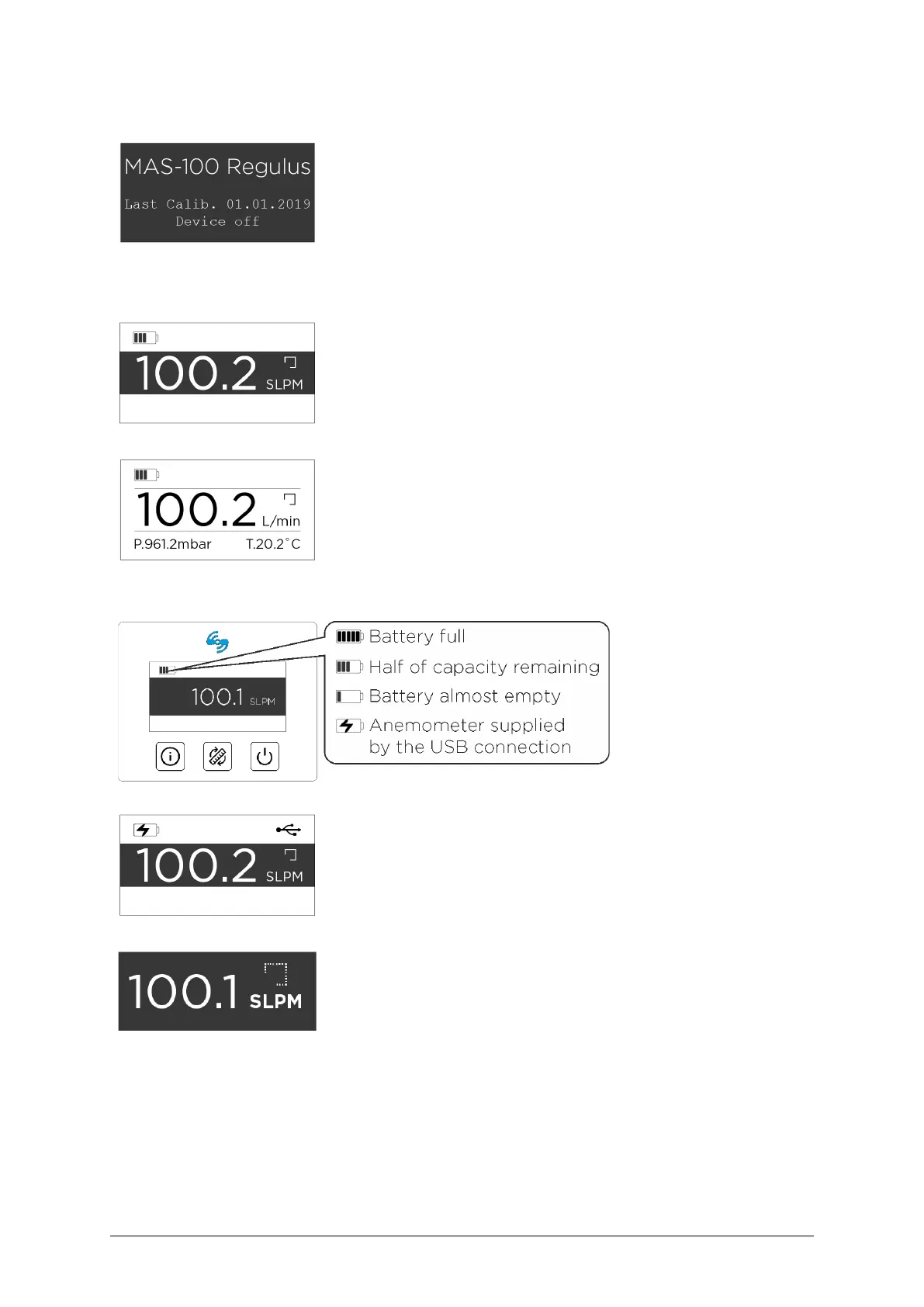
The display can show the following information and details:
Shows the product name and last calibration date (this is dis-
played when the anemometer is turned off). In this state the
background is black and text appears white.
In the bottom line the text «Instrument off» appears, which
can be customized during the first user-initiated calibration
of the anemometer (e.g. to show a customer-specific test ID).
Shows the current flow value in SLPM (Standard Liters Per
Minute, standard unit for the calibration of most air sam-
plers). In this mode the background of the middle section is
black and text appears white.
Shows the current flow in L/min (Liters per minute) and addi-
tionally atmospheric pressure and the air temperature. In this
mode the background is white and the text appears black.
The icon in the upper
left corner shows the
battery status.
USB connectivity status icon
The icon in the upper right corner shows that the anemome-
ter is connected via USB.
Sampling progress indicator
Shows the progress of the sampling interval. Every 5.5 sec-
onds one corner of the rectangular sampling progress indica-
tor is filled with dots and the displayed value will be updated.



 To Next Page