McHale Fusion 3 Baler & Wrapper
72
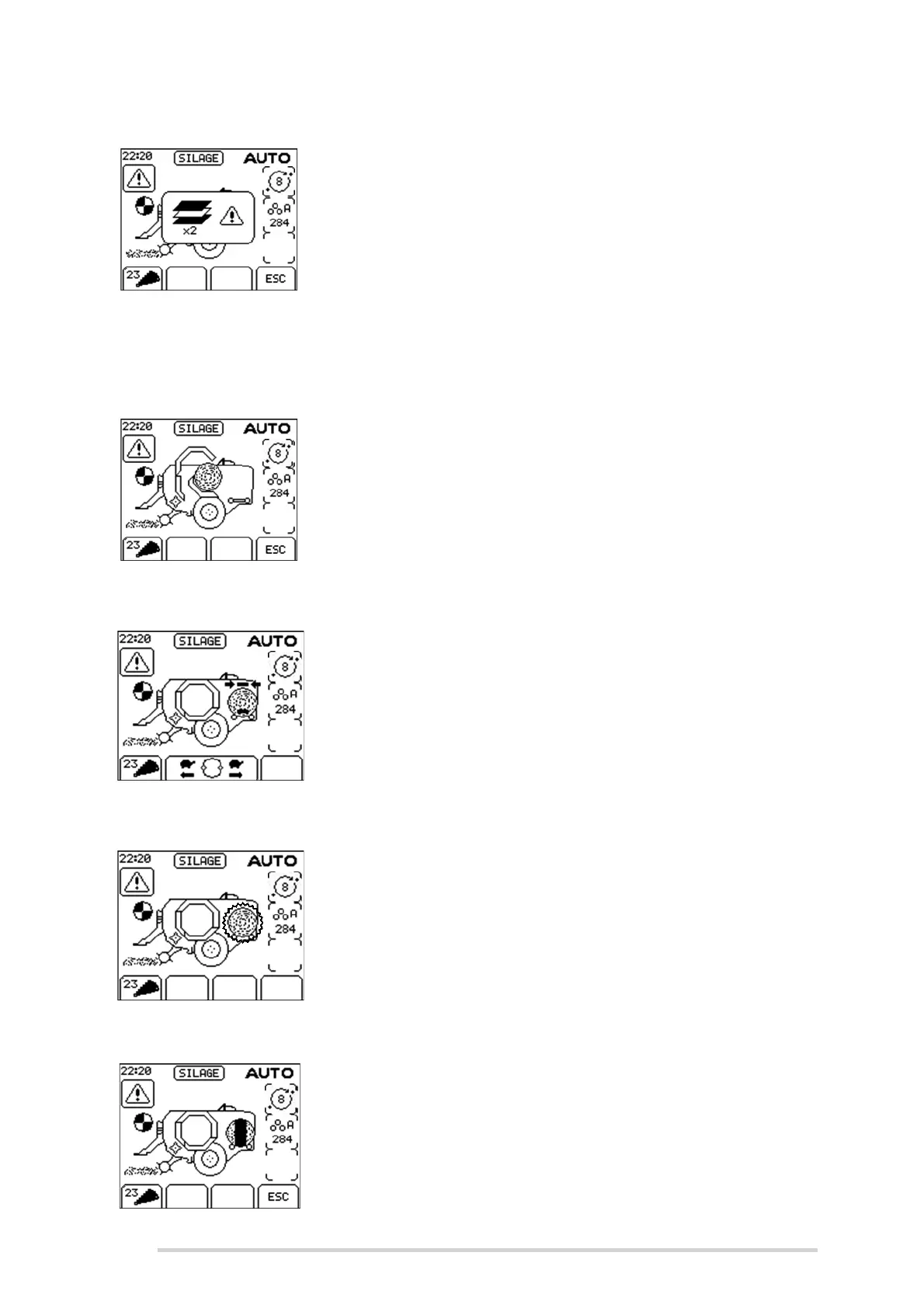
Out of film
When both film rolls empty, this warning is shown on the
display and the dispenser rotates slowly to the loading
position where the first roll is replaced. The door needs to
be closed, for safety, before the dispenser rotate position is
pushed. This will bring the second dispenser to the loading
position, where the second roll is replaced. The ends of
each roll should be secured in the slots provided, the door
is closed and the cycle is resumed. (See Section “Loading
plastic film” on page 75). Press ESC (Softkey D) to silence
the alarm.
Transfer not complete
If “Stop” (Button 1) is pushed during the transfer of a bale,
this error is displayed when the control box is next switched
to “Auto”. To correct the error, Button 9 is pushed for one
second to transfer the bale and advance the cycle. Pushing
ESC (Softkey D) on the control box will cancel the error
warning.
Dispenser position
If the dispenser ring is not in the home position after netting,
transfer of the bale is prevented and this warning is
displayed. This can be corrected without leaving an “Auto”
cycle, by pushing either forward (Softkey B) or reverse
rotate (Softkey C), as appropriate. When the dispenser ring
is correctly positioned transfer will continue.
Tip bale
This message shows the bale on the wrapper flashing and
prompts the operator to tip off the previous bale on the
wrapping table, which is preventing transfer of the netted
bale. If “Auto tip” is selected, the wrapped bale is
automatically tipped. “Tip Bale” (Button 13) is pushed to
complete the tipping cycle.
Wrap not complete
If “Stop” (Button 1) is pushed during wrapping of a bale, this
error is displayed when the control box is next switched to
“Auto”. To correct the error push “Resume/Re-wrap”
(Button 7) to complete the wrapping cycle. Pushing ESC
(Softkey D) on the control box will cancel the error warning.



 To Next Page