MAGNUM KEYPAD/DISPLAY REVISION 2.2
14
4.6. RELAY OUTPUTS (Run YDY)
4.7. RELAY OUTPUTS (Cycles YDY)
4.8. RELAY OUTPUTS (TTL Run HR)
Press ↲
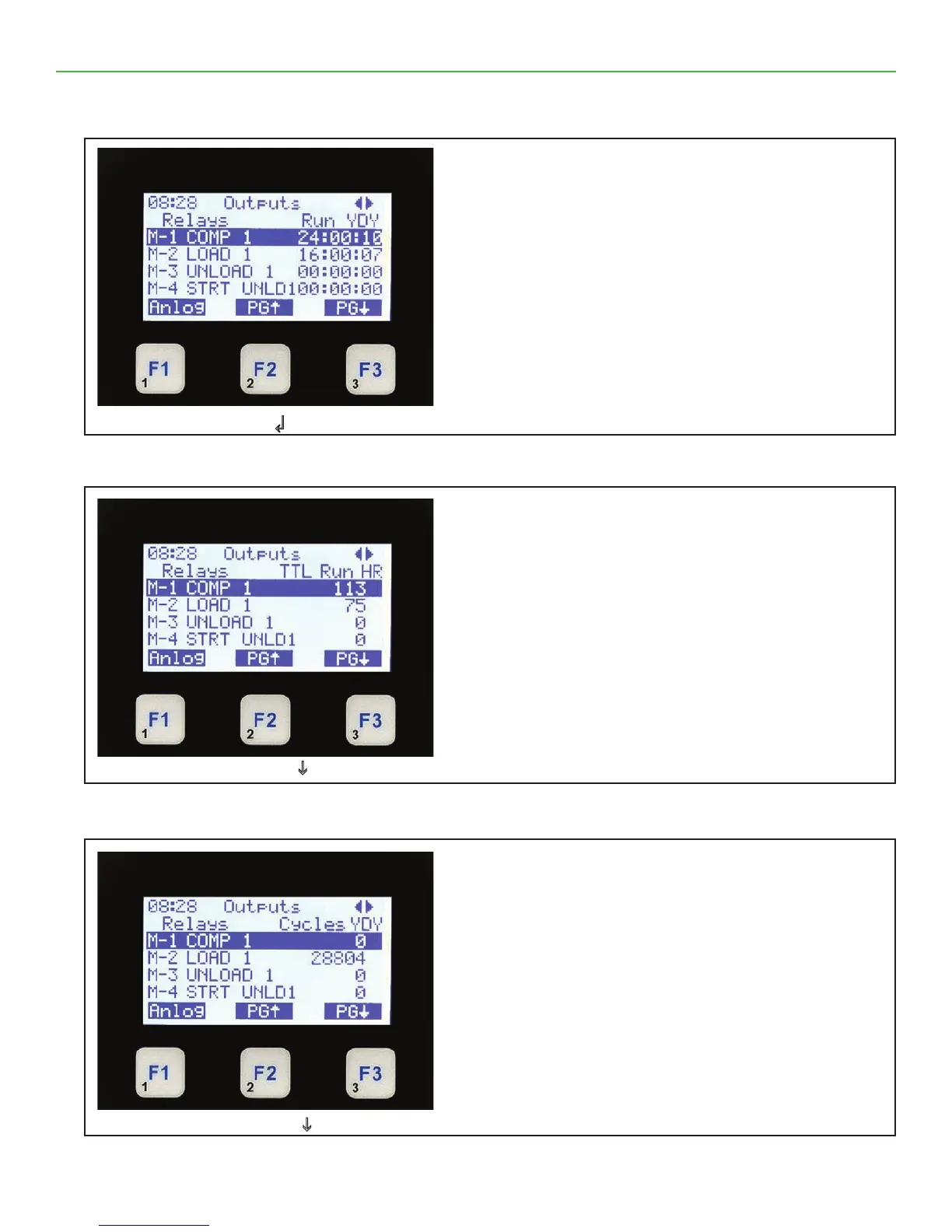
Relay Outputs Run YDY
• On the top line shows Outputs & ◄► which
allows you to move screen left to right.
• The second line shows column headings.
• The third through sixth line shows up to four
relays & run time yesterday.
• The bottom line shows function keys with current
values.
• Pressing F1 moves you to Analog outputs.
• Pressing F2 or F3 pages the current screen up
or down for additional outputs.
Press F3 PGi
Relay Outputs Cycles YDY
• On the top line shows Outputs & ◄► which
allows you to move screen left to right.
• The second line shows column headings.
• The third through sixth line shows up to four
relays & cycles yesterday.
• The bottom line shows function keys with current
values.
• Pressing F1 moves you to Analog outputs.
• Pressing F2 or F3 pages the current screen up
or down for additional outputs.
Press F3 PGi
Relay Outputs TTL Run HR
• On the top line shows Outputs & ◄► which
allows you to move screen left to right.
• The second line shows column headings.
• The third through sixth line shows up to four
relays & total run hours.
• The bottom line shows function keys with current
values.
• Pressing F1 moves you to Analog outputs.
• Pressing F2 or F3 pages the current screen up
or down for additional outputs.



 To Next Page