MAGNUM KEYPAD/DISPLAY REVISION 2.2
16
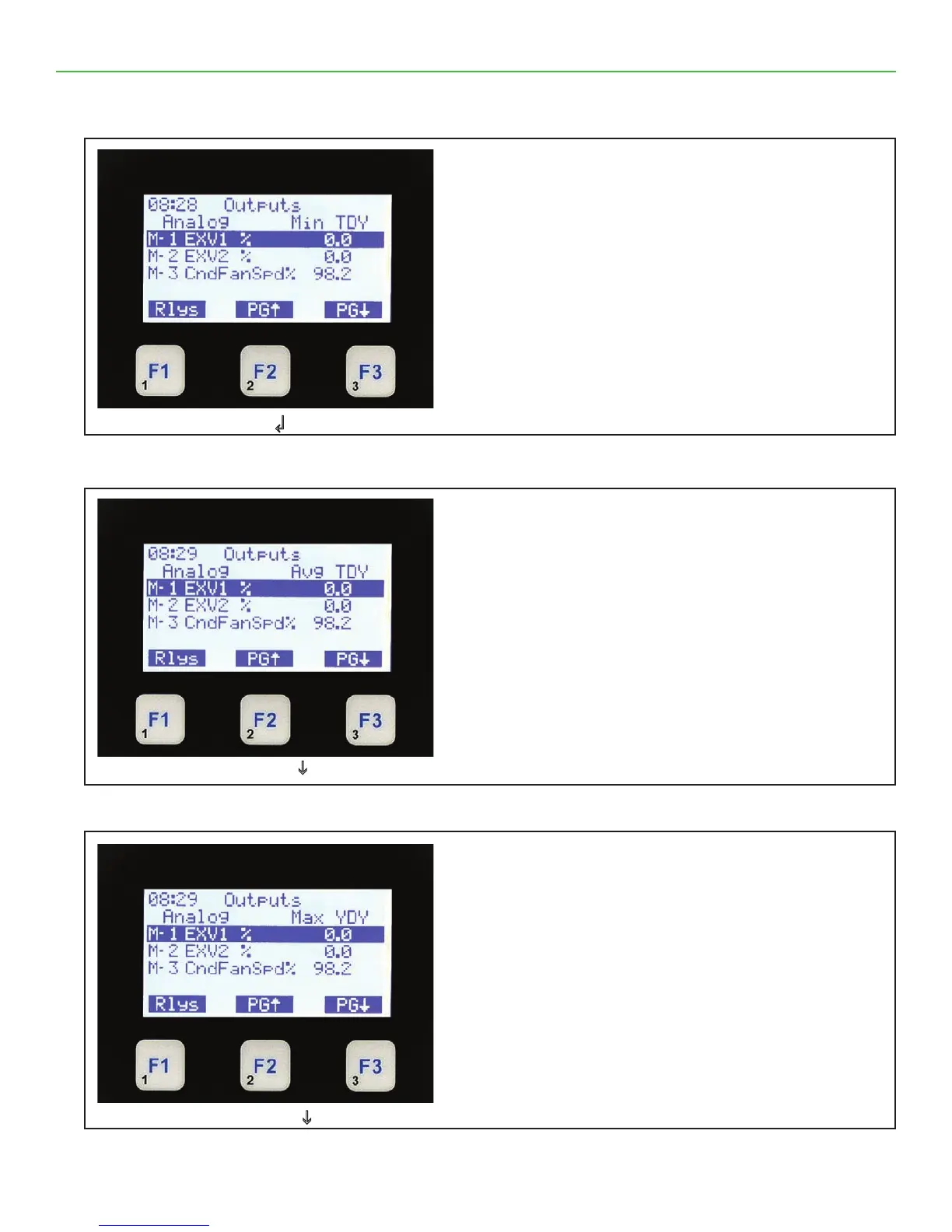
4.12. ANALOG OUTPUTS (Min TDY)
4.13. ANALOG OUTPUTS (AVG YDY)
4.14. ANALOG OUTPUTS (Max YDY)
Press ↲
Analog Outputs Min TDY
• On the top line shows Outputs.
• The second line shows column headings.
• The third through sixth line shows up to four
analog outputs & minimum value seen today.
• The bottom line shows function keys with current
values.
• Pressing F1 moves you to Relay Outputs.
• Pressing F2 or F3 pages the current screen up
or down for additional outputs.
Press F3 PGi
Analog Outputs AVG TDY
• On the top line shows Outputs.
• The second line shows column headings.
• The third through sixth line shows up to four
analog outputs & average value today.
• The bottom line shows function keys with current
values.
• Pressing F1 moves you to Relay Outputs.
• Pressing F2 or F3 pages the current screen up
or down for additional outputs.
Press F3 PGi
Analog Outputs Max YDY
• On the top line shows Outputs.
• The second line shows column headings.
• The third through sixth line shows up to four
analog outputs & maximum yesterday.
• The bottom line shows function keys with current
values.
• Pressing F1 moves you to Relay Outputs.
• Pressing F2 or F3 pages the current screen up
or down for additional outputs.



 To Next Page