MAGNUM KEYPAD/DISPLAY REVISION 2.2
34
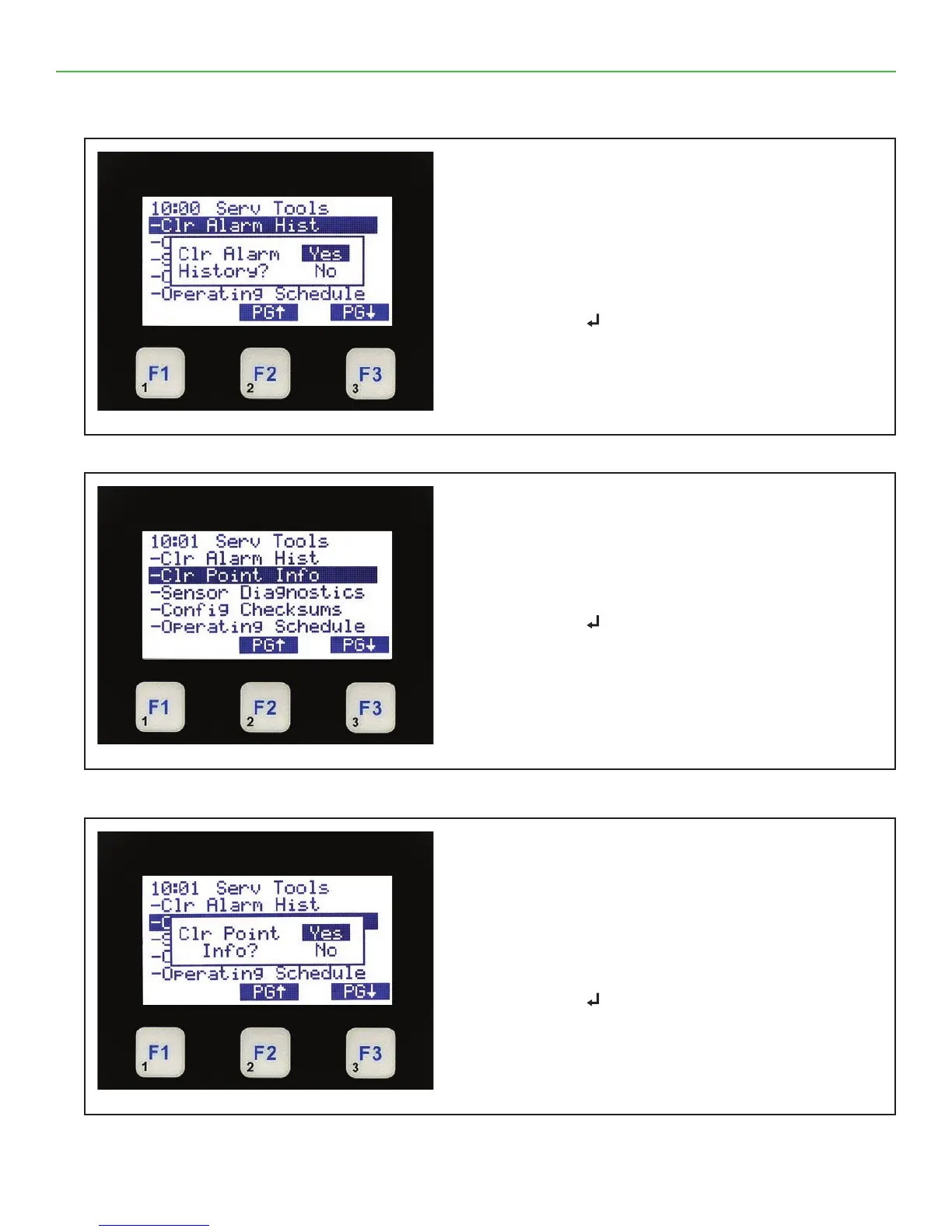
9.21. CLEAR ALARM HISTORY (Yes / No)
9.22. SERVICE TOOLS (Clear Point Info)
9.23. CLEAR POINT INFO (Yes / No)
Service Tools - Clear Alarm History Yes / No
• The top line shows Serv Tools
• Next Line shows Yes / No
or moves between ‘Yes or No’
• Press function
↵to save changes
Press ↵ to return to main Menu
Service Tools - Clear Point Info
• The top line shows Serv Tools
• Press to move to ‘CL Point Info’
• Press function
↵
Press ↵
Service Tools - Clear Point Info
• The top line shows Serv Tools
• The next section shows ‘Yes / No,
or moves between ‘Yes or No’
• Press function
↵
Press ↵



 To Next Page