MAGNUM KEYPAD/DISPLAY REVISION 2.2
42
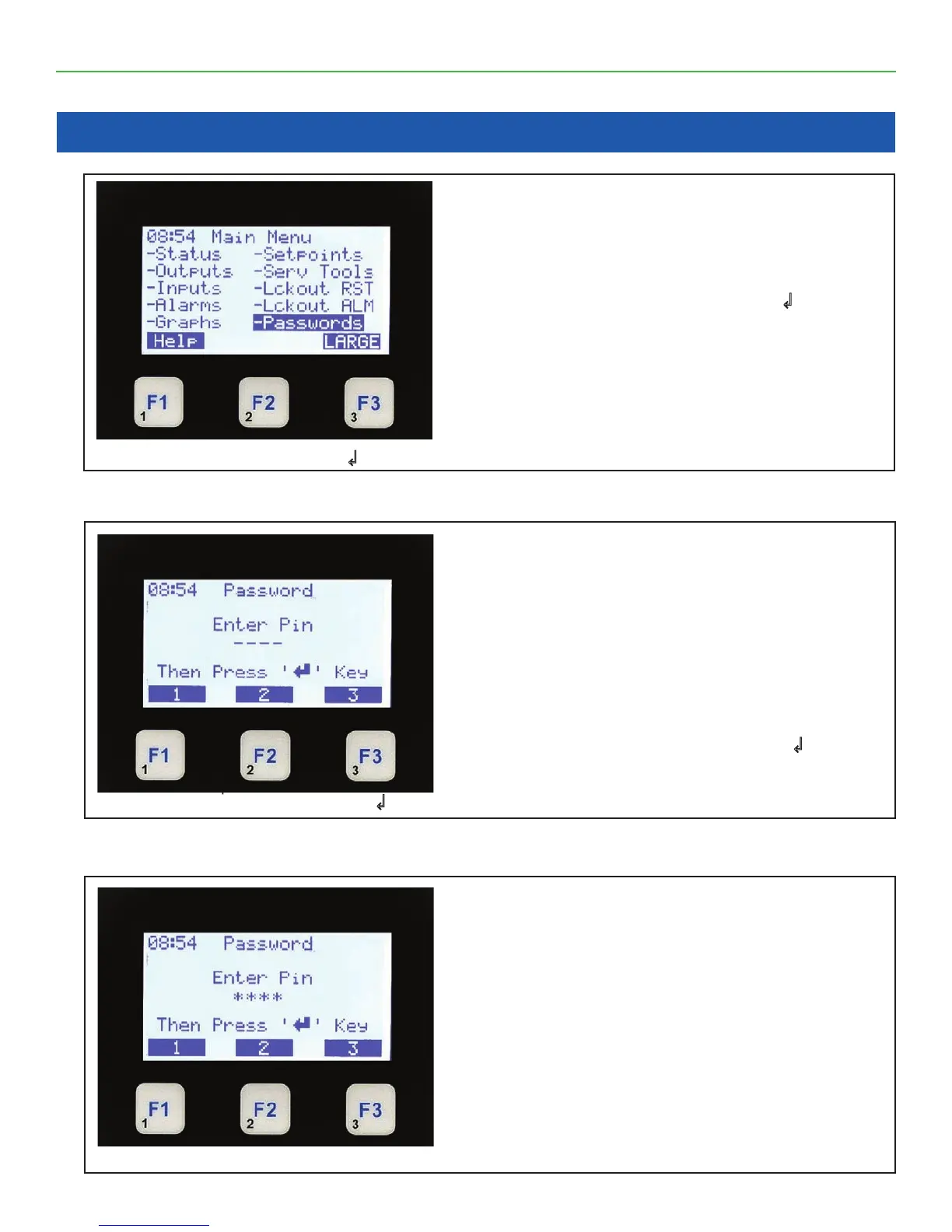
12.1. PASSWORDS (Enter Format)
12.2. After Entering Password
Input Password
Passwords Enter Format
• The top line shows Password.
• The bottom functions show the value of the
function keys..
• There are 4 levels of passwords as follows:
-View -Service
-Supervisor -Factory
• Enter a 4 character password and press
↲.
After Entering Password Press ↲
Chapter - 12. Password
Pressing the Menu Key- Password
• Results in displaying the 10 available Menu
items. The highlight is on the Lckout RST display.
• To select any item use the ▲ ▼ ◄ ► arrow
keys to position the highlight and press
↲.
• To understand the options select F1 for help.
• To display the current Lckout ALM press the
Enter Key.
Select Passwords & Press ↲
After Entering Password
• The top line shows Password.
• The *’s show characters entered.
• Only 1 through 8 numbers are available from the
keypad..



 To Next Page