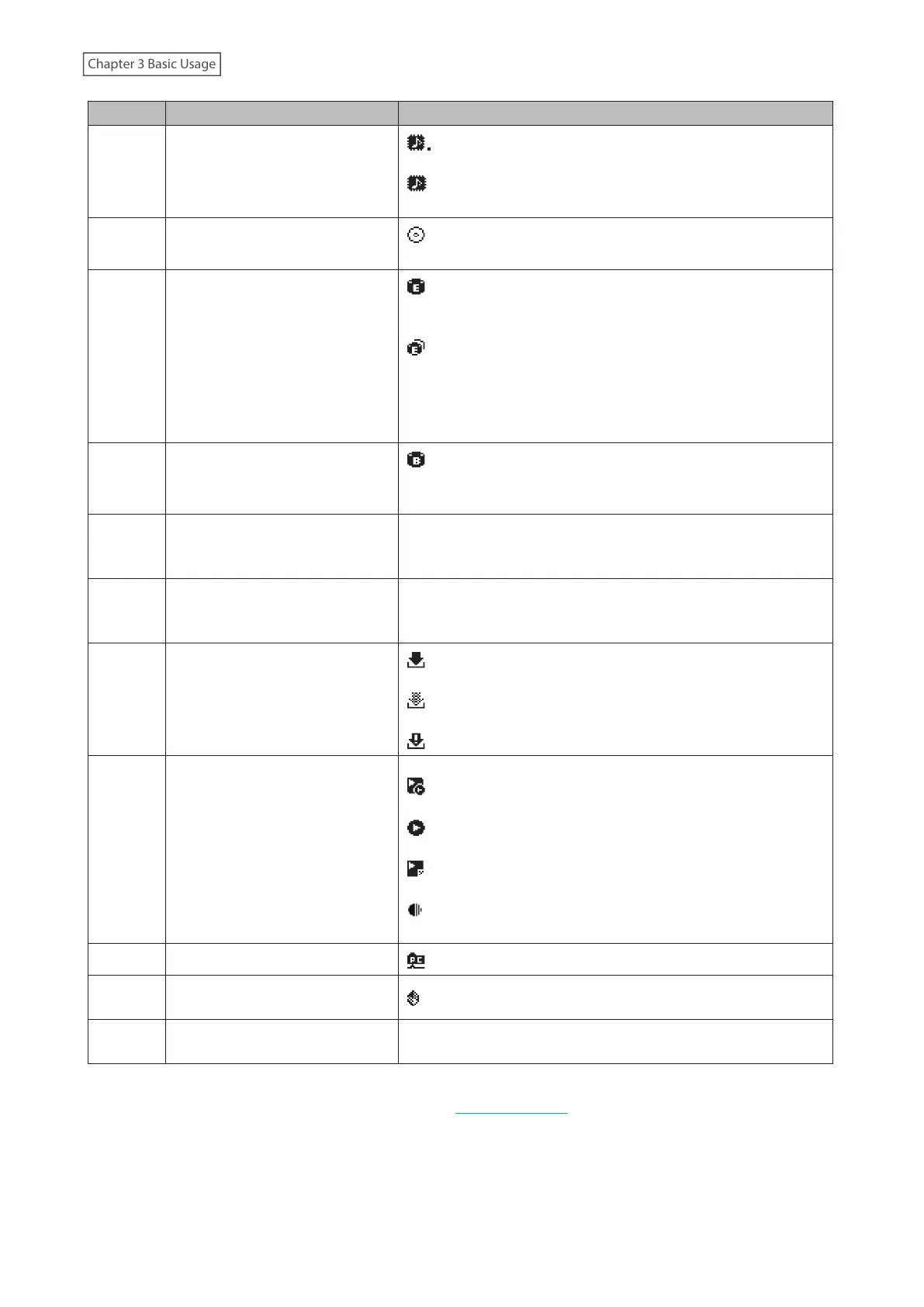
Number Item Description
3
Markerless DSD Compatibility for
USB-DAC
: Displays when a USB-DAC device that is compatible with
Markerless DSD is connected.
: Displays when a USB-DAC device that is not compatible
with Markerless DSD is connected.
4 Optical Drive Indicator
: Displays if an optical drive is connected. The icon will be
extinguished if no optical drives are connected.
5 Expansion Drive Indicator
: Displays when a USB drive is connected to the Expansion
port, or when a USB drive is connected to the front USB port and
“Mount and Scan” is selected as an action for the drive.
: Displays when USB drives are connected to the front and
Expansion ports.
The icon will blink while the device searches for music files.
When the icon stops blinking, playback is ready.
6 Backup Drive Indicator
: Displays when a USB drive is connected to the Backup port,
or when a USB drive is connected to the front USB port and
“Backup or Restore” is selected as an action for the drive.
7 Friendly Name (Hostname)
Displays the friendly name (hostname) of the Digital Music
Library. The friendly name is used when accessing the Digital
Music Library from an app or computer.
8 IP Address
Displays the IP address. The IP address is used when accessing
the Digital Music Library from a computer. If no IP address is
displayed, the Player port is set to isolated mode.
9 Status of Downloader
: Displays when an account was added and periodic
downloads is enabled.
: Displays when an account was added but periodic
downloads is disabled.
: Displays when an error occurs and downloading fails.
10
Controller Settings
The icon will appear when a USB-DAC device is connected.
: Displays when controller mode is configured to “Hybrid
Mode”.
: Displays when controller mode is configured to “UPnP/DLNA
compatible Mode”.
: Displays when controller mode is configured to “Playlist
Mode”.
: Displays when controller mode is configured to “Roon Ready
Mode”.
11 File Sharing Indicator
: Displays when file sharing is enabled.
12
External Clock Generator
Indicator
: Displays if an external clock generator is connected.
13 Usage Capacity of Internal Drive
Displays the used capacity of the internal drive in the Digital
Music Library, using a bar chart and a percentage (%).
*The SFP port can be used instead of the LAN port (the Ethernet port for router or hub) by using an SFP module (not
included). Use only the supported SFP modules listed on melco-audio.com.
11



 To Next Page