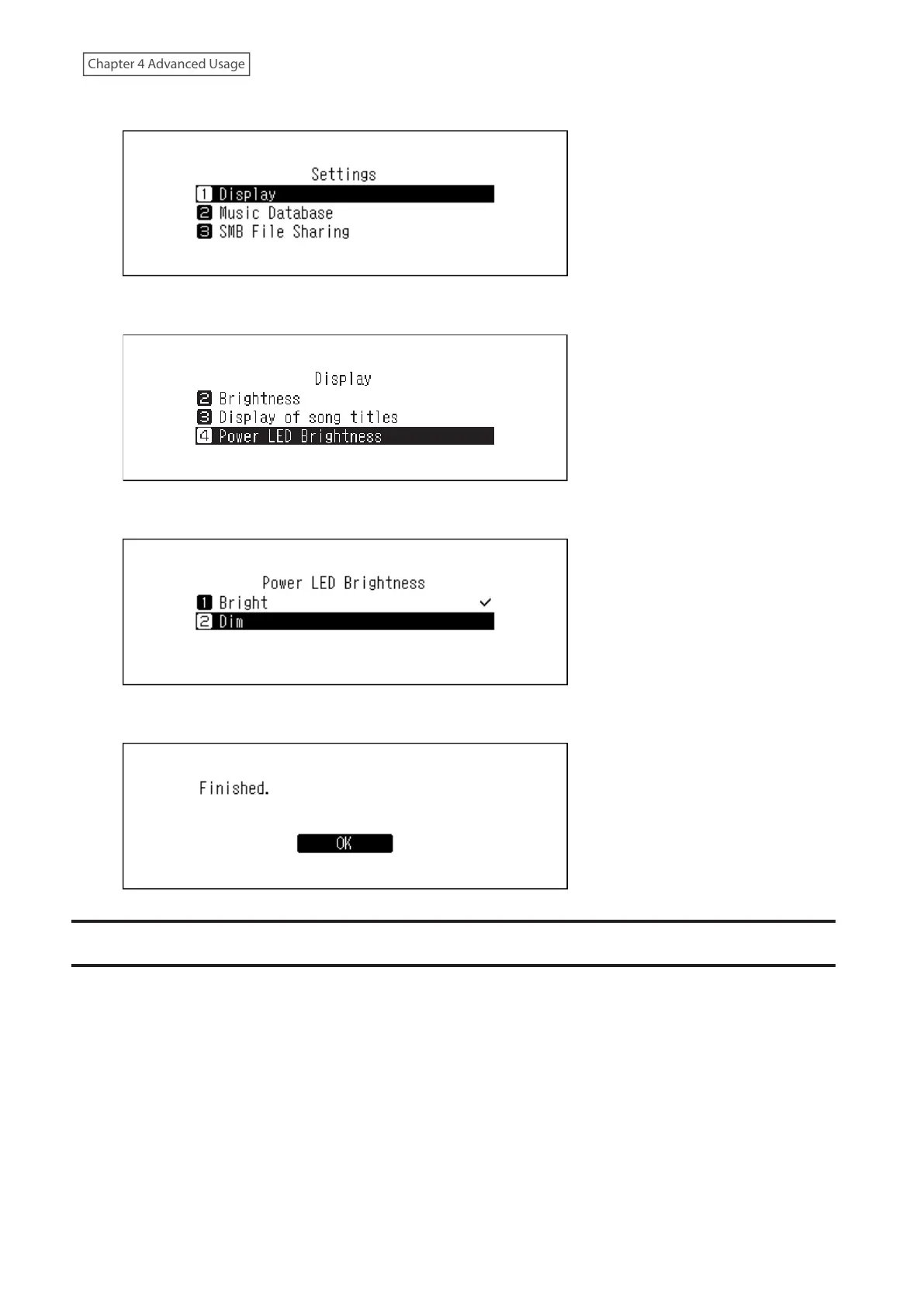
3 Press the Up/Down buttons and select “Display”, then press the Menu/Enter button.
4 Press the Up/Down buttons and select “Power LED Brightness”, then press the Menu/Enter button.
5 Press the Up/Down buttons and select either “Bright” or “Dim”, then press the Menu/Enter button.
6 Press the Menu/Enter button.
Configuring Automatic Power-Off
If auto power save is enabled, the Digital Music Library will automatically power off after music stops playing and a
specific amount of time passes. To change the time settings for auto power save or to disable the feature, follow the
procedure below. Auto power save will not shut off the Digital Music Library while the unit is in any of the following
situations:
• Connected to a Network Audio Player that is powered on.
• Connected to a USB-DAC device that is powered on.
• Being accessed from a computer.
• Accessing a media server.
58



 To Next Page