From the controller app for the Network Audio Player, select folder view from the index tree, then open the
“Expansion” folder of the Digital Music Library. You can then select music files in the “Expansion” folder for playback.
If the “Expansion” folder cannot be found, rescan the music database by navigating to Settings > Music Database >
Rescan Songs and Playlists on the Digital Music Library.
Disconnecting an Expansion Drive
If you want to disconnect the expansion drive while the Digital Music Library is on, press the Menu/Enter button
on the home screen and select “Dismount USB Drive” to dismount the expansion drive. The menu name will vary
depending on which USB port you have inserted the expansion drive into.
Formatting Drives
To format internal drives in the Digital Music Library or connected USB drives, follow the procedure below.
Formatting will delete all data on the drive. If needed, back up any data before continuing.
Formatting Internal Drives
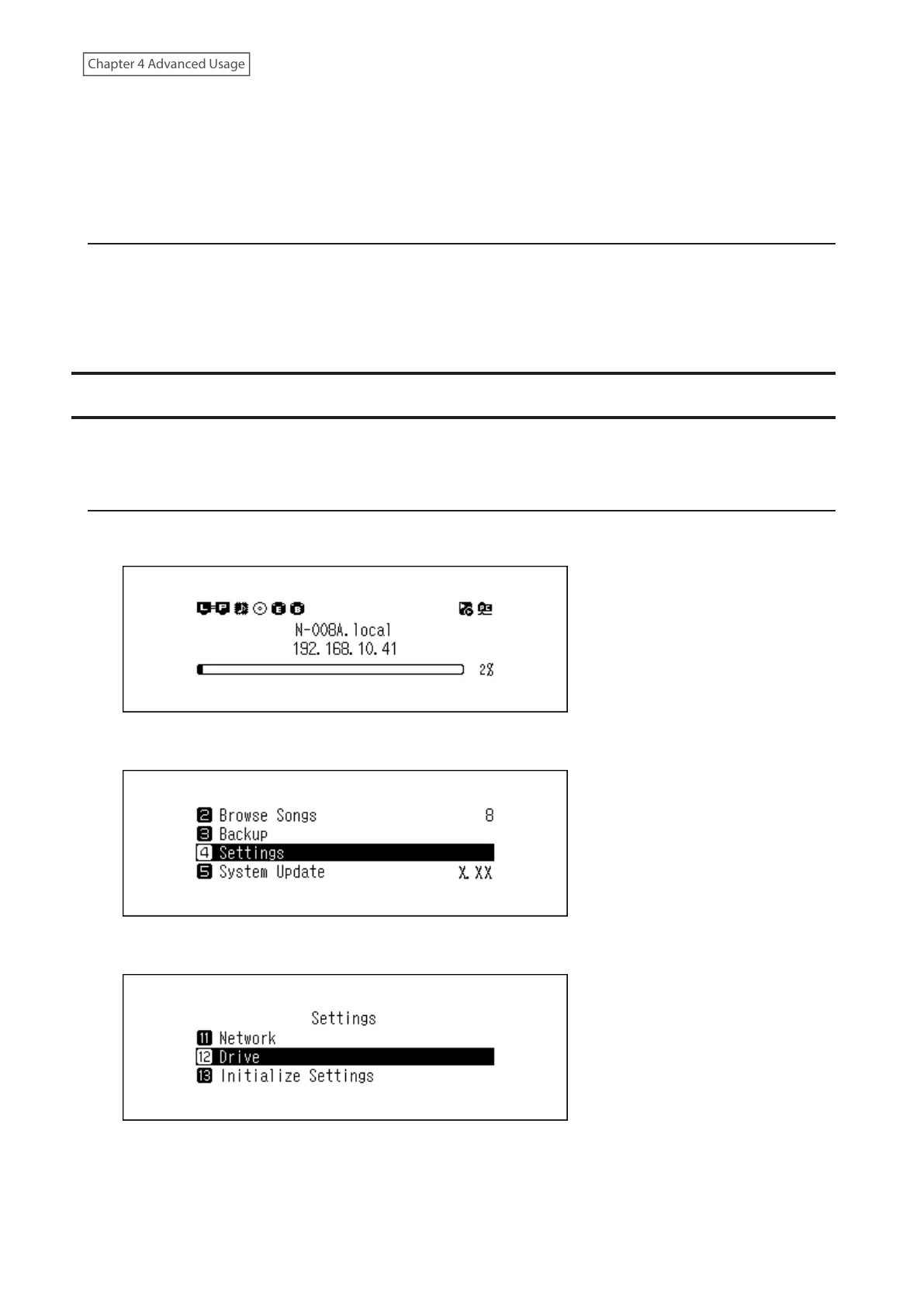
1 Press the Menu/Enter button to display the menu list at the home screen.
2 Press the Up/Down buttons and select “Settings”, then press the Menu/Enter button.
3 Press the Up/Down buttons and select “Drive”, then press the Menu/Enter button.
46



 To Next Page