Supported Sampling Rates
• PCM: 44.1 kHz, 48 kHz, 88.2 kHz, 96 kHz, 176.4 kHz, 192 kHz, 352.8 kHz, 384 kHz, 705.6 kHz, 768 kHz
• DSD: 2.8 MHz, 5.6 MHz, 11.3 MHz, 22.6 MHz
Playing a CD Using an Optical Drive
CD Transport will allow you to play music tracks from the optical drive that is connected to the Digital Music Library
using USB-DAC. To play music tracks using an optical drive, follow the procedure below.
1 Connect a USB-DAC device and an optical drive to the Digital Music Library using its USB-DAC ports.
Depending on the devices’ specifications, use either the USB 3.0 or USB 2.0 USB-DAC port as appropriate.
Note: We recommend using the USB-DAC ports to connect USB-DAC devices, but any port can be used for a
USB-DAC device.
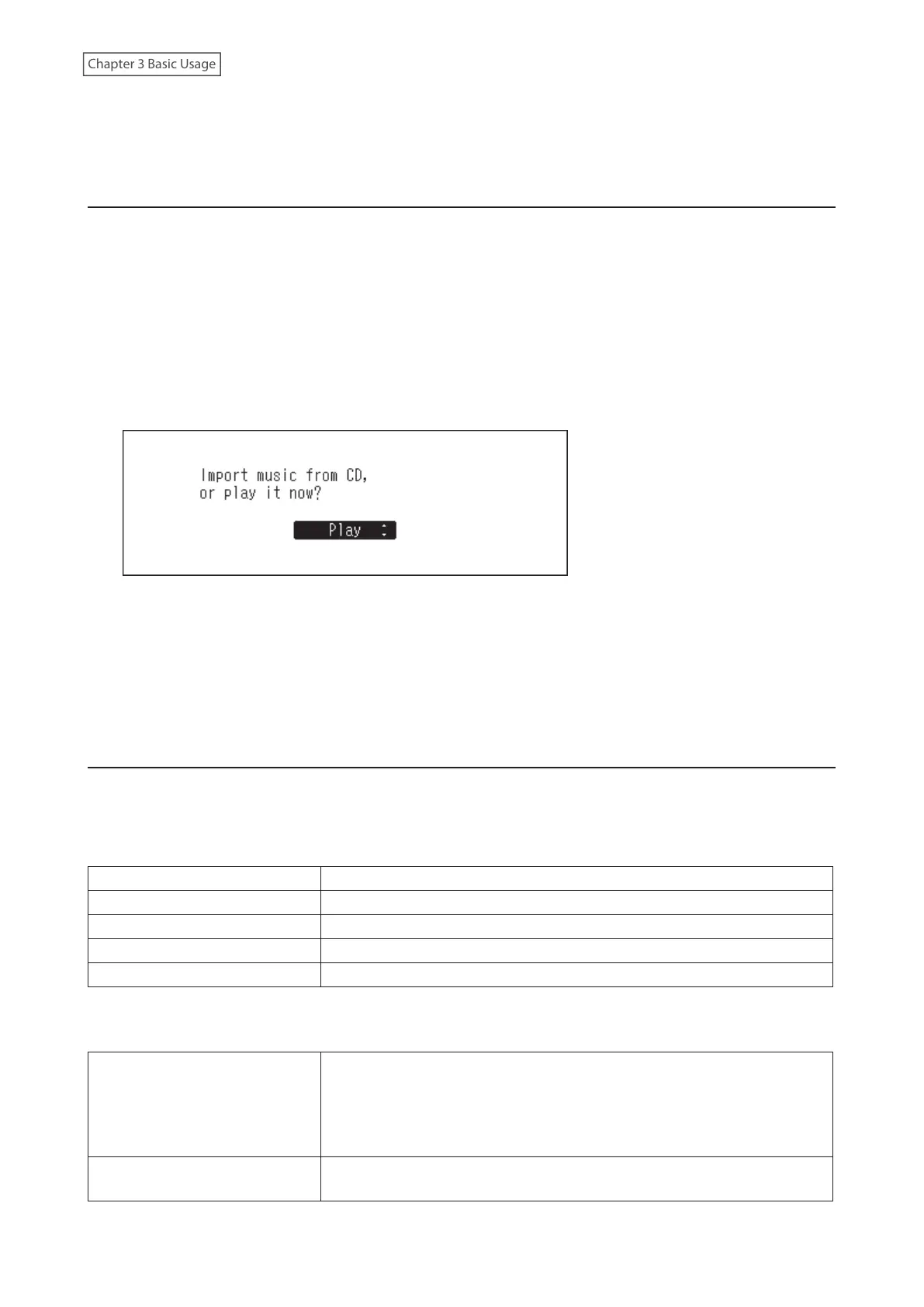
2 Insert a music CD into the optical drive. The following screen will be displayed. Press the Up/Down buttons to
select “Play”, then press the Menu/Enter button. The CD will start playing.
Notes:
• To play another music CD, stop the current CD and remove it from the drive, then repeat step 2.
• Do not disconnect any optical drives or USB-DAC devices while playing music tracks.
• While playing music tracks using CD Transport, the music files on the Digital Music Library cannot be played by
another Network Audio Player.
Operation While Playing Music Files
You can use the following operations using buttons on the Digital Music Library while playing or suspending music
files.
Playing
Back button Stop playback.
Menu/Enter button Suspend or resume playback.
Up button Play the previous track on the album.
Down button Play the next track on the album.
Up button - press and hold Force stop playback while tracks are played using a controller app.
Suspending
Up button
Switch to repeat and shuffle. When the button is pressed once, playback
will switch to repeat. When the button is pressed twice, playback will switch
to shuffle. When the button is pressed three times, playback will switch to
both repeat and shuffle. When the button is pressed four times, playback will
revert to normal.
Down button
The display panel will switch to the time passed on a song or the remaining
time of a song.
33



 To Next Page