Chapter 3 Basic Usage
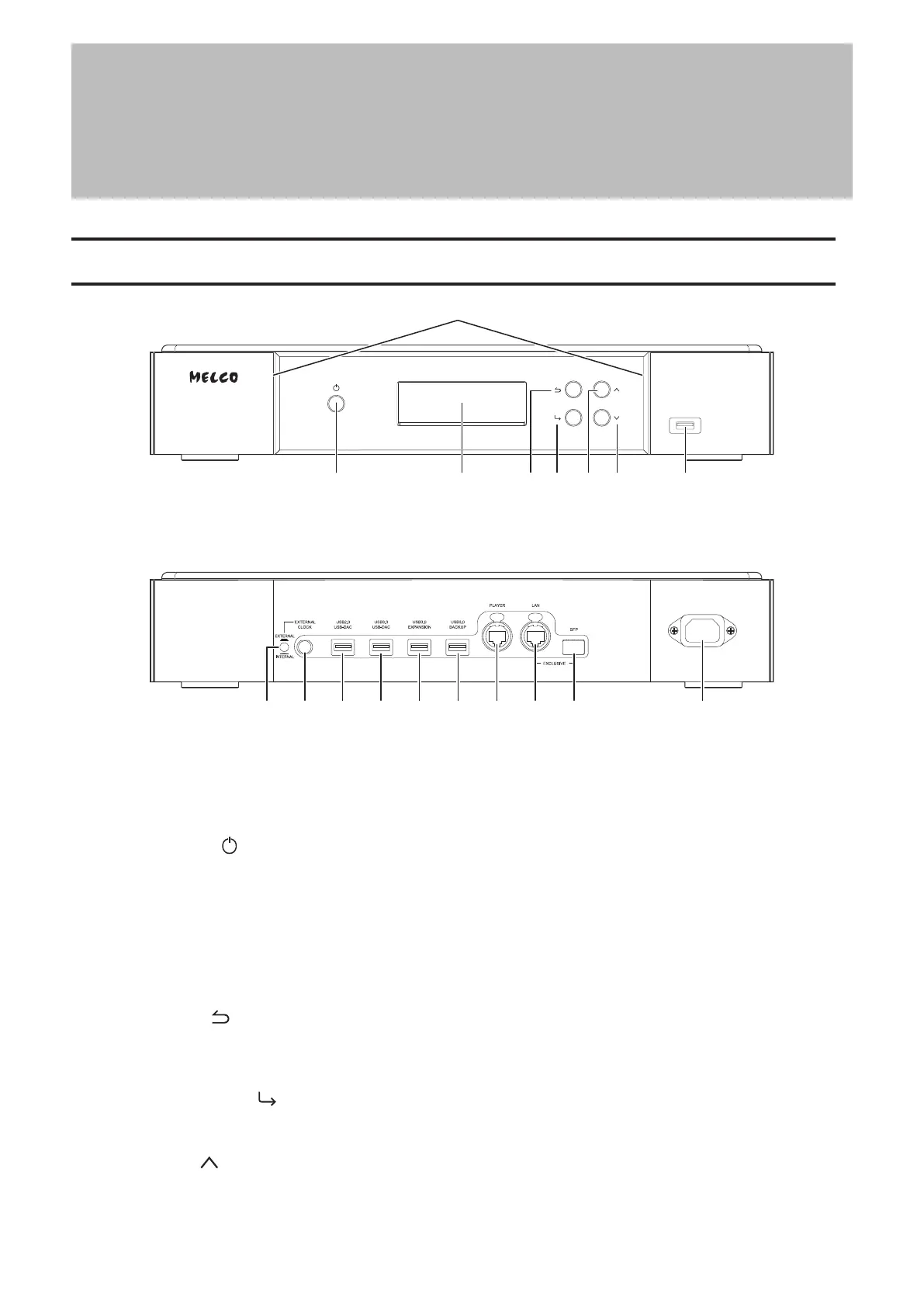
Diagrams
2345 67 8
1 Power LED
While the Digital Music Library is powered on, the LED will glow blue. It will extinguish when powering off.
Note: The brightness of the power LED can be changed from Settings - Display - Power LED Brightness.
2 Power Button ( )
To turn the power on, press the button. To turn the power off, press and hold down the button.
3 Display
Displays the device’s status and settings menu. In case of an error, displays the error code and message.
Note: The brightness of the display panel can be changed from Settings - Display - Brightness. If the display
brightness is set to Dark Mode, the display panel will be turned off.
4 Back Button ( )
Press this button to return the menu to the previous screen. If you press and hold this button for 2 seconds
while at the home screen, the display panel will be turned off.
5 Menu/Enter Button ( )
Press to make a selection on the display panel.
6 Up Button ( )
Press this button to scroll up.
8



 To Next Page