Restoring Data
To restore the backup data, follow the procedure below.
Restoring from backup will delete all current data on the Digital Music Library. If needed, back up any data
before continuing.
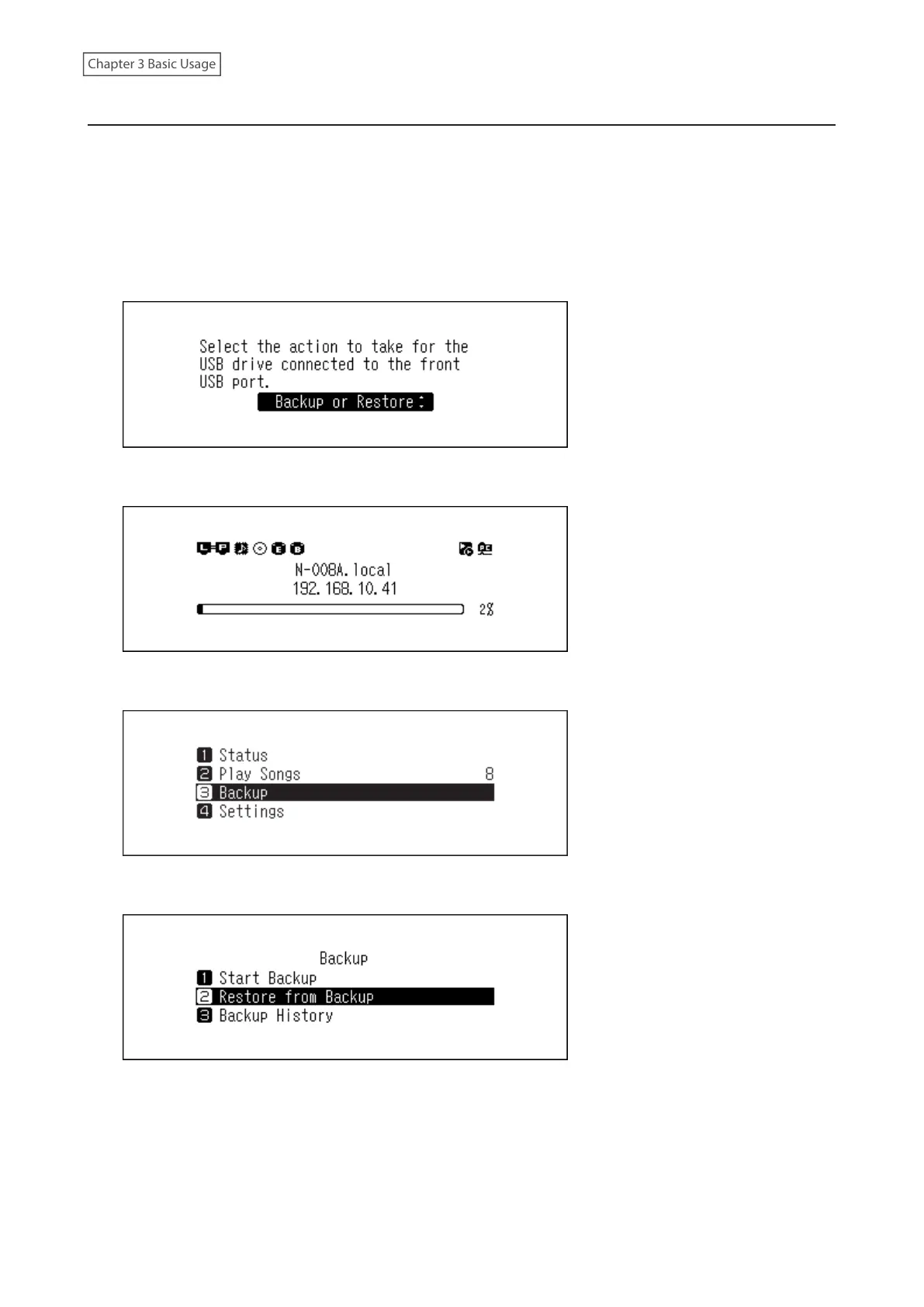
1 Connect the backup drive that contains the backup data to the Backup port.
When the USB drive is connected to the front USB port, the following screen will be displayed. Press the Up/
Down buttons and select “Backup or Restore”, then press the Menu/Enter button.
If “Finished.” is displayed, press the Menu/Enter button.
2 Press the Menu/Enter button to display the menu list at the home screen.
3 Press the Up/Down buttons and select “Backup”, then press the Menu/Enter button.
4 Press the Up/Down buttons and select “Restore from Backup”, then press the Menu/Enter button.
Note: To display the backup history, navigate to Backup > Backup History.
42



 To Next Page