*Only the first partition of a connected USB drive is mounted. Additional partitions are not recognized. To utilize the
capacity of the whole drive, connect the USB device to the Expansion or Backup port; navigate to Settings - Drive,
select Format USB Drive, then select Erase All Data to format all partitions. Please note that all data currently on the
drive will be deleted with this operation.
Display
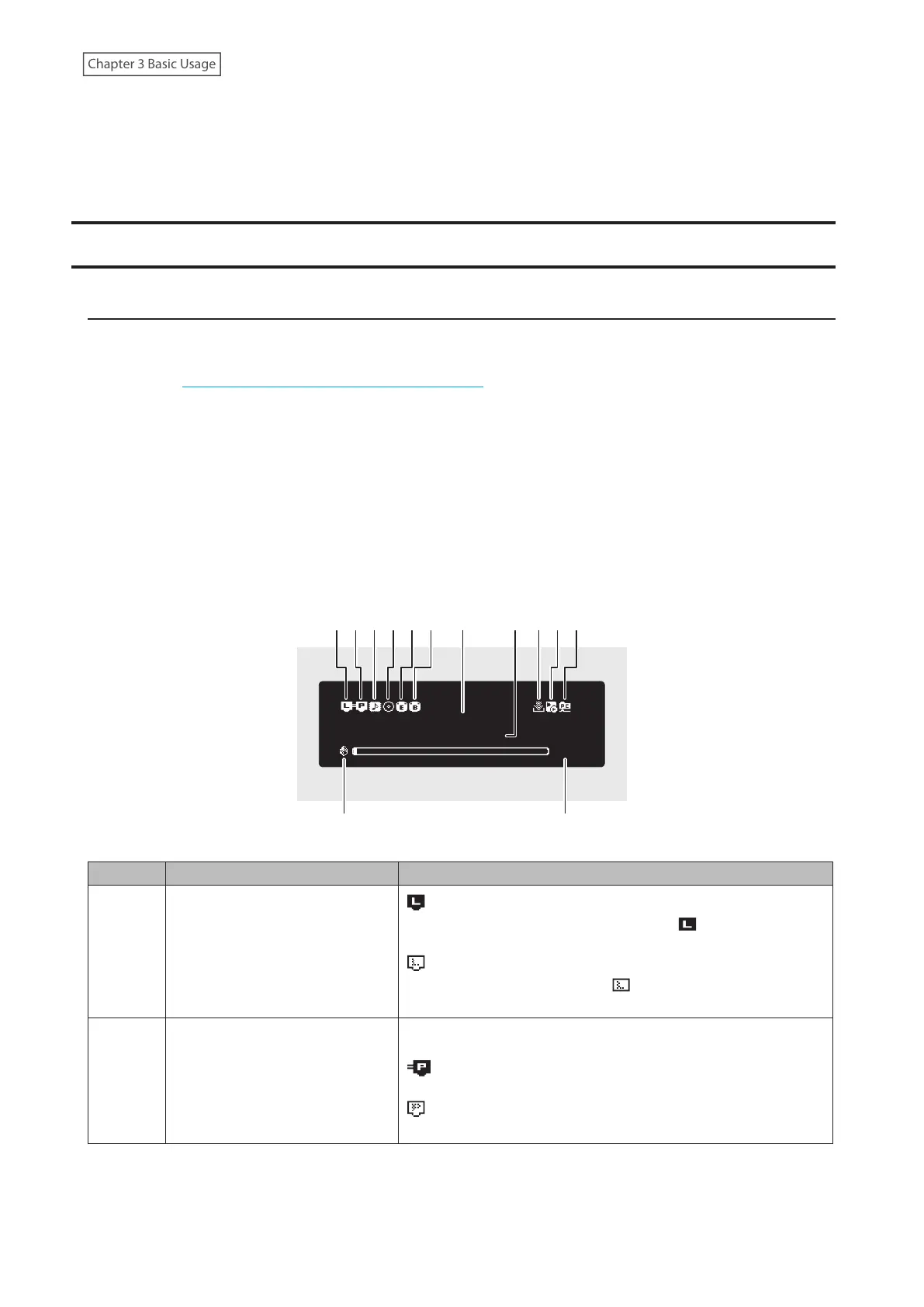
Home Screen
Turn on the Digital Music Library. After it boots, the home screen will be displayed.
Notes:
• Refer to the “Remotely Operating the Digital Music Library” section in chapter 3 to remotely operate the Digital
Music Library using a web browser on a mobile device or a computer.
• The display will automatically turn off about 30 minutes after stopping any Digital Music Library operations. To
turn the display back on, push any button on the Digital Music Library other than the power button. The display
will not automatically turn off while the Digital Music Library is in any of the following situations:
◦ Connected to a Network Audio Player that is powered on.
◦ Connected to a USB-DAC device that is powered on.
◦ Connected to a backup drive.
◦ Being accessed from a computer.
◦ Accessing a media server.
×ßØÔ×ÜÞÔ×ÖÔÚ×
ØË
ôÓÖÖèçÔđĔĈĆđ
1 2 3 4 5 6 9 101187
The home screen displays the following information:
Number Item Description
1
Status of Connected Router or
Hub
: Displays when a router or switch that is connected to
the Digital Music Library’s LAN port is on. ( displays when
connecting to the SFP port
*
)
: Displays when no Ethernet cable is connected to the LAN
port or a router or switch is off. ( displays when connecting to
the SFP port
*
)
2 Status of Connected Player
The icon in the diagram appears when the Player port is enabled
through the settings.
: Displays when the Player port is configured to bridged
mode and a connected Network Audio Player is on.
: Displays when no Ethernet cable is not connected to the
Player port or a connected Network Audio Player is off.
10



 To Next Page