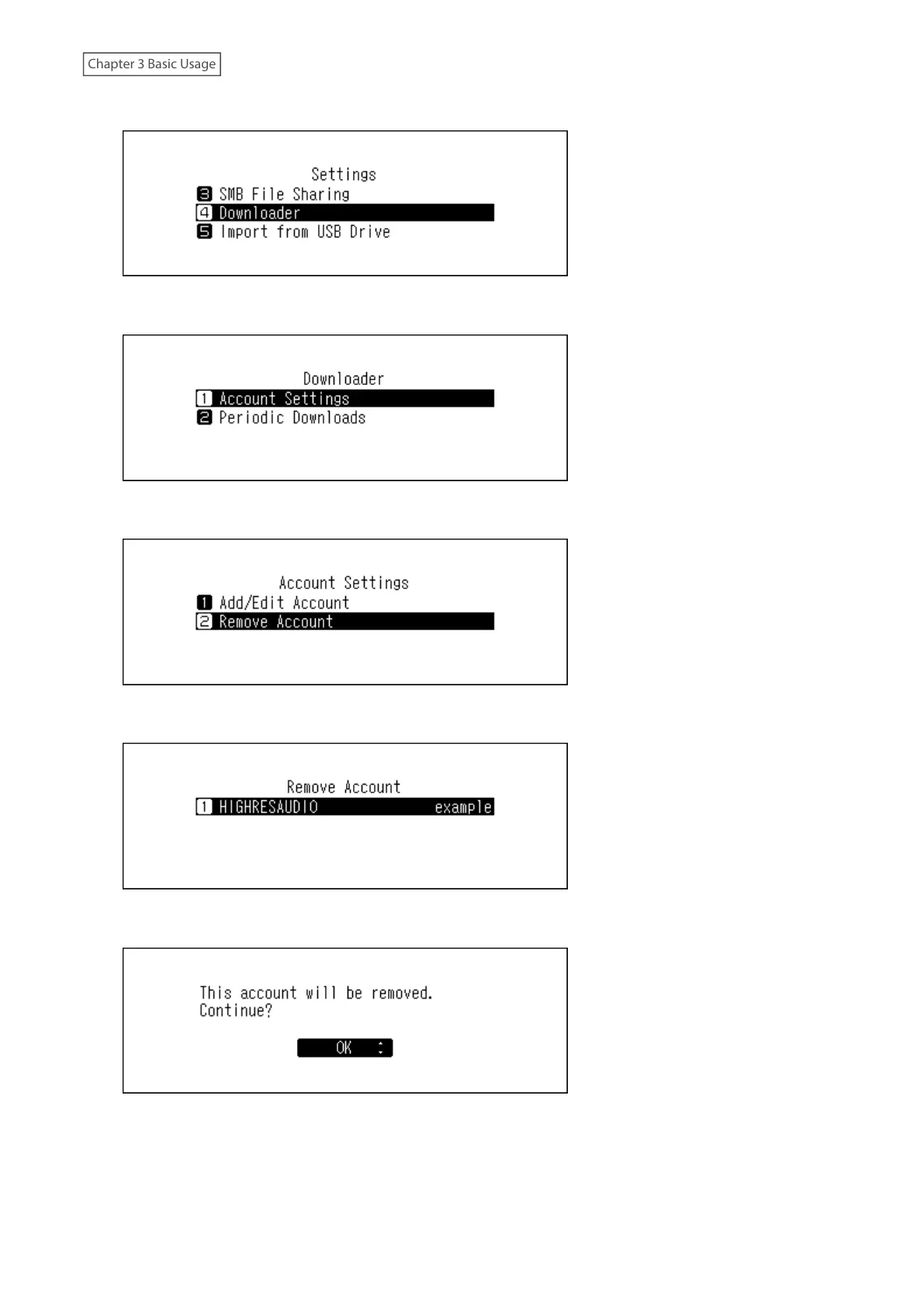
3 Press the Up/Down buttons and select “Downloader”, then press the Menu/Enter button.
4 Press the Up/Down buttons and select “Account Settings”, then press the Menu/Enter button.
5 Press the Up/Down buttons and select “Remove Account”, then press the Menu/Enter button.
6 Press the Up/Down buttons and select the account to be deleted, then press the Menu/Enter button.
7 Press the Up/Down buttons and select “OK”, then press the Menu/Enter button.
29



 To Next Page