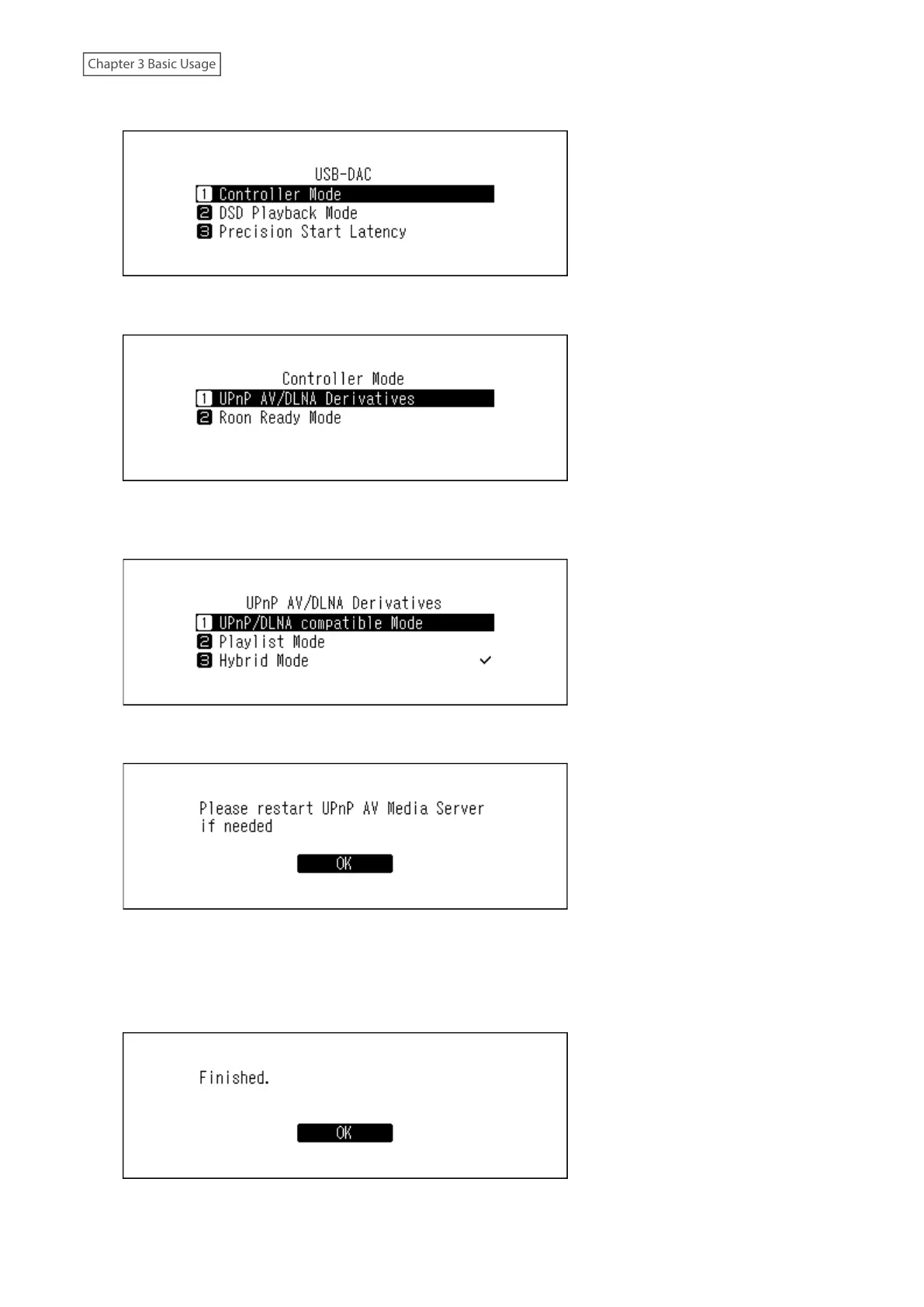
4 Press the Up/Down buttons and select “Controller Mode”, then press the Menu/Enter button.
5 Press the Up/Down buttons and select “UPnP AV/DLNA Derivatives”, then press the Menu/Enter button.
6 Press the Up/Down buttons and select either “UPnP/DLNA compatible Mode” or “Playlist Mode”, then press the
Menu/Enter button.
7 If the following message appears, press the Menu/Enter button.
Note: This message appears when the media server app is disabled. We recommend enabling the media server
app. To enable it after this procedure, navigate to Settings > Music Database, and select “TwonkyServer” or
“MinimServer”.
8 Press the Menu/Enter button.
35



 To Next Page