Note: Connect only one USB drive at a time when formatting it.
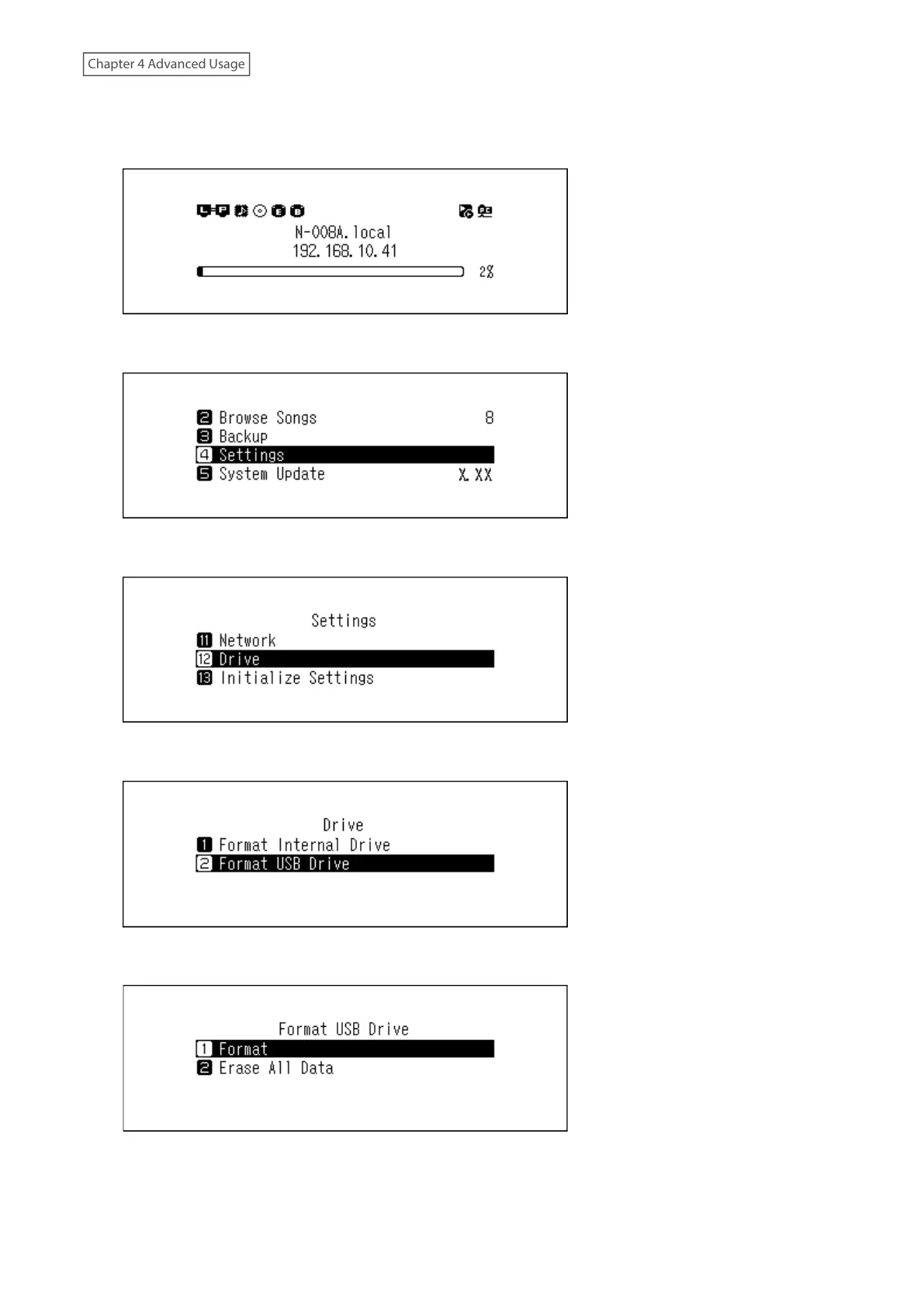
1 Press the Menu/Enter button to display the menu list at the home screen.
2 Press the Up/Down buttons and select “Settings”, then press the Menu/Enter button.
3 Press the Up/Down buttons and select “Drive”, then press the Menu/Enter button.
4 Press the Up/Down buttons and select “Format USB Drive”, then press the Menu/Enter button.
5 Press the Up/Down buttons and select “Format”, then press the Menu/Enter button.
Note: If multiple USB drives are connected to the Digital Music Library and an error message is displayed when
formatting a drive, disconnect the drives other than the drive you want to format, and try again.
48



 To Next Page