SECTION 6
DISASSEMBLY AND ASSEMBLY
117
Accessing Items Behind the Main Printed Circuit Assembly (MPCA)
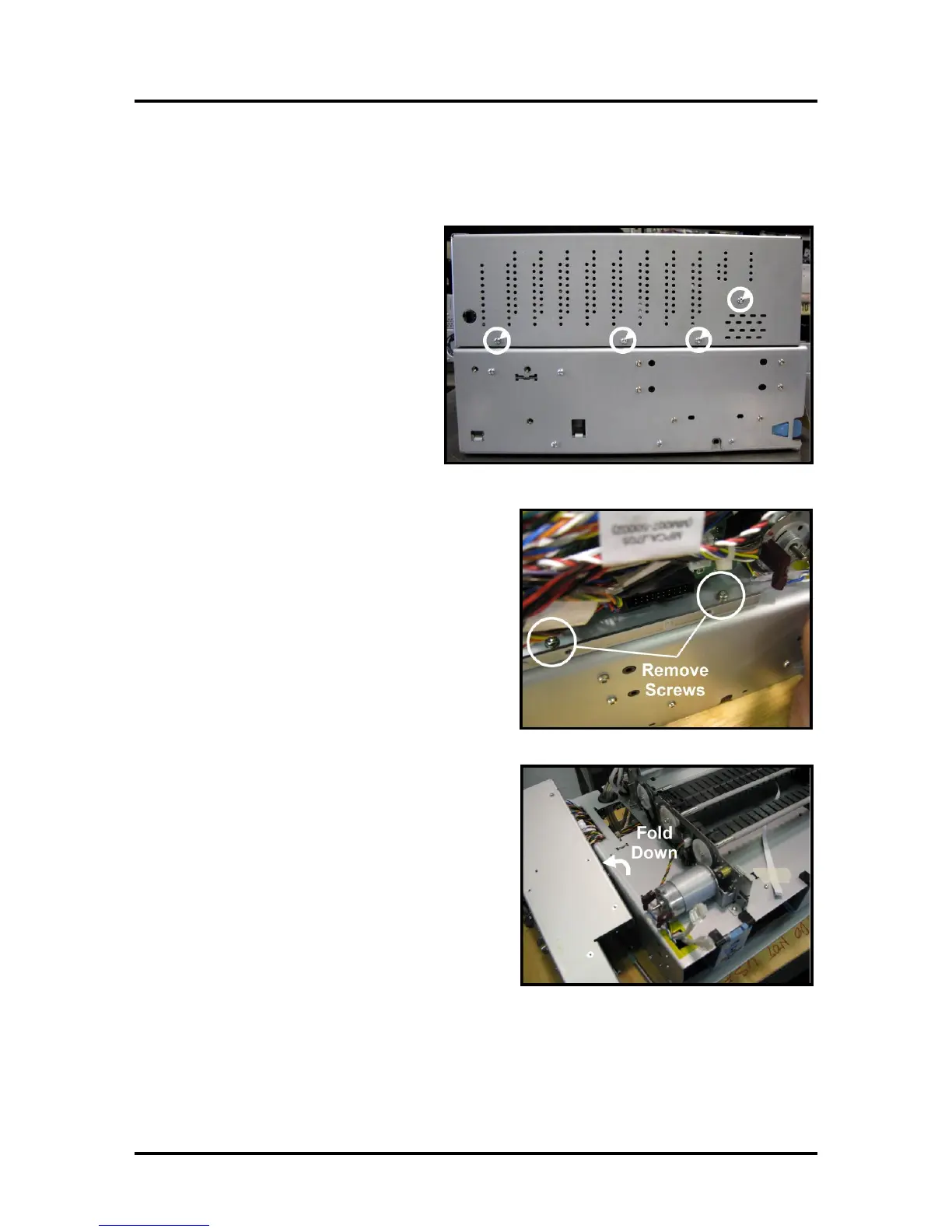
To get access to parts on the Print Engine clamshell, the MPCA Panel Cover must be removed and the
panel folded out of the way.
1. Remove (4) screws to remove the
Cover. Set aside. NOTE: End panel
screws intentionally left off to
improve accessibility.
2. Remove two (2) mounting screws from bottom
of MPCA panel.
3. Fold Main Printed Circuit Assembly down out
of the way. NOTE: Be Careful! DO NOT pull,
pinch or strain wiring.



 To Next Page