SECTION 4
TOOLBOX SERVICE FEATURES
34
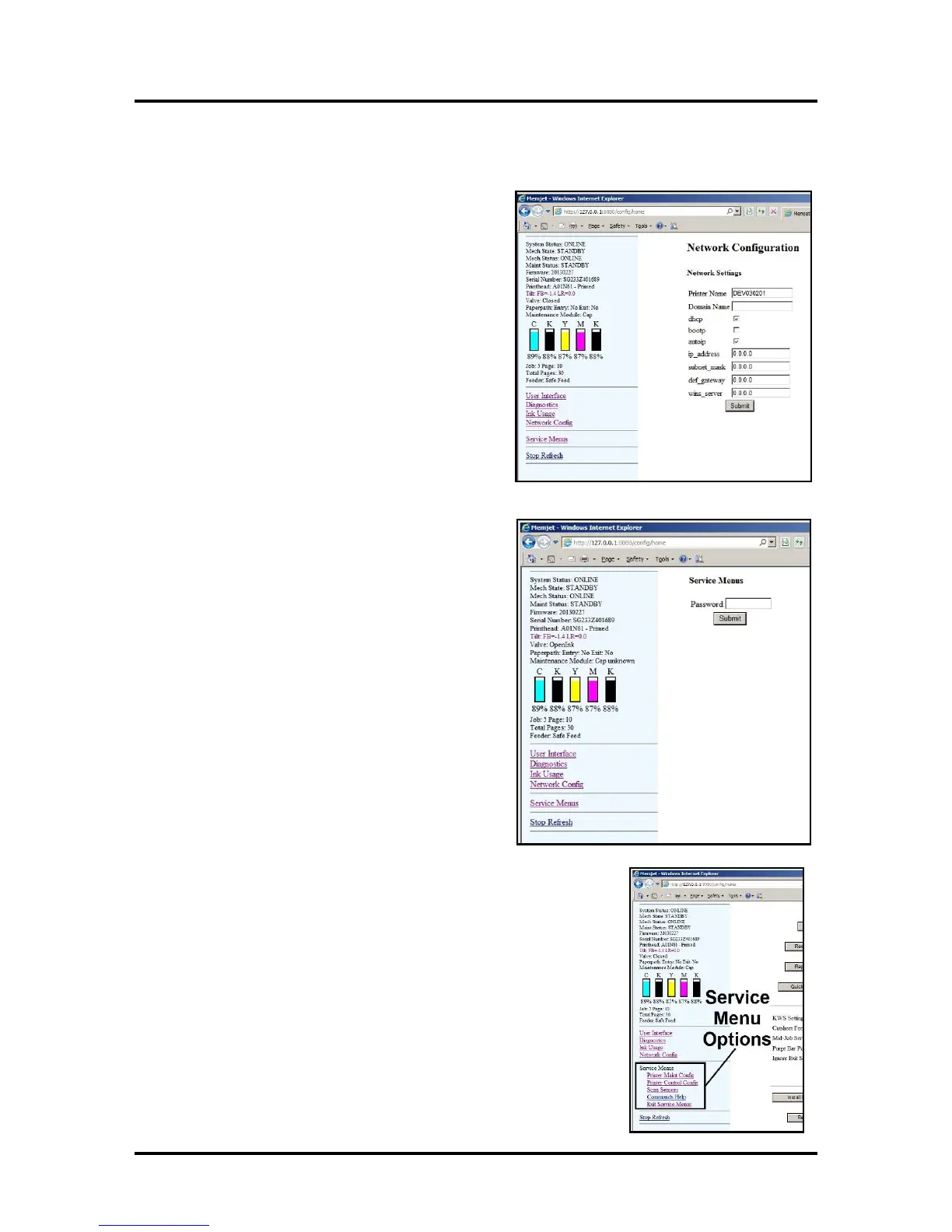
Network Configuration Menu
1. The “Network Configuration” page opens. Use
Network Settings to enter the correct settings
for your network.
2. Connect Ethernet cable to Network Port on Rear
Panel of Printer.
Service Menus
For authorized service personnel only. Provides access to
more advanced Printer Control and Maintenance menus.
Enter password “630” to view the Service menus.
You will notice that several new menu options are available: “Printer
Maint Config,” “Printer Control Config,” “Scan Sensors,” “Commands
Help,” and “Exit Service Menu.”



 To Next Page