SECTION 6
DISASSEMBLY AND ASSEMBLY
123
Replacing Paperpath Entry Sensor
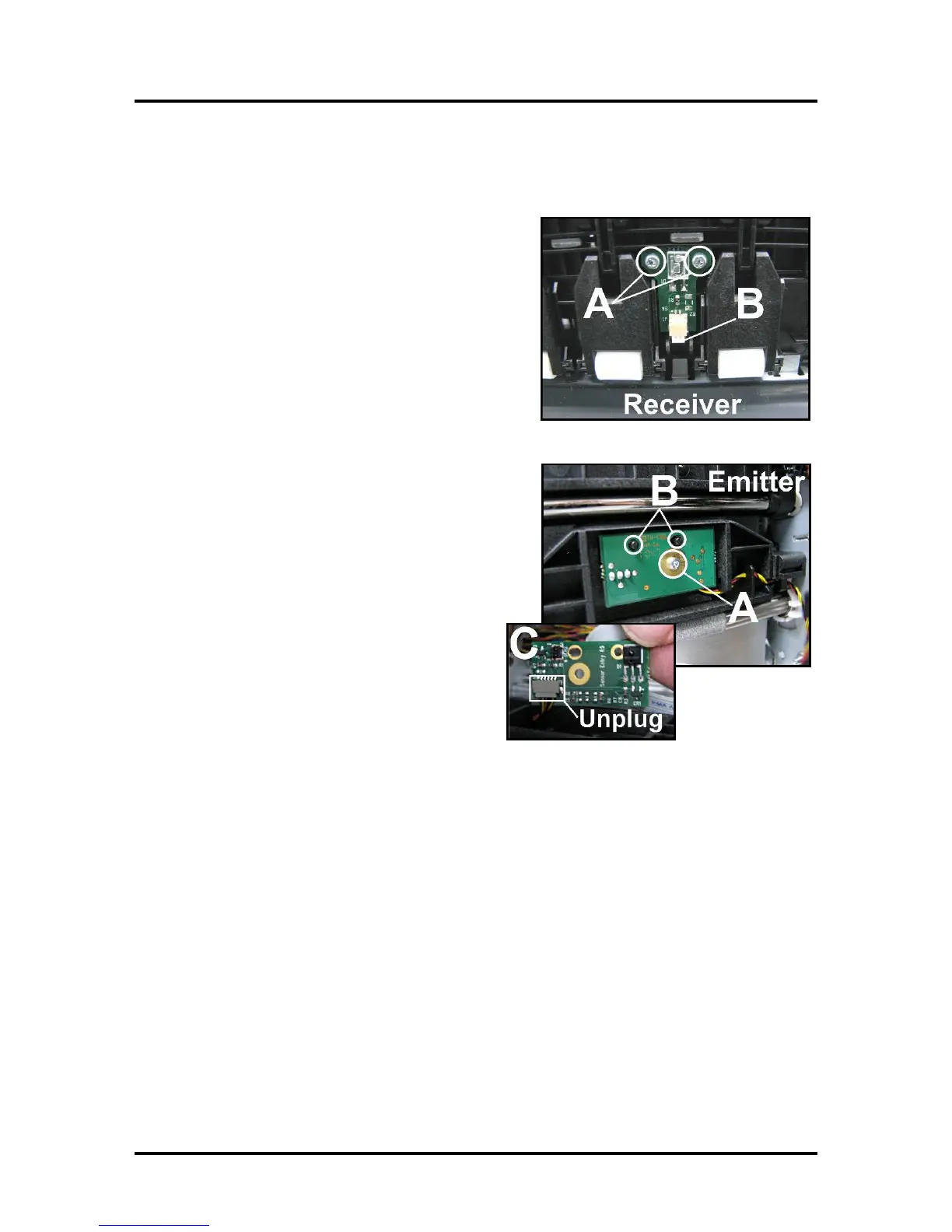
The Paperpath Entry Sensor consists of a Receiver located in the upper Clamshell and an Emitter located in
the lower Clamshell.
Receiver (Under Upper Clamshell):
[A] Remove (2) screws.
[B] Disconnect wiring harness.
Install in reverse order.
Emitter (Under Lower Clamshell):
[A] Remove (1) screw.
[B] Carefully pull Entry Sensor off locating pins.
[C] Turn Sensor over and unplug wiring harness.
Install in reverse order.


 To Next Page