SECTION 6
MAINTENANCE
168
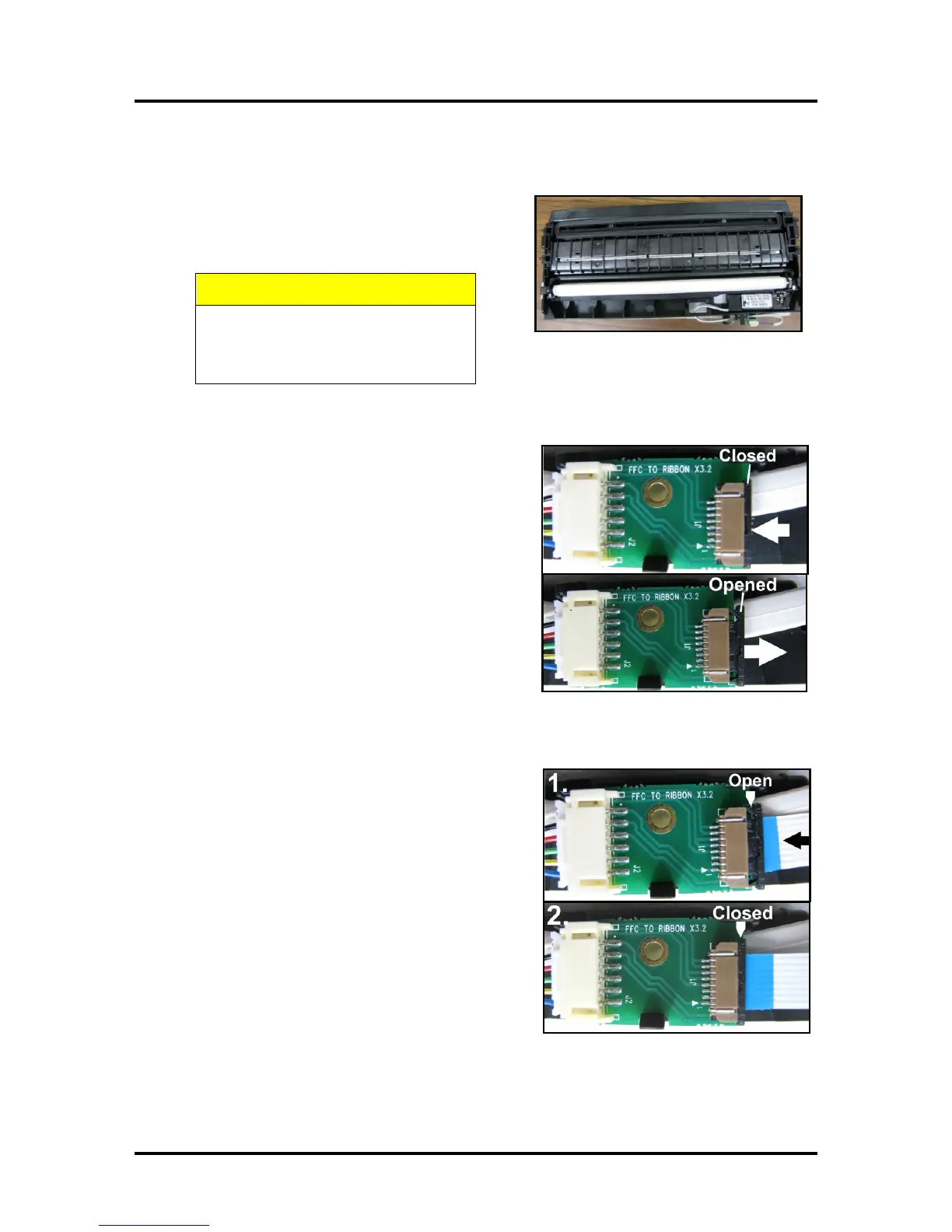
Reinstalling or Replacing the Service Station
1. Carefully unwrap the new Service Station. (Or
reuse cleaned Service Station.)
NOTE: Loose parts may fall out. Keep roller
side facing up when removing packaging.
MAKE SURE THE LATCHES ON
THE WIPER ROLLER ARE FULLY
LOCKED BEFORE INSTALLING
2. Slide the Latch open on the Service Station
Circuit Board.
3. [1] Plug the Ribbon Connector (blue side up) into the
space under the Latch.
[2] Close the Latch.



 To Next Page