SECTION 6
MAINTENANCE
140
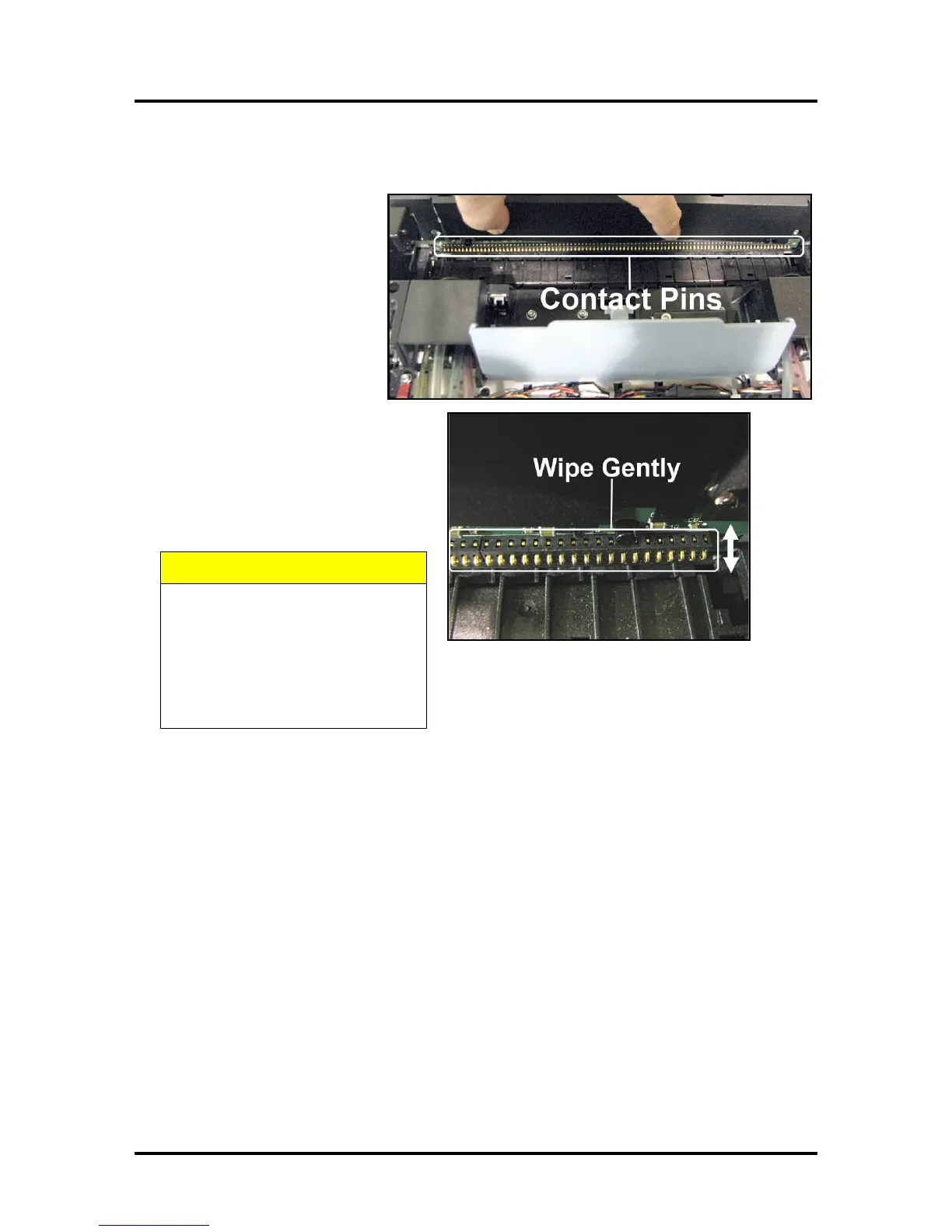
Cleaning Pen Driver Printed Circuit Board Contacts
Clean the Printed Circuit Board
contact pins that connect with the
Printhead Cartridge.
1. Remove the Printhead
Cartridge. Locate the
contact pins along the base
of the Pen Driver Printed
Circuit Board. (Positioned
opposite the Ink Revolvers.)
2. Dampen a new, lint free
cloth in deionized/distilled
water.
3. Use a very gentle up and down
motion to clean the contact pins.
NOTE: Hold down plastic cover to
keep moisture away from the rest
of the Circuit Board.
CONTACT PINS ARE EASILY
BENT OR DAMAGED!
USE ONLY A VERY GENTILE UP
AND DOWN MOTION FOR
CLEANING. BENT PINS CAN
DAMAGE THE PRINTHEAD AND
THE CIRCUIT BOARD.



 To Next Page