SECTION 6
MAINTENANCE
155
Cleaning the Feed Sensor
This sensor is located between the media hopper and the print engine. It has two functions.
It is used to control the delivery of media to the print engine and it also drives the LCD counter; located on
the entrance side of the printer.
TIP: If the LCD counter is not incrementing with each piece of media, then the sensor is not working
properly (dusty/dirty). This can be intermittent. If in doubt; clean the sensor.
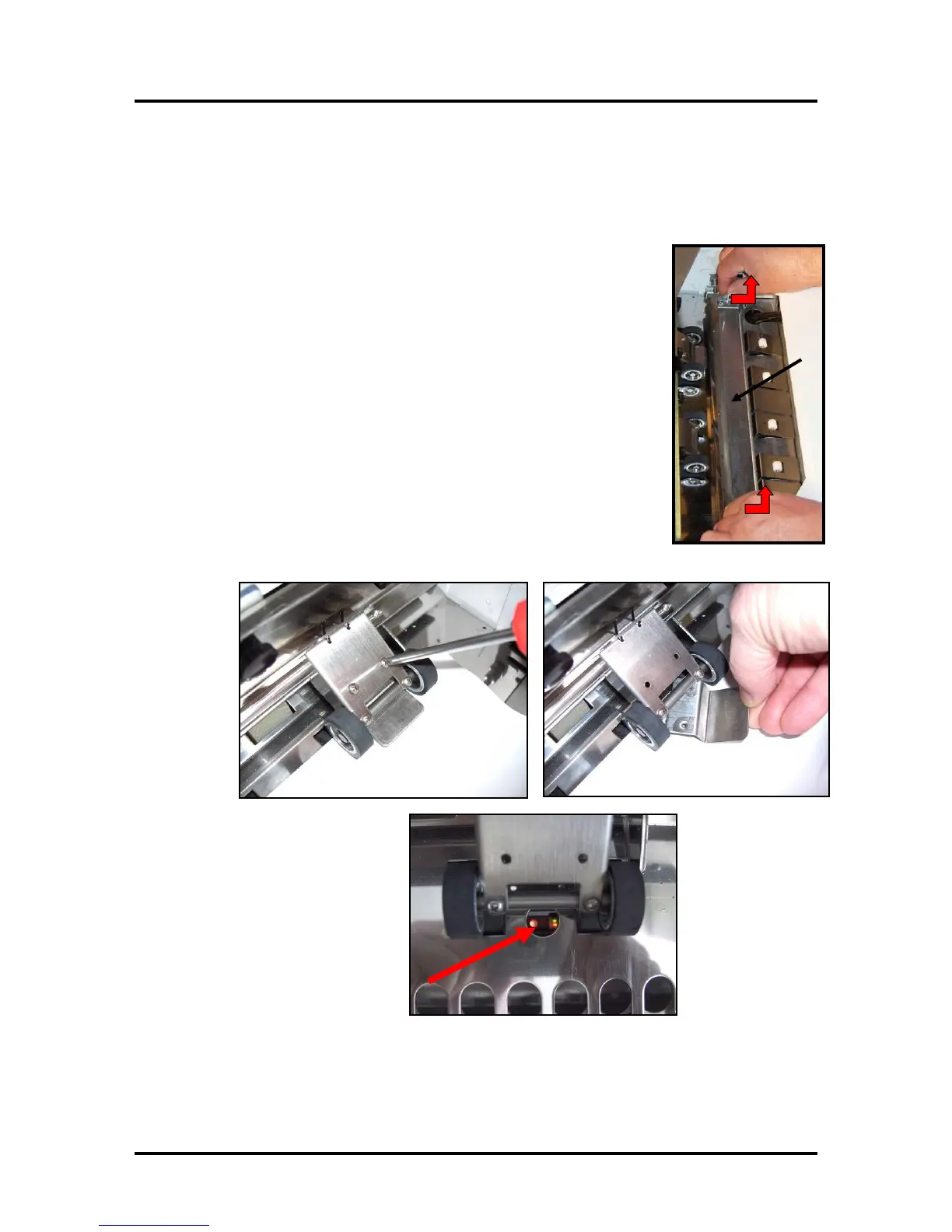
1. Remove the Antistatic Brush Assembly [A]
2. Place a piece of paper into this area, as shown, to catch any screws that
you might drop during this process.
3. Remove the two Philips head screws, as shown.
4. Remove the reflector plate.
Note: There is a reflector attached to the underside of this plate. Please be
sure to inspect/clean.
5. You can now access this sensor through hole in the table-top.
6. Clean the Feed Sensor using compressed air and a soft brush or swab (q-
tip).
7. Re-assemble in reveres order.
NOTE: Verify that the ink tubes are not pinched by the fingers on the
Antistatic Brush Assembly.



 To Next Page