SECTION 4
TOOLBOX SERVICE FEATURES
37
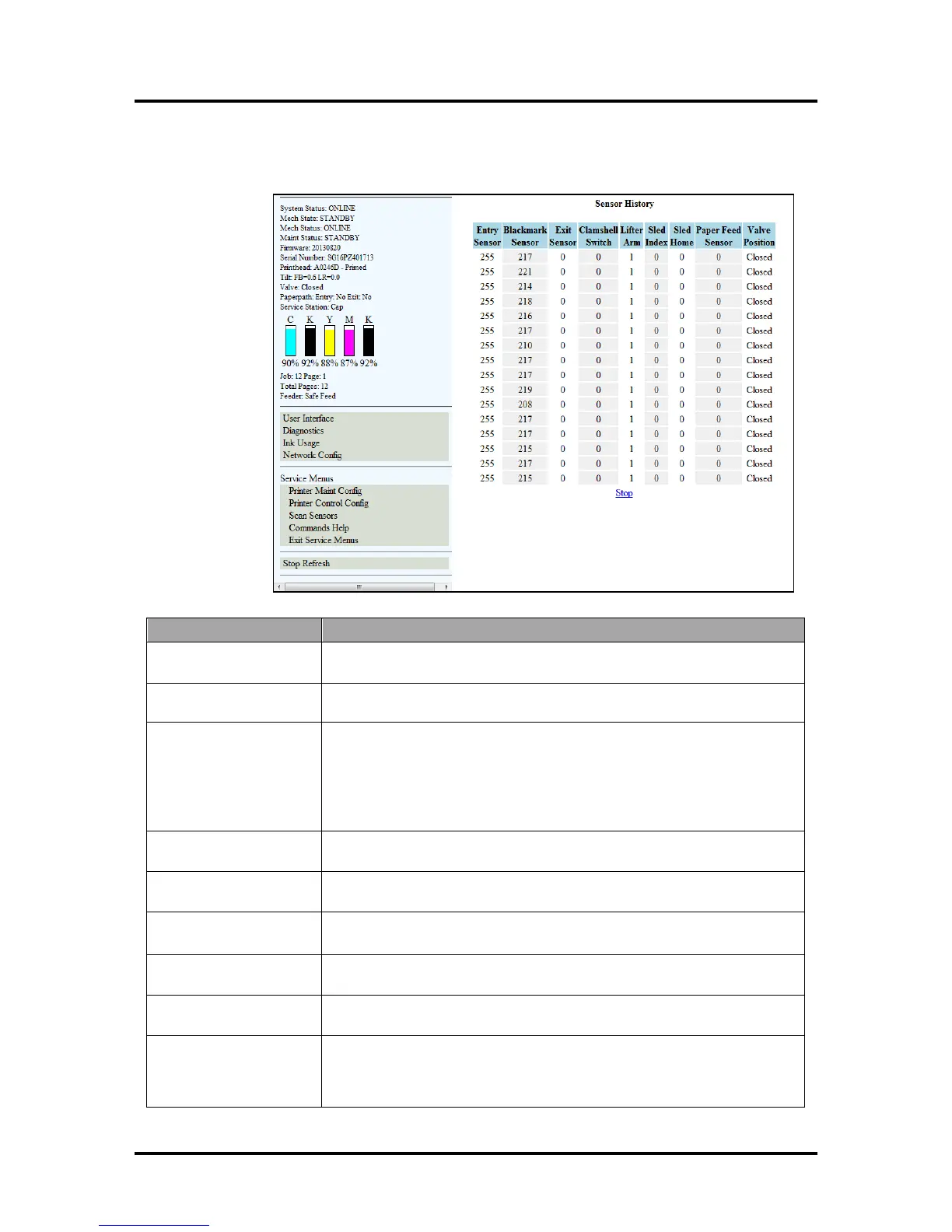
Scan Sensors Screen:
Scan Sensors (Check/Pole Sensor Conditions): Provide status and history log on sensors located
throughout the Printer.
(See chart below)
Entry Sensor
(Paper Path Entry)
Interrupted (media present) = 0-60
Uninterrupted (no media) = 255
Blackmark Sensor NOTE: Not applicable for this model. The Blackmark Sensor's output is
for printers designed to run a “continuous” web of media (i.e. labels).
Exit Sensor
(Paper Path Exit)
Uninterrupted = 0
Interrupted (blocked) = 1
Tip: If media has dark colors on the underside, you may experience “paper
jam” conditions when there is no physical media in the machine. If the Exit
Sensor appears to be operating normally, select “Ignore Exit Sensor”
then click
in the User Interface screen to bypass the Exit Sensor.
Clamshell Switch Clamshell Open = 1
Clamshell Closed = 0
Lifter Arm Up = 1
Down = 0
Sled Index Cap Position = 0
Print/Wipe Positions = 1
Sled Home False = 0
True = 1
Paper Feed Sensor
Covered (media present, sensor dirty) = 1
Uncovered (no media) = 0
Valve Position Displays the operating positions of the Dual Pinch Valve: “OpenAir,”
“OpenInk,” and “Closed”. “Unknown” will display as the Valve transitions
between positions. NOTE: If “Unknown” displays for more than a few
seconds, it may indicate a problem.



 To Next Page