SECTION 5
DISASSEMBLY AND ASSEMBLY
64
Replacing Interface (I/O) Board
1. Remove the Right hand Side Cover.
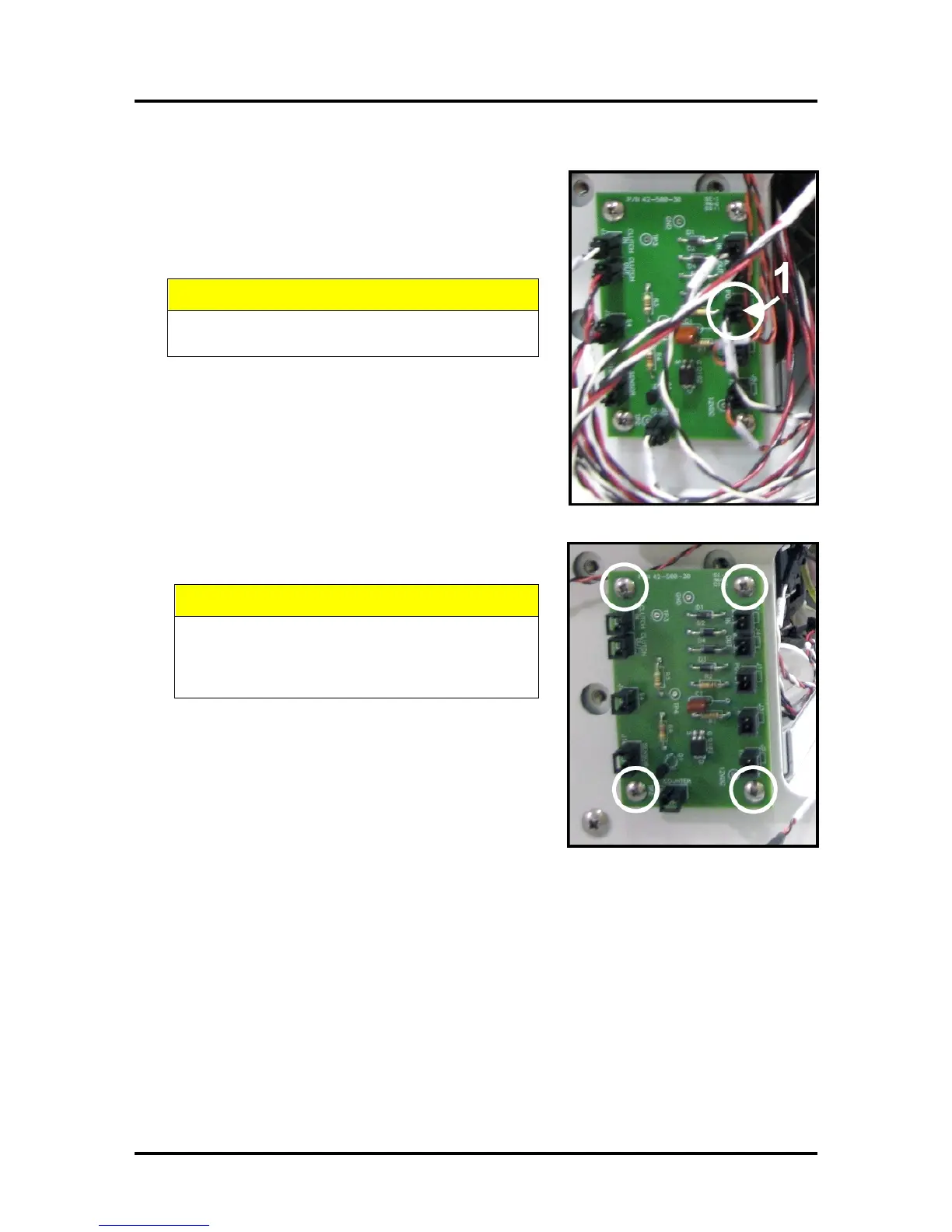
2. Carefully unplug all connections from the I/O Board.
NOTE: The connector locations on Rev B boards are
different than shown here. Wires are labeled for easy
reconnection.
DO NOT DAMAGE THE WIRES WHEN
REMOVING THEM.
3. Remove the (4) screws that attach the PC Board to the Side
Frame and remove the PC Board.
MAKE SURE THAT YOU ARE PROPERLY
GROUNDED BEFORE HANDLING THE PC
BOARD. STATIC ELECTRICITY CAN DAMAGE
THE BOARD.
4. Reassemble in reverse order.



 To Next Page