SECTION 4
TOOLBOX SERVICE FEATURES
35
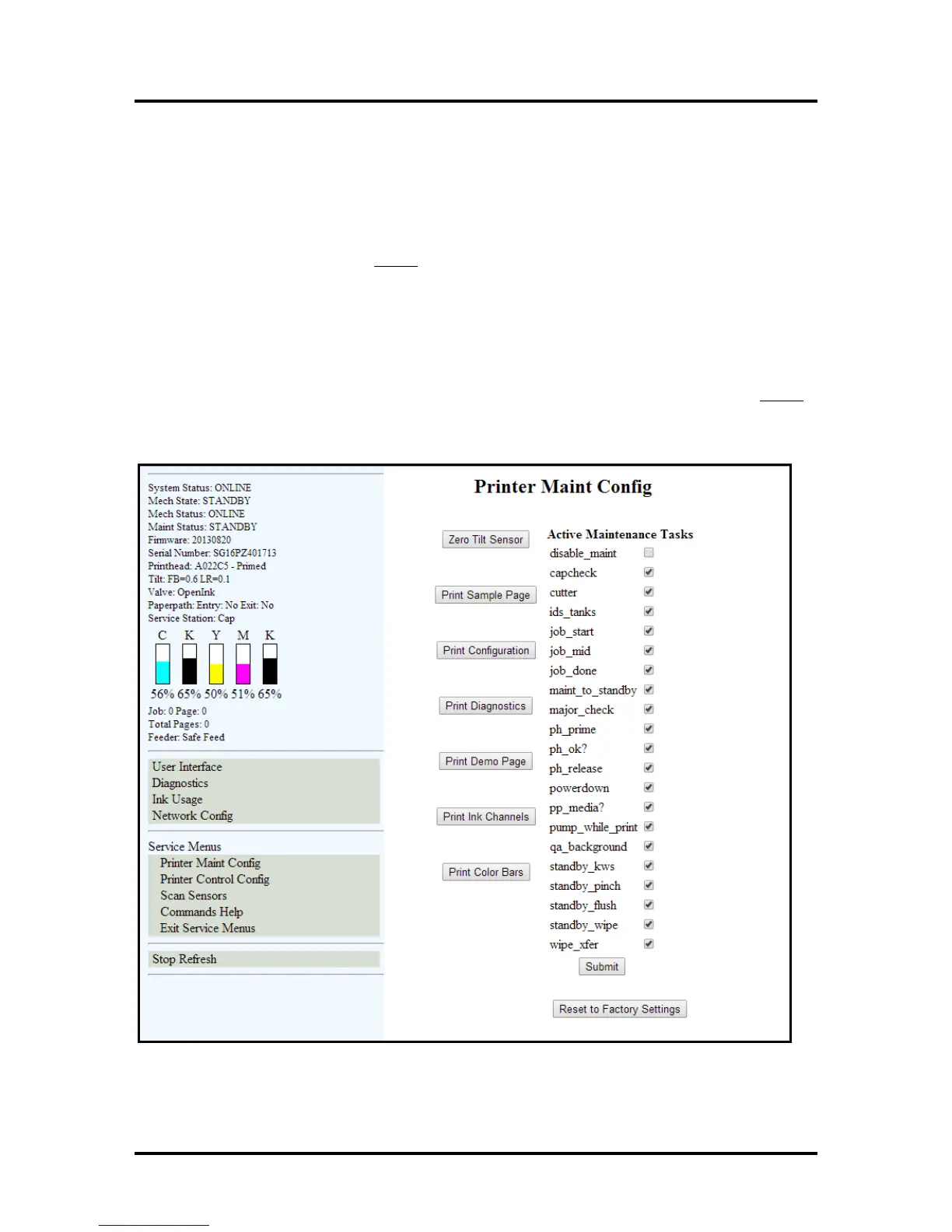
Printer Maintenance Configuration Screen:
Allows technician to enable or disable certain maintenance functions.
“Zero Tilt Sensor” can reset the Tilt Warning in the Printer Status column.
You can also “Print Sample Page,” “Print Configuration,” “Print Diagnostics,” “Print Demo Page,”
“Print Ink Channels” and “Print Color Bars” without returning to the Diagnostics screen.
You can also return the Printer to the default
settings by pressing the “Reset to Factory Settings” button.
NOTE: After changing the settings on this page and pressing Submit, you must properly power-down the
Print Engine, before they will be saved and take effect. If you skip this step the printer will revert to the
previous settings; after a power loss or improper power off (turning the Main Power Switch OFF without
powering down the Print Engine).
CAUTION!
To help avoid issues caused by setting these items improperly; please don’t change selections from default
(shown below) unless instructed by a Tier 2 Support Agent or following a written procedure from this
manual.



 To Next Page