SECTION 5
DISASSEMBLY AND ASSEMBLY
86
Removing the Print Engine
Note: There is a “service video” available for this procedure.
1. Open the Top Cover. Open the Toolbox, press the Release Printhead button. Printer will "deprime"
pumping all the ink back to the ink tanks, then the Printhead Cover will open. Remove the Printhead
Cartridge and carefully put it back in the original packaging. Shut the printer down by first pressing the
Control Panel Power button, then the Main Power switch on the rear panel. Unplug the unit.
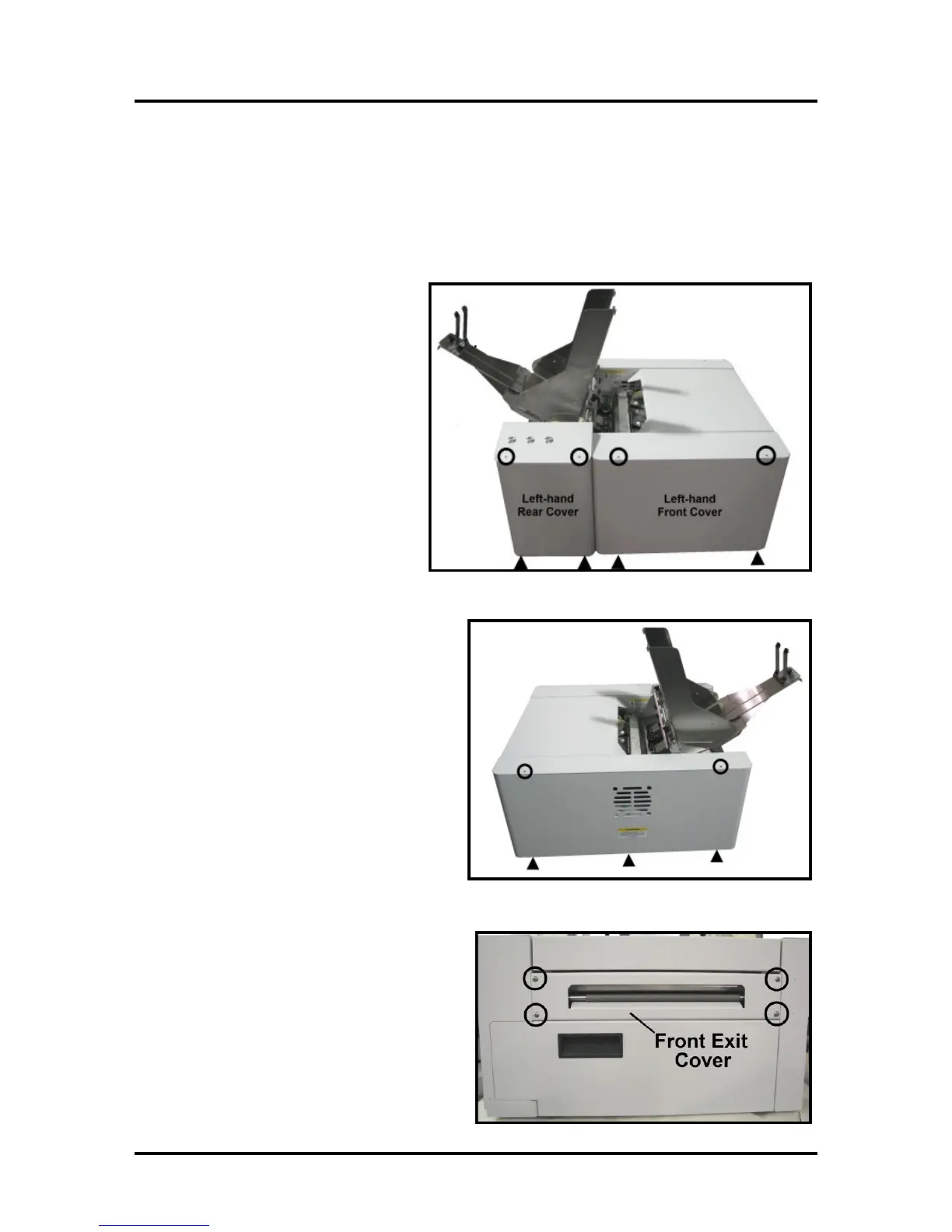
2. Remove the Left hand Rear Side
Cover by removing the (2) screws at
the top and bottom of the Cover.
3. Remove two screws at the top and
bottom of the Front Left-hand Side
Cover. Pull Cover away from machine
slightly.
4. Remove the Right-hand Side Cover by
removing the (3) screws at the top of the
Cover. Then remove the (3) screws from the
bottom of the Cover.
5. Remove Front Exit Cover by removing (4)
screws.



 To Next Page