SECTION 6
DISASSEMBLY AND ASSEMBLY
87
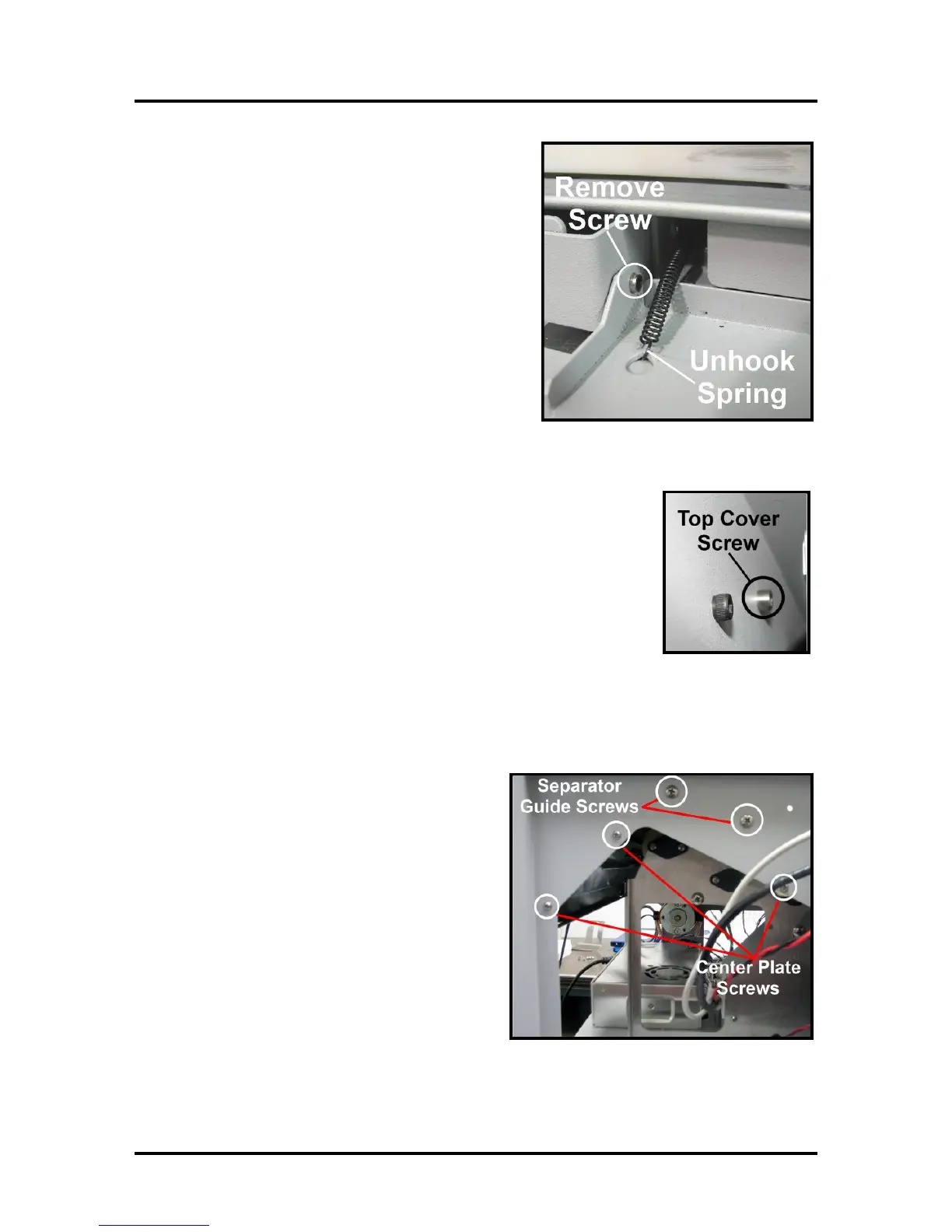
6. Remove Ink Tank Door. Carefully unhook the (2)
springs (one each side), then remove the mounting screw
from the left-hand side (Control Panel Side). Remove
Door and set aside.
Tip: To save time; you can skip this step. Ink Tank Door
will be released once you remove the operator side-frame
(step 12).
7. Remove Top Cover. Remove “cover pivot screw”, at non-operator side.
Remove Top Cover and set aside.
Tip: To save time; you can skip this step. Top cover will be released once
you remove the operator side-frame (step 12).
8. [A] Remove the (2) screws holding the left-hand side Media Separator Guide.
[B] Remove the (3) screws on left-hand side of the machine that hold the Center Plate in place.



 To Next Page