SECTION 5
DISASSEMBLY AND ASSEMBLY
88
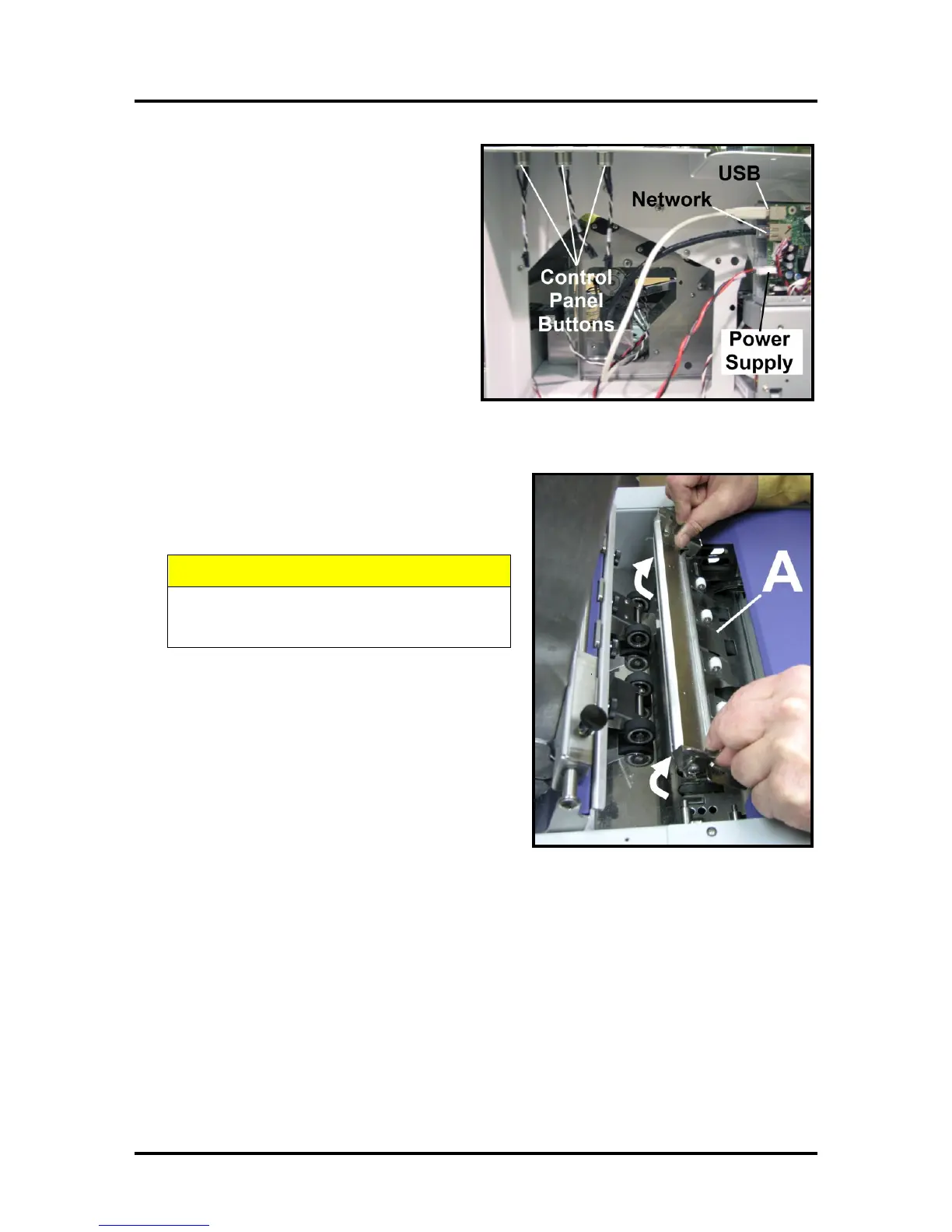
9. Unplug Network, USB and Main Power
connectors from Print Engine Circuit Board.
Disconnect the wires attached to the Power,
Paper and Cancel Buttons at connectors.
NOTE: Wires are labeled to simplify
reconnection.
10. Remove Antistatic Brush Assembly [A] from mounting
studs. Unlatch the two latches (one on either side of the
Assembly) and lift the assembly off the four mounting
pins as shown. Do not bend the brushes!
DO NOT BEND, PINCH OR CUT THE INK
LINES LOCATED DIRECTLY IN FRONT OF
THE BRUSH ASSEMBLY.
NOTE – Make sure Brush Assembly is correctly
reinstalled and aligned before starting to print. Assembly
should sit flat on transport area surface.



 To Next Page