APPENDICES
176
INSTALL THE SERVICE STATION GUIDE
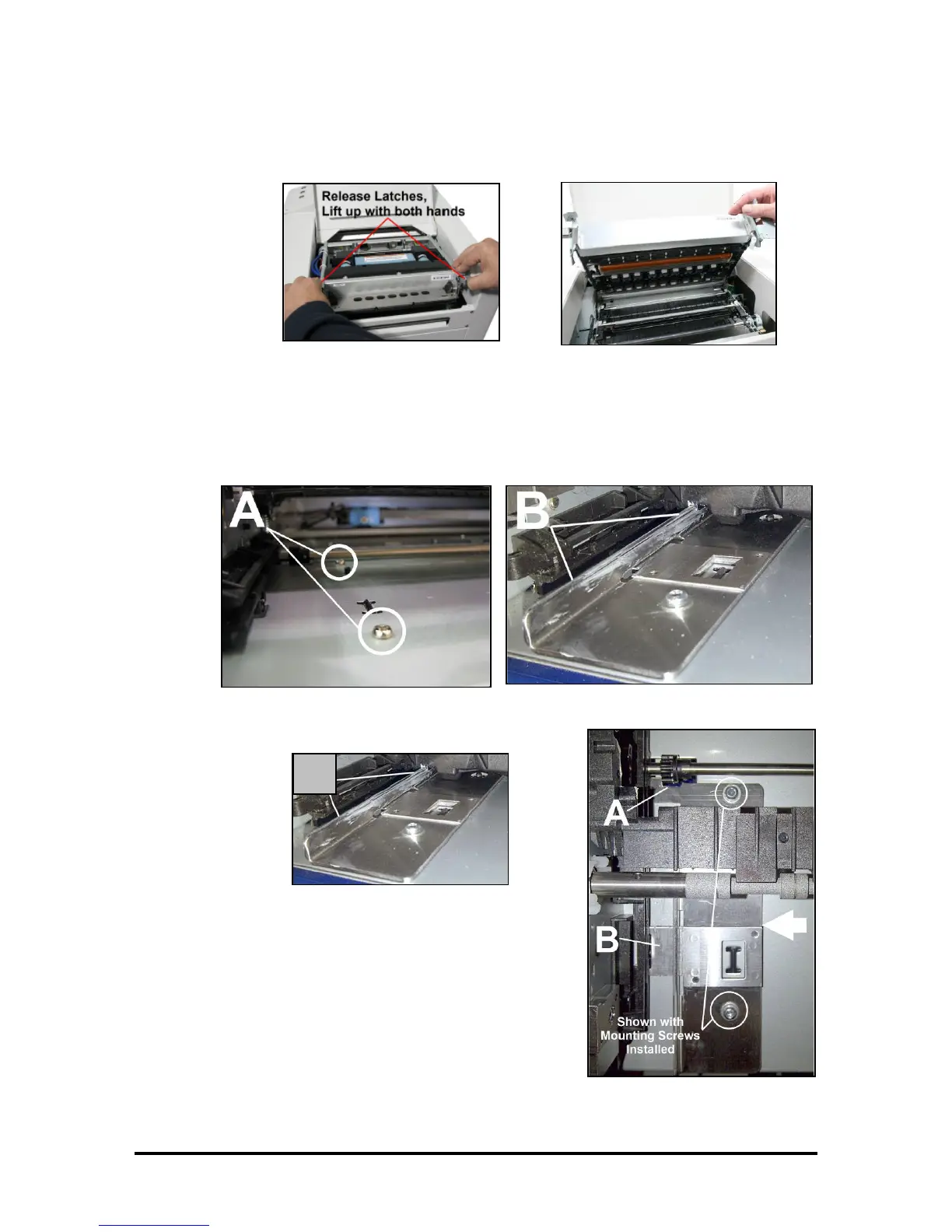
10. Release the two latches and open the Clamshell.
11. Remove the two existing screws [A] from Service Station Slot floor:
[A] Use the T10 screwdriver to remove the innermost screw. Access to this screw cab be obtained
through the Printhead area (top of print-engine); since printhead was removed in a previous step.
Use a small ratchet tool with a T10 Torx bit to remove the outermost screw.
[B] Apply a little grease along the upright edge of the Guide.
12. Install Guide into the Service Station Slot:
[A] Fit front notches of Guide around the gear on the shaft.
[B] Push Guide over towards the operators side. Position
Guide so the holes in the Guide align with the empty screw
holes (screws removed in the previous step).
Image shown with table top plates removed.
This is for reference purposes only.


 To Next Page