SECTION 5
MEASUREMENTS & ADJUSTMENTS
49
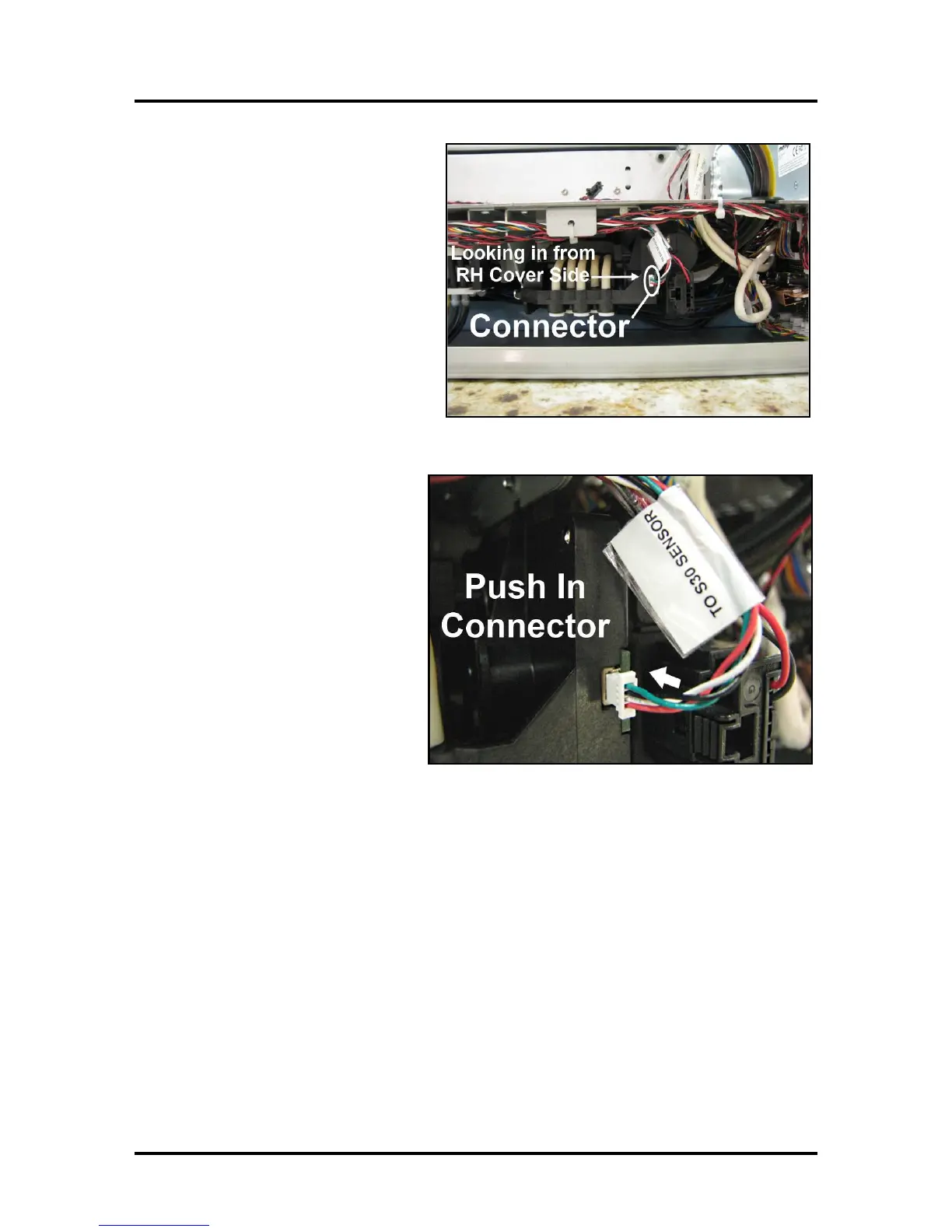
3. Look through the open side of the
Printer. The Dual Pinch Valve
connector (white) is located just
behind the metal duct, for the lower
dust exhaust fan.
Note: The factory has started to hot-
glue this connection; to help prevent
it from coming loose in transit.
4. Use a long-blade flat-tip
screwdriver to carefully reach
across the print engine and push in
or reconnect the small white PCA
connector.
5. Reinstall the Non-Operator Side
Cover.



 To Next Page