SECTION 5
DISASSEMBLY AND ASSEMBLY
66
Side Cover
Side Cover
Procedure:
1. Turn off the Printer
2. Disconnect Power Cord
3. Disconnect Interface Cable
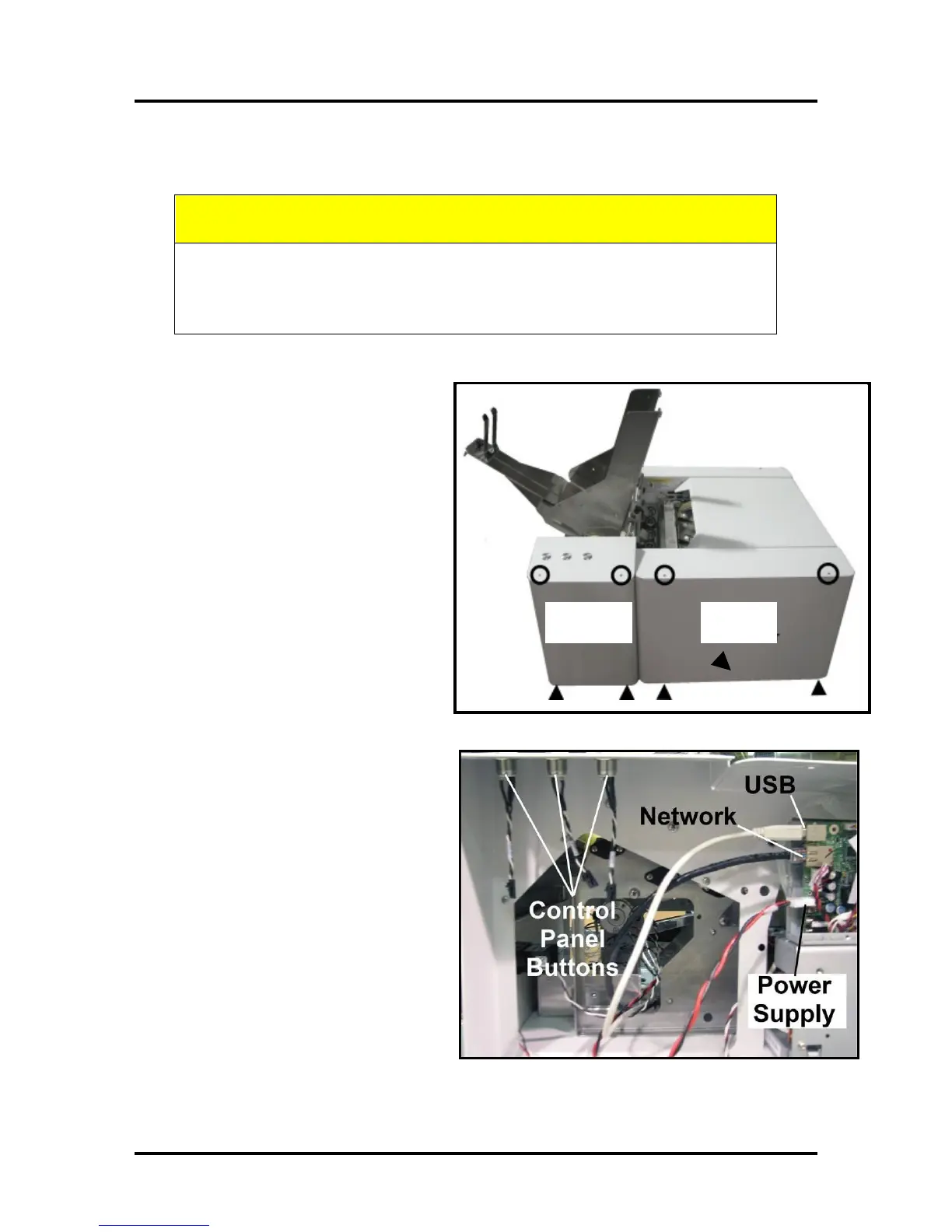
4. Remove Control Panel Side
Cover. Remove (2) screws at
the top and bottom of the
Control Panel Side Cover. Pull
cover away from machine and
set aside.
Tip: Keep track of where
screws are removed from. They
are different.
5. Remove Operator Side Cover.
Remove (2) screws at the top
and bottom of the Operator Side
Cover. Remove the Cover.
6. Unplug USB, Network and
Power Supply cables from the
Main Print Engine PCB.
CAUTION
WHENEVER POWERING DOWN UNIT, ALWAYS:
1. PRESS THE POWER BUTTON ON THE CONTROL PANEL.
2. WAIT FOR THE PRINTER TO STOP PROCESSING.
3. THEN PRESS THE MAIN POWER SWITCH ON THE REAR PANEL.



 To Next Page