Operation and Control
36 D53182 02/2024
6.6.5 Mechanical Temperature Monitoring: Temperature Limiter (TB)
The appliance is equipped with a mechanical temperature limiter (TB) of protection class1
in accordance with DIN12880.
If the electronic monitoring unit fails during operation and the factory-set maximum
temperature is exceeded by approx. 20°C, the temperature limiter, as the final protective
measure, switches off the heating permanently.
6.6.6 Adjusting the Temperature Monitoring
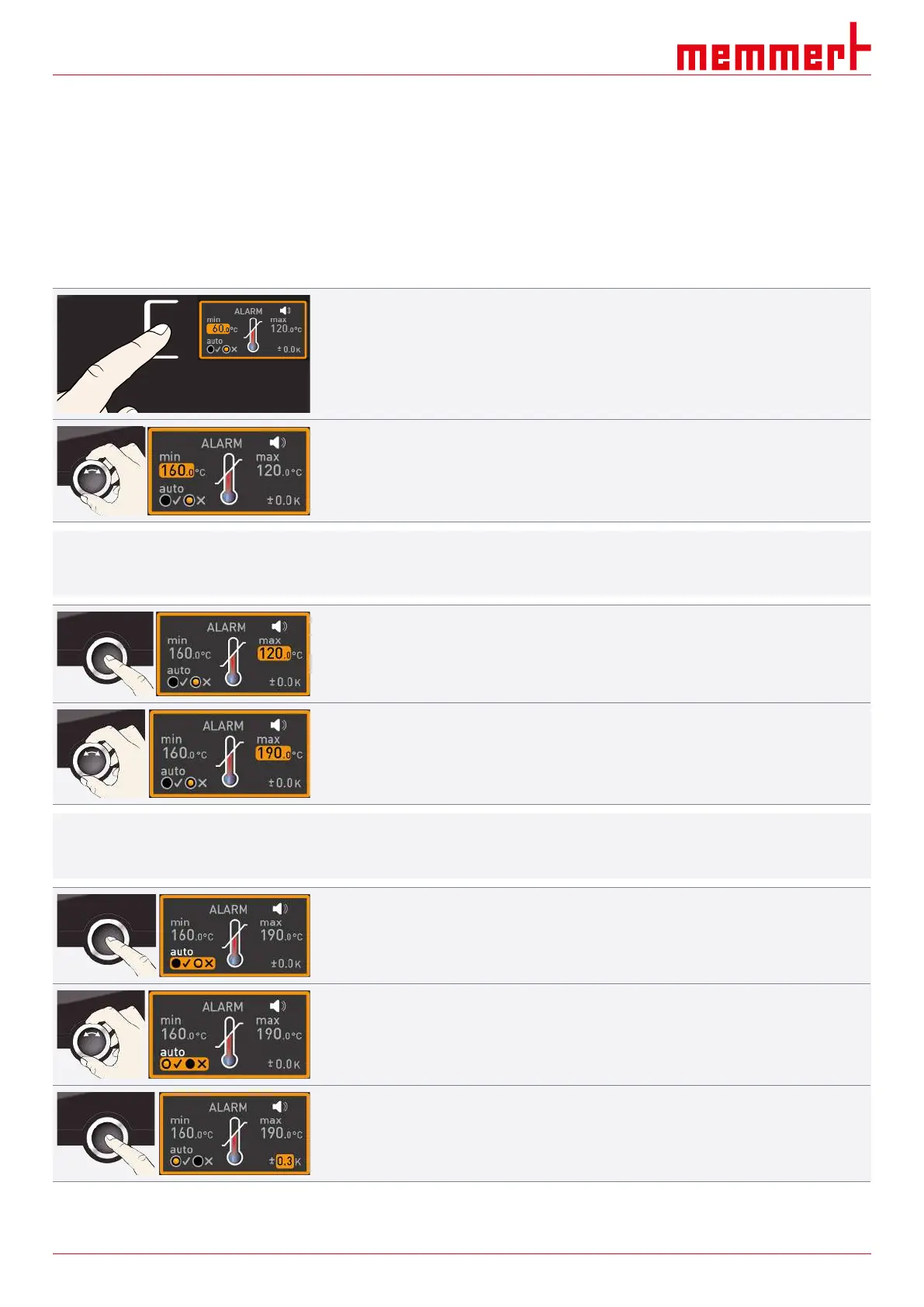
1. Press the activation key to the left of the ALARM display.
ð The min setting (undertemperature protection) is automatically activated.
2. By turning the turn control, adjust the desired lower alarm limit.
i
The lower alarm limit cannot be higher than the upper alarm limit. If no undertemperature
protection is required, set the lowest temperature.
3. Press the confirmation key to confirm.
ð The max display (overtemperature protection) is activated.
4. By turning the turn control, adjust the desired upper alarm limit.
i
The monitoring temperature must be set sufficiently high above the maximum setpoint
temperature. We recommend 5 to 10 K.
5. Press the confirmation key to apply the setting for the upper alarm limit.
ð The setting of the automatic temperature monitor (ASF) is automatically activated
(auto).
6. With the turn control select ON (
✓
) or OFF (
✕
).
7. Press the confirmation key to confirm.
ð The ASF tolerance band setting is activated.



 To Next Page