Operation and Control
34 D53182 02/2024
2 Menu Mode [}42]
2 Programme [}50]
6.6 Monitoring Function
6.6.1 Temperature Monitoring
The appliance is equipped with multiple overtemperature protection in accordance with
DIN 12880. This is designed to prevent damage to the chamber load and/or appliance in
case of a malfunction:
■ electronic temperature monitoring (TWW/TWB)
■ automatic temperature monitor (ASF)
■ mechanical temperature limiter (TB)
The electronic temperature monitoring measures the monitoring temperature via a
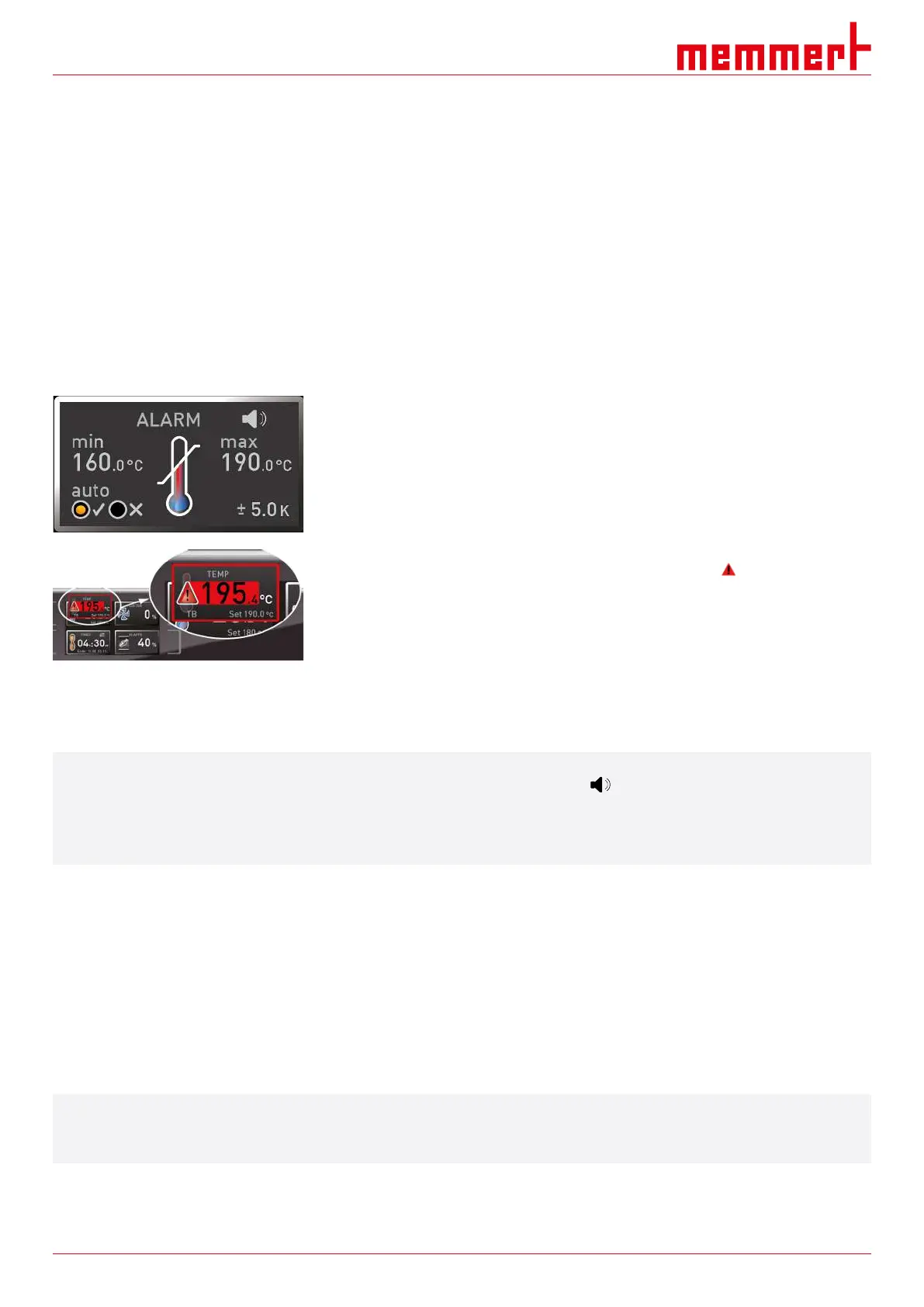
separate Pt100 temperature sensor in the chamber. Temperature monitoring settings are
made via the ALARM display. The settings made apply to all operating modes.
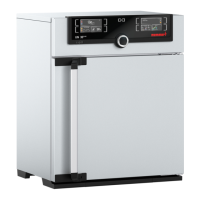
If temperature monitoring has been triggered, this is indicated by the temperature display:
the actual temperature is highlighted in red and a warning symbol is shown. The type of
temperature monitoring that has been triggered is shown beneath the temperature (see }
7Malfunctions, Warning and Error Messages).
The individual monitoring functions will be presented in more detail first, followed by a
description of how to set the temperature monitoring.
i
If the acoustic signal has been activated at Alarm in menu mode (}8.7Acoustic Signals,
which is indicated by the speaker symbol ), the alarm will be accompanied by an
intermittent acoustic signal.
The acoustic alarm can be temporarily switched off by pressing the confirmation key until
the next alarm event occurs.
See also
2 Malfunctions, Warning and Error Messages [}39]
2 Acoustic Signals [}51]
6.6.2 Electronic Temperature Monitoring (TWW)
The manually set min and max monitoring temperature of the electronic overtemperature
protection is monitored by an temperature selector switch (TWW) protection class3.1 acc.
to DIN 12880 (or temperature selector switch (TWW) protection class 3.1 for UIS
appliances).
i
If the manually set max monitoring temperature is exceeded, the TWW takes over the
closed-loop temperature control and begins to regulate with reference to the monitoring
temperature.



 To Next Page