Menu Mode
51 D53182 02/2024
i
As soon as the programme is ready, Select is highlighted once again.
To start the programme:
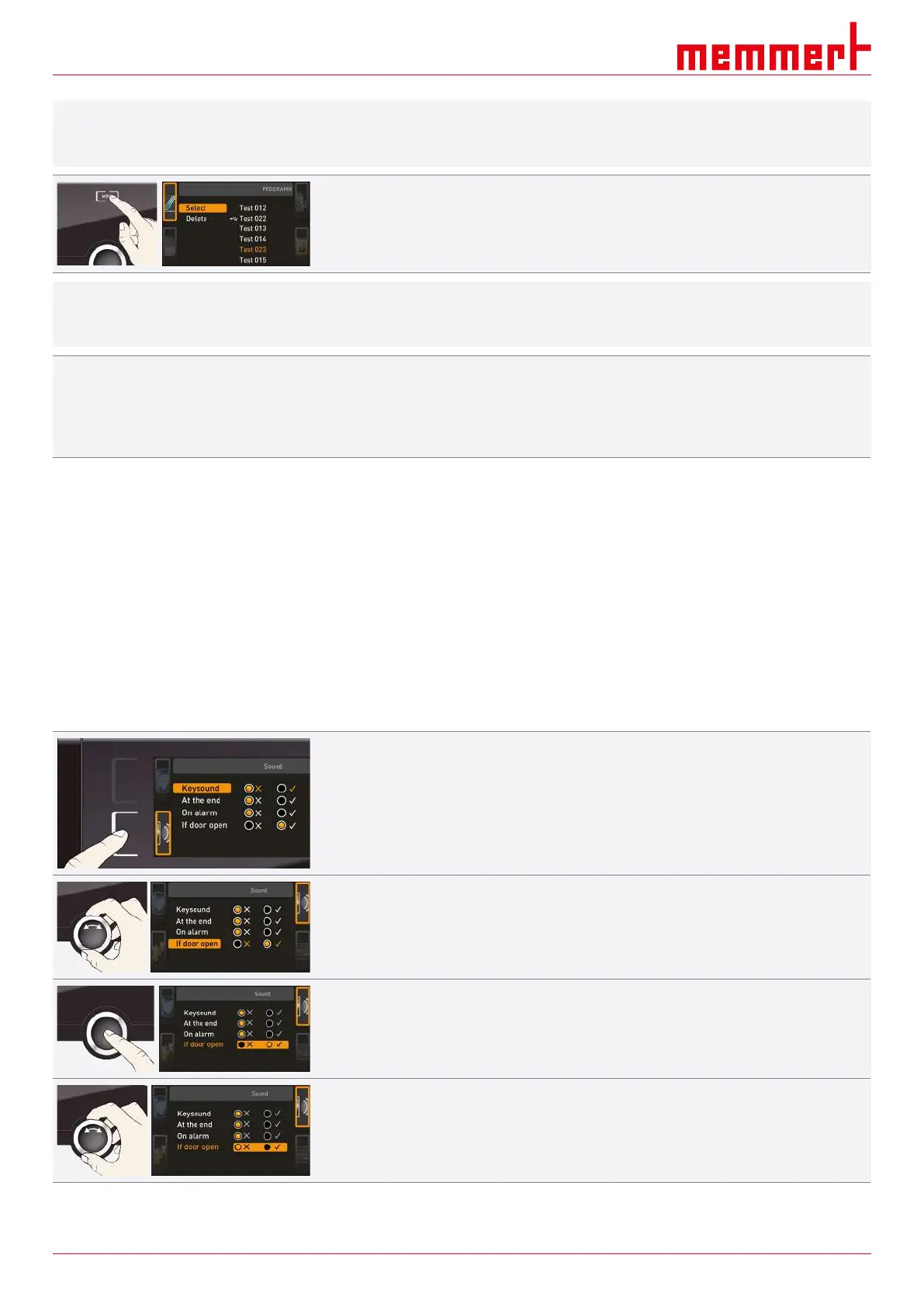
6. Return to the operating mode by pressing the MENU key again.
7. Start the programme as described in }6.5.3Programme Mode.
i
You can now remove the USB storage medium.
To delete a programme:
8. select the programme to be deleted the same way you can select a programme for
activation.
9. Select Delete with the turn control.
See also
2 Programme Mode [}32]
8.7 Acoustic Signals
In the SOUND display, you can define whether or not the appliance should emit acoustic
signals and, if yes, for which events:
■ on the press of a key
■ at the end of a programme
■ in the event of an alarm
■ if the door is open
1. Press the activation key to the left of the SOUND display.
ð The display is enlarged.
ð The first category (in this case Keysound) is automatically highlighted.
ð The current settings are shown on the right.
If you want to edit another list entry:
■ Turn the turn control until the respective entry – e.g. if the door is open (special
configuration) – is highlighted in colour.
2. Confirm the selection by pressing the confirmation key.
ð The adjustment options are automatically highlighted.
3. With the turn control, select the desired setting – in this example OFF (
✕
).



 To Next Page