Menu Mode
47 D53182 02/2024
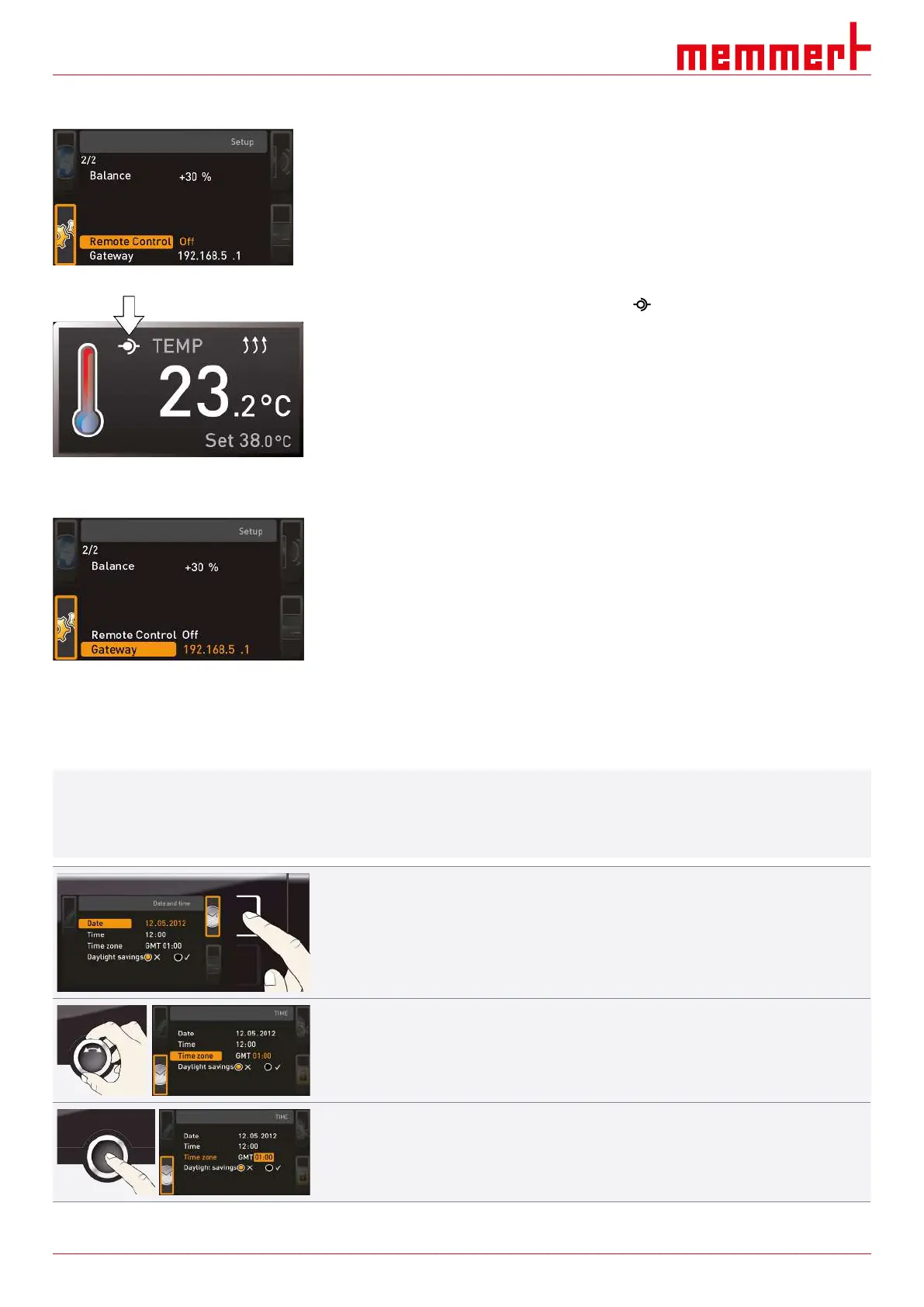
8.3.8 Remote Control
Under the Remote control setup entry, you can set whether the appliance should be
controlled via remote control and if so, in which mode. These adjustment options are
available:
■ Off
■ Read Only
■ Write + Read
■ Write + Alarm
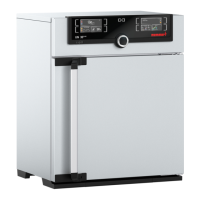
When the appliance is in remote control mode, the symbol appears in the temperature
display. In the settings Write+Read and Write+Alarm, the appliance cannot be controlled
at the ControlCOCKPIT until the remote control has been switched off (Off setting) or set
to Read Only.
To use the remote control function, programming skills and special libraries are required.
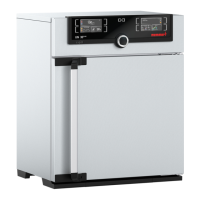
8.3.9 Gateway
The Gateway setup entry is used to connect two networks with different protocols. The
gateway is set the same way as the IP address
(see }8.3.2IP Address and Subnet Mask).
See also
2 IP Address and Subnet Mask [}44]
8.4 Date and Time
In the TIME display, you can set date and time, time zone and summer time. Changes can
only be made in manual operating mode.
i
Always set the time zone (and summer time yes/no) before you set the date and time.
Avoid changing the set time after that since this can lead to gaps or overlapping when
recording measured values. If you still need to change the time, you should not run a
programme immediately before or after doing so.
1. Press the activation key to the right of the TIME display.
ð The display is enlarged and the first adjustment option (Date) automatically
highlighted.
2. Turn the turn control until Time zone is highlighted.
3. Confirm the selection by pressing the confirmation key.



 To Next Page