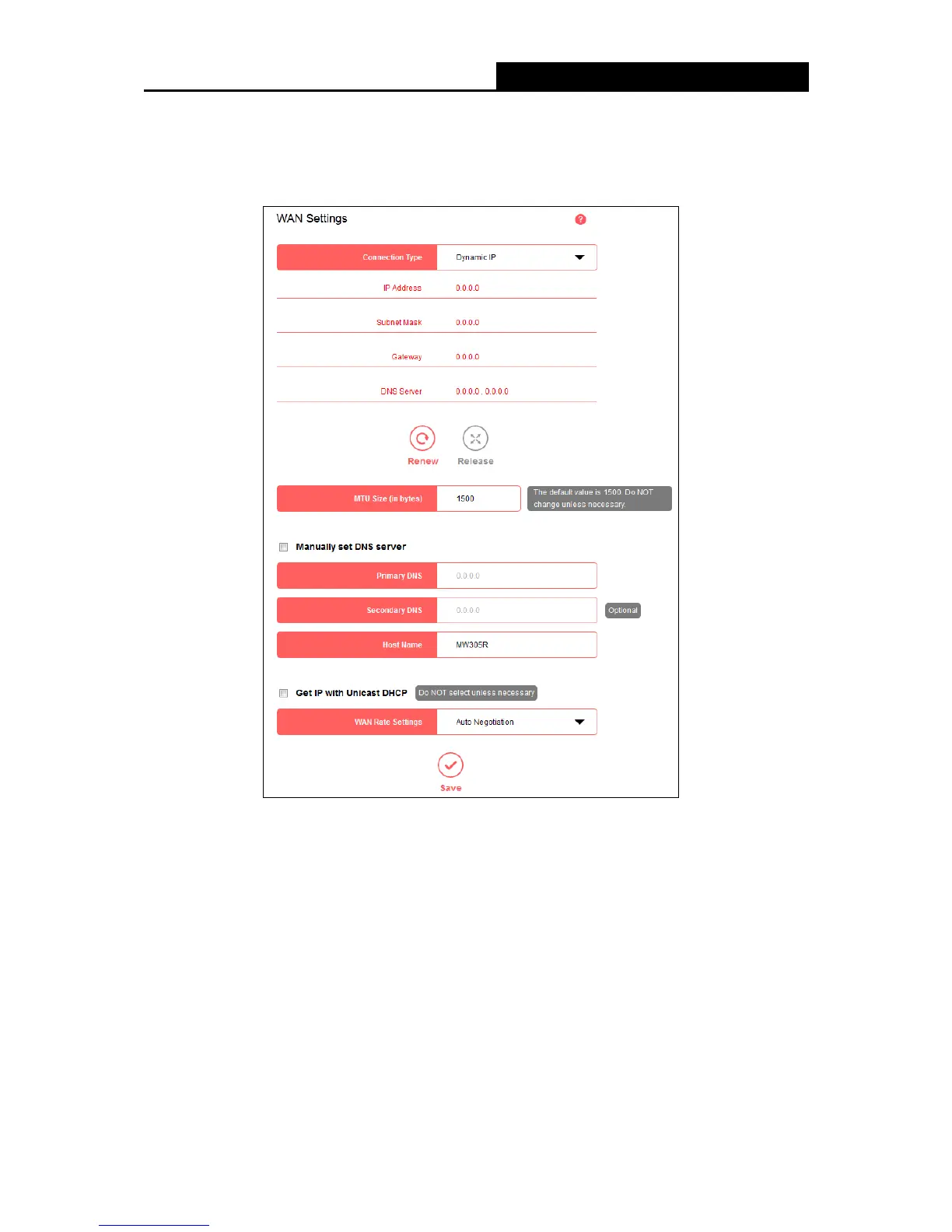
2. Dynamic IP
Select this type if your ISP provides the DHCP service, and the router will automatically get IP
parameters from your ISP.
Renew - Click to renew the IP parameters from your ISP.
Release - Click to release the IP parameters.
MTU Size (in bytes) - The normal MTU (Maximum Transmission Unit) value for most
Ethernet networks is 1500 bytes. Do not change the default MTU Size unless required by
your ISP.
Manually set DNS server - If your ISP gives you one or two DNS addresses, select this
option and enter the primary and secondary addresses into the corresponding fields.
Otherwise, the DNS servers will be assigned dynamically from your ISP.
Host Name - This option specifies the host name of the router.
Get IP with Unicast DHCP - A few ISPs' DHCP servers do not support the broadcast
- 16 -


 To Next Page
 Loading...











