36
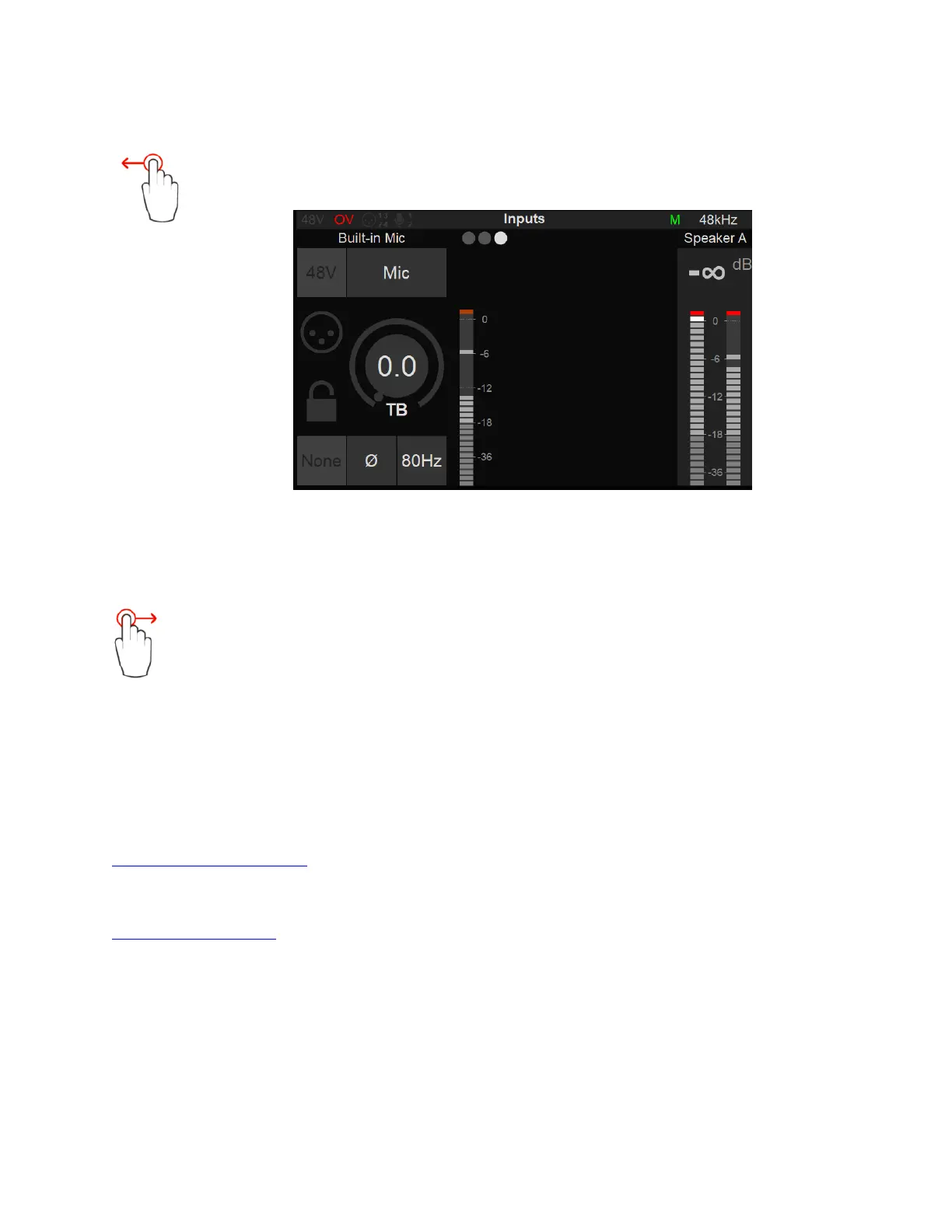
Input 5 Built-in Talkback:
Swipe from Right to Left on the TFT screen again to view the Anubis Input 5 that is
dedicated to the built-in Talkback microphone.
The Preamps controls for the Input 5 will control the built-in Talkback microphone.
Notes: The Input 5 Built-in Talkback is shared with Input 4. Connecting an Instrument or Line input jack
into this input will deactivate the built-in Talkback (Channel 5).
Swipe on the TFT screen from left to right in order to return to the previous Inputs
Preamps pages.
Note: More than three Preamps pages will be available if Split Channel is enabled under
Settings>Inputs>Split.
Remote control of the Anubis Mic Preamps using ProTools DAW.
Mac: User should refer to the VAD User Guide for details on the procedure to follow
Virtual Audio Device guide
PC: Users must refer to the RAVENNA ASIO Guide, for details on the procedure to follow
RAVENNA ASIO guide
ProTools remote MIDI preamps limitations (Boost, Link, Cut):
Boost: ProTools remote MIDI Preamps control does not support the Anubis Boost Preamps
option. It will be interpreted as a Pad under ProTools. For the moment it is recommended to set
this parameter locally on the Anubis Preamps.
Link and Cut: ProTools remote MIDI-Preamps control do not support the Anubis Link Preamps
option. users can use Stereo Inputs on ProTools. The Cut option will also need to be used locally.



 To Next Page