81
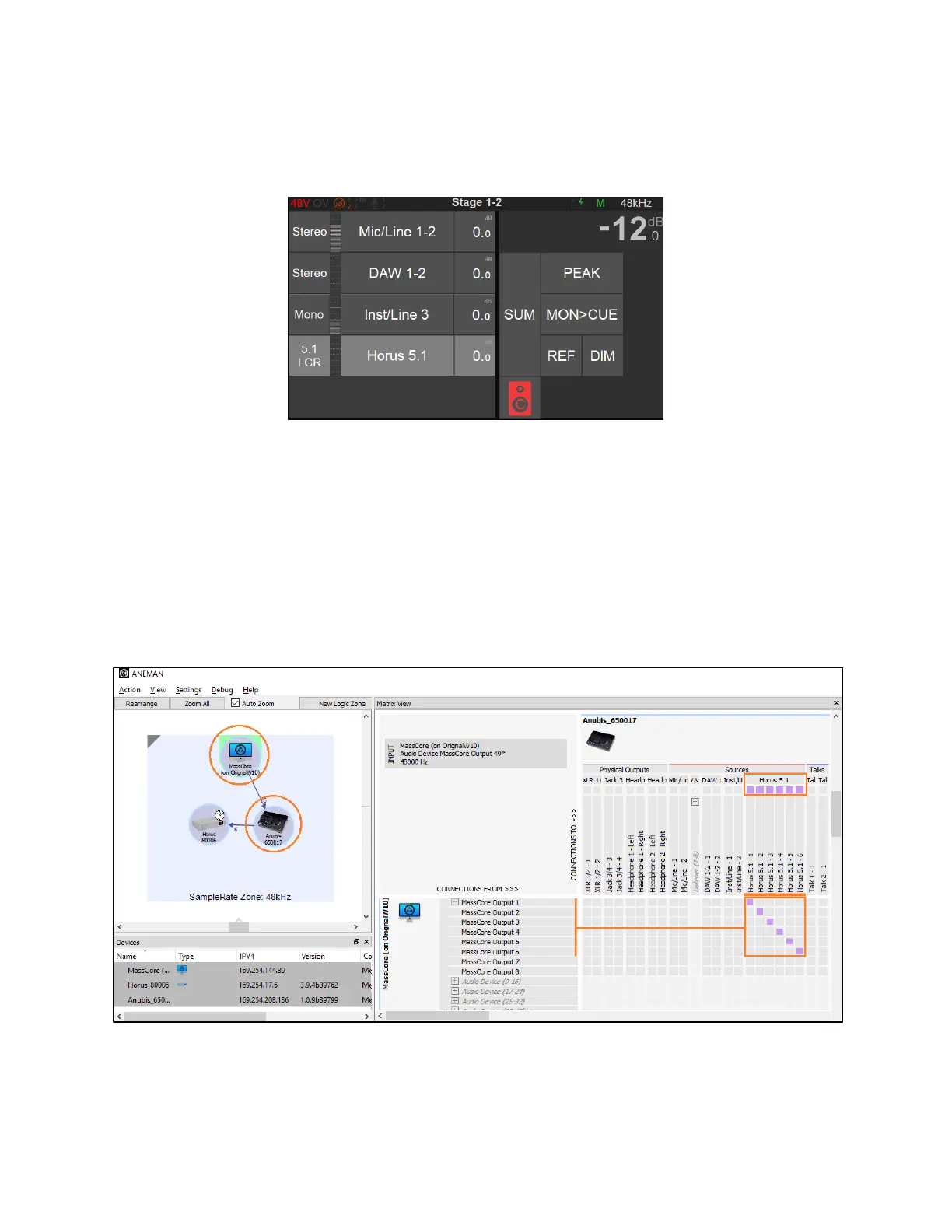
5. Exit the Settings in order to return to the Anubis Source Page where a new “Horus 5.1 LCR”
Source should be available along with a new C Monitor 5.1 Surround Speaker set on the
VirtualKey 1.
6. Launch the Merging’s ANEMAN application (that should previously have been installed on your
system). Follow the ANEMAN User Manual if you require more details on operations.
7. Within ANEMAN Select both your Driver (RAVENNA ASIO or VAD) or MassCore device and
Anubis.
8. Connect from the device Sink to the Source named Horus 5.1 and apply either a Multicast or a
Unicast connection. See image below.
8. Remain in ANEMAN and this time select your Anubis and second RAVENNA/AES67 device
(such as Horus or Hapi), we assume here that this one would have Multichannel Inputs and
Outputs. In the example here a Horus is used with its DA8 connected to a 5.1 Speaker set.



 To Next Page