85
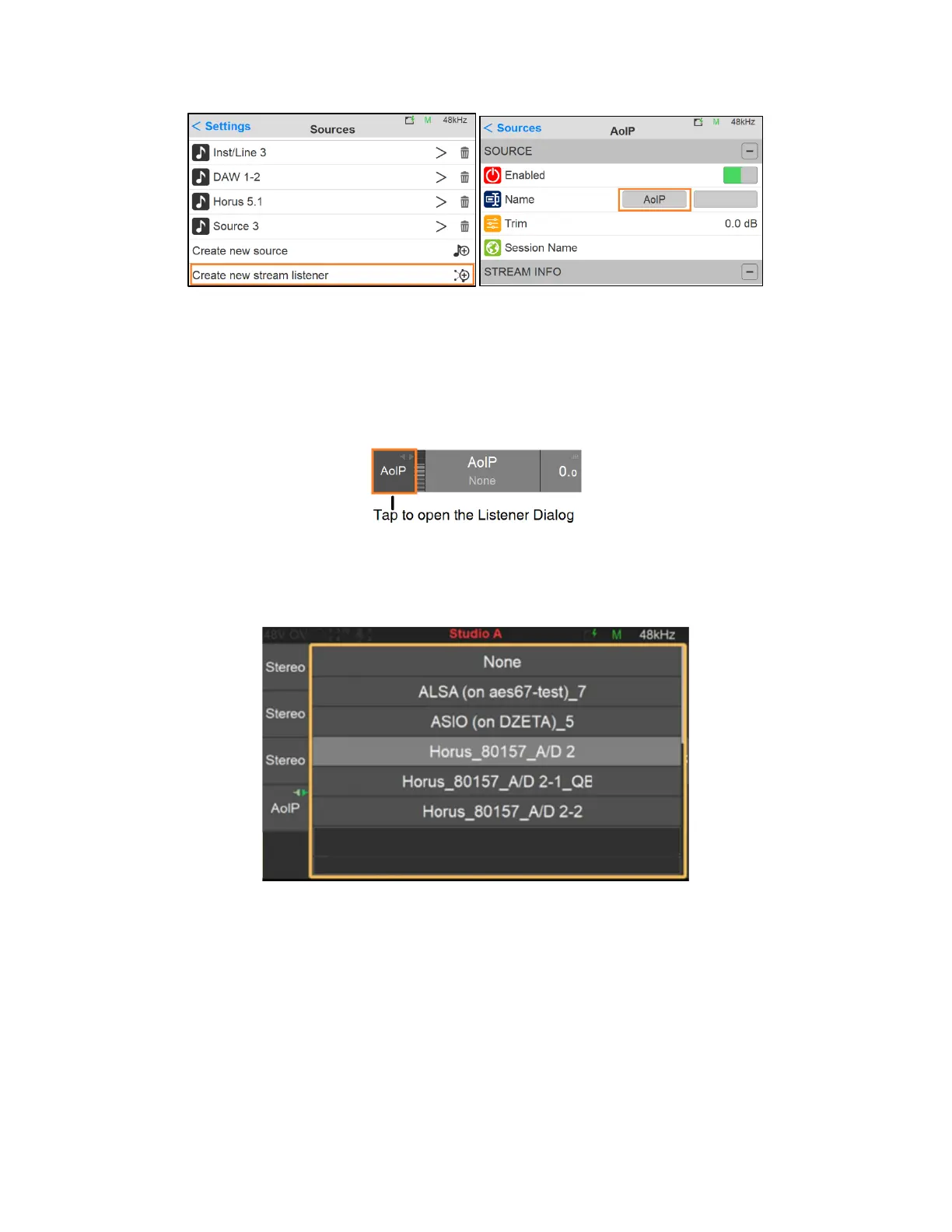
3. Once you do have streams available create a New Source Listener from the Anubis
Settings>Source. By factory one AoIP source listener should already be available.
Note: a Source Listener has very few parameters to configure, only name and trim are applicable
4. From the Anubis Source Page open the AoIP Listener dialog by tapping the AoIP entry on the
left
5. The Listener Dialog should open and be populated with the available RAVENNA/AES67 on your
network.
6. Tap the Stream you wish to Monitor.
7. To close the Listener Dialog, tap the AoIP Entry on the left, or Tap anywhere outside the dialog
Note: AoIP Stream Listener does not provide selectable speaker control from the Monitor Page.
You are ready to monitor any stream RAVENNA/AES67 over your network from your Anubis
locally.



 To Next Page