97
Mac Users
1. Connect your MIDI controller (such as a keyboard) to your Anubis MIDI I/O connector. If you're
using a MIDI interface, connect the Anubis RAVENNA cable to your Mac ethernet interface.
2. Launch your DAW/MIDI application for MIDI use.
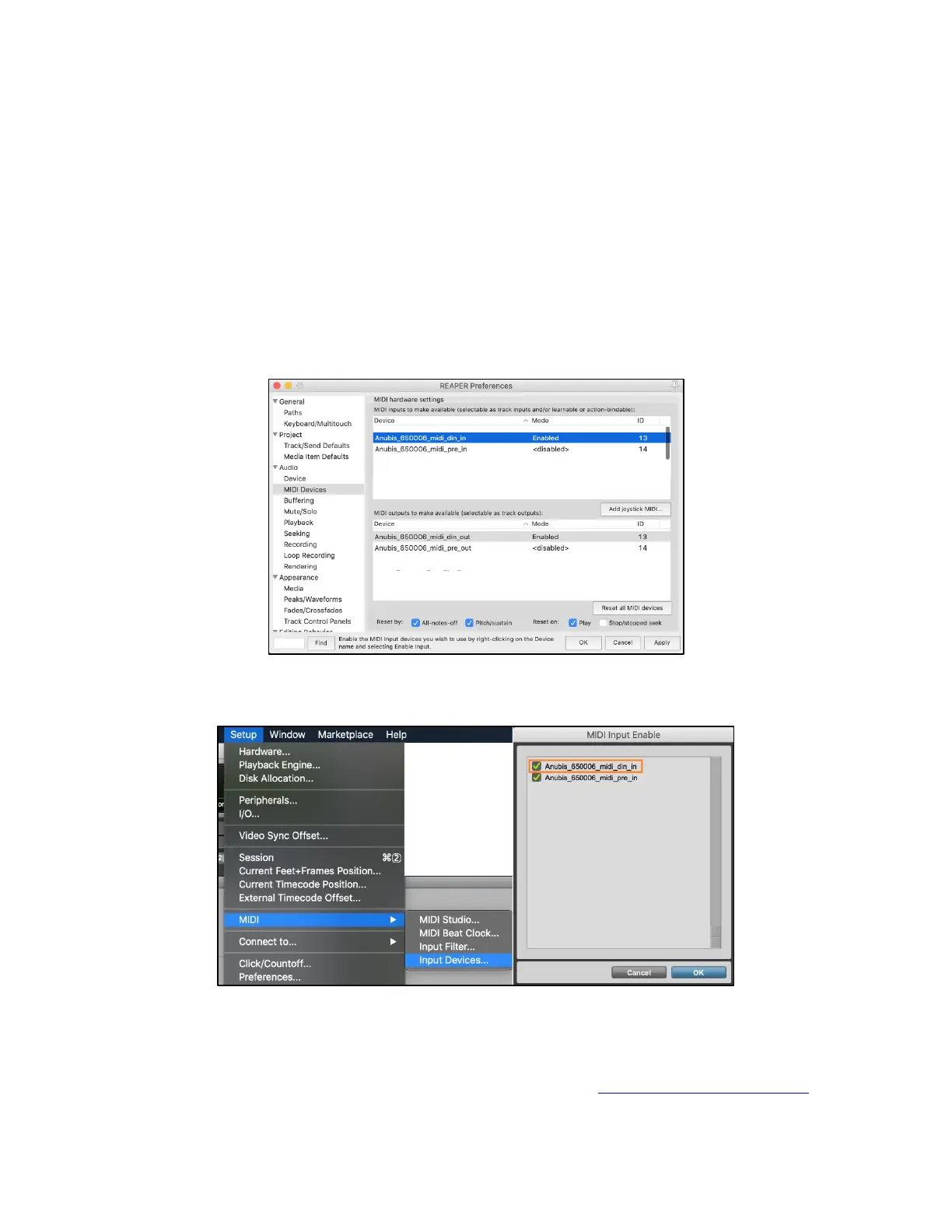
3. The Anubis MIDI port should be available for configuration.
Reaper on Mac example
ProTools on Mac example
Note: The MIDI Input and Output located on the back of the Anubis can also be used to send and
receive MIDI timecode (MTC). By doing so, you can use an application supporting MTC to synchronize
a multitrack recorder (MTR/DAW) and MIDI devices. All details in the RAVENNA NETWORK Guide



 To Next Page