Metor 6M PAGE 25
Installation and Operating Manual
92102916 REV 5 7. SWITCHING ON
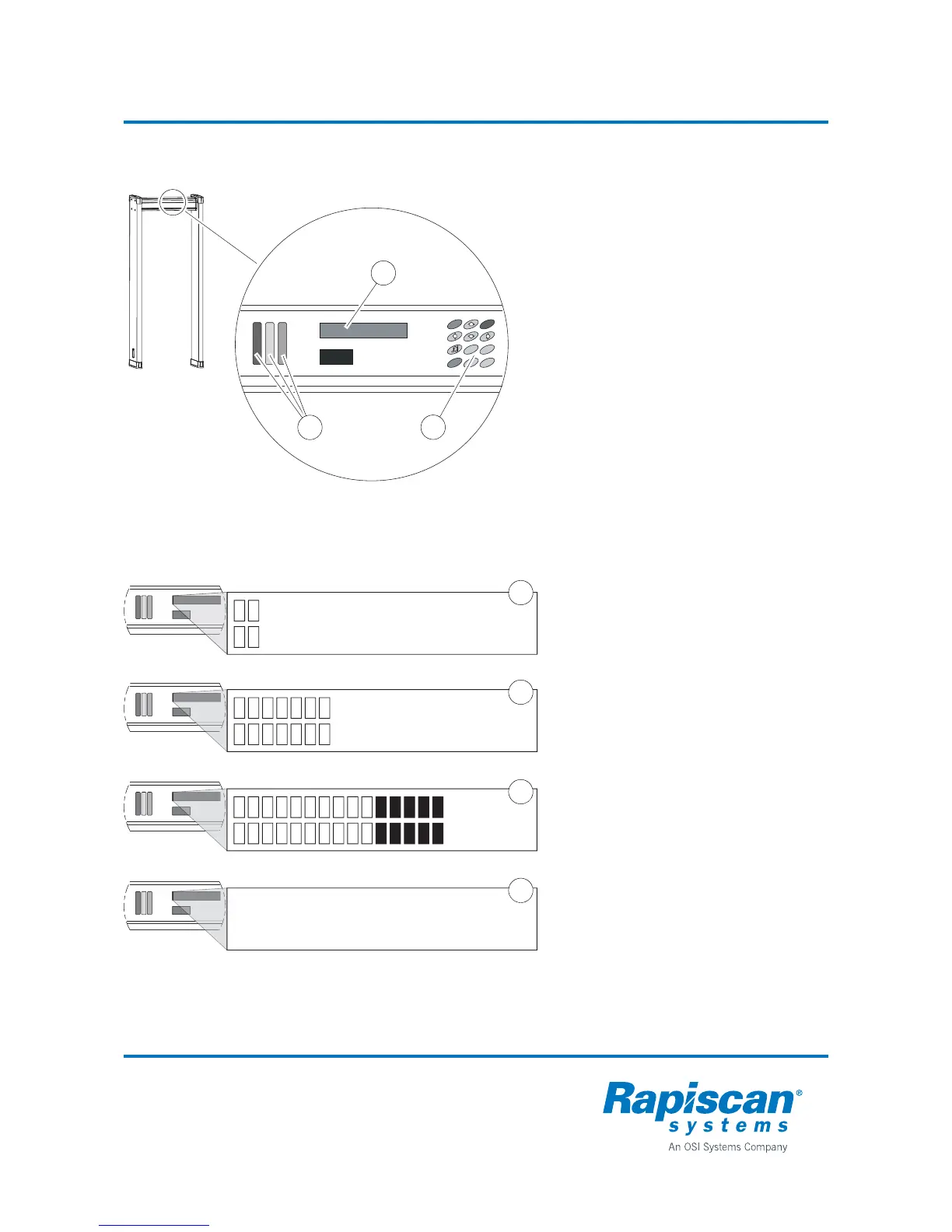
Display
All functions of the WTMD are controlled
with the display unit. The display unit
consists of an alphanumeric display (1),
status lights (2) and keypad (3).
• The alphanumeric display has two rows
with 20 characters each. It displays the
proportional signal value and any fault
messages and is used to assist in
controlling the unit.
• The status lights consist of a red, yellow,
and green light. The red light is flashing
when the WTMD raises an alarm. The
yellow light is on when browsing menus
or when the WTMD is not ready for
operation. When the green light is on the
unit is ready.
Examples of display signals:
1. Normal operating situations, minor
background interferences are shown on
the display. For optimal operation of the
equipment in normal operating
situations no more than 2-4 boxes
should be illuminating when nobody is
passing through. Otherwise, the
operating frequency should be changed
or the effect of the source of interference
minimized.
2. A situation where a person passing
through does not cause an alarm, but
the changes in the signals caused by
allowed metal objects (buckle, shoes,
eye wear) are shown on the display.
3. The alarm limit has been exceeded. The
status lights are flashing (red light).
4. The display also shows possible error
codes that indicate operating errors or
faults. See “Error Messages” on
page 66.
3
2
5
7
9
8
1
OK
4
0
6
F1
1
2
3
RX-CABLE
DISCONNECTED!
1
2
3
4



 To Next Page